
How to Start a Blog and Make Money in 2026: A Practical Guide
By Oscar · 17 min read
Starting a blog is easy. Earning from one takes time, useful posts and patience. To start a blog and make money, pick a topic where you can help a specific reader, set up WordPress on reliable hosting, publish useful articles with honest disclosure, and add ways to earn such as affiliate links once readers arrive. Nobody can promise how long that takes or how much it pays, and this guide does not. It does show the steps, the real hosting prices we checked on November 10, 2026, and a 90 day plan you can follow.
Disclosure: some links in this article are affiliate links, to SiteGround, Cloudways and Systeme.io free plan. If you buy through them we may earn a commission at no extra cost to you. Hostinger is linked plainly because we do not have an affiliate link for it. This does not change what we say, and we list limits for each. Read our affiliate disclosure.
Table of Contents
Quick Answer: How Do You Start a Blog and Make Money?
- Choose a topic and reader first. Hosting and themes come after you know who you are writing for.
- Compare hosting by first-term and renewal price. Promo prices often need a prepaid term and rise at renewal.
- Publish useful posts, then add earning methods. Affiliate links, ads and your own products all need readers first.
- Add trust pages early, including a plain affiliate disclosure.
- Plan for months, not days. No honest source can promise a traffic or income date.
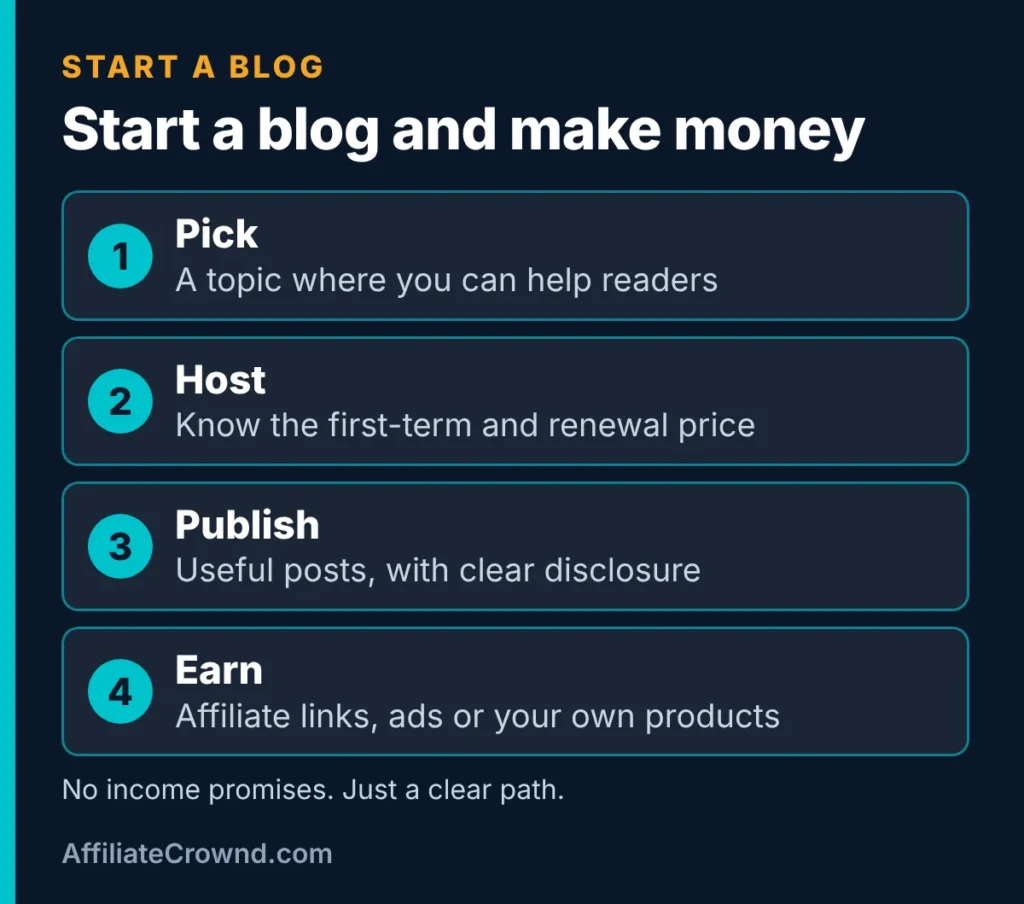
How Blogs Actually Make Money
Blogs earn in a few common ways. Each one depends on having readers who trust you, which is why the early work is writing, not monetizing. Here is how the four most common routes compare.
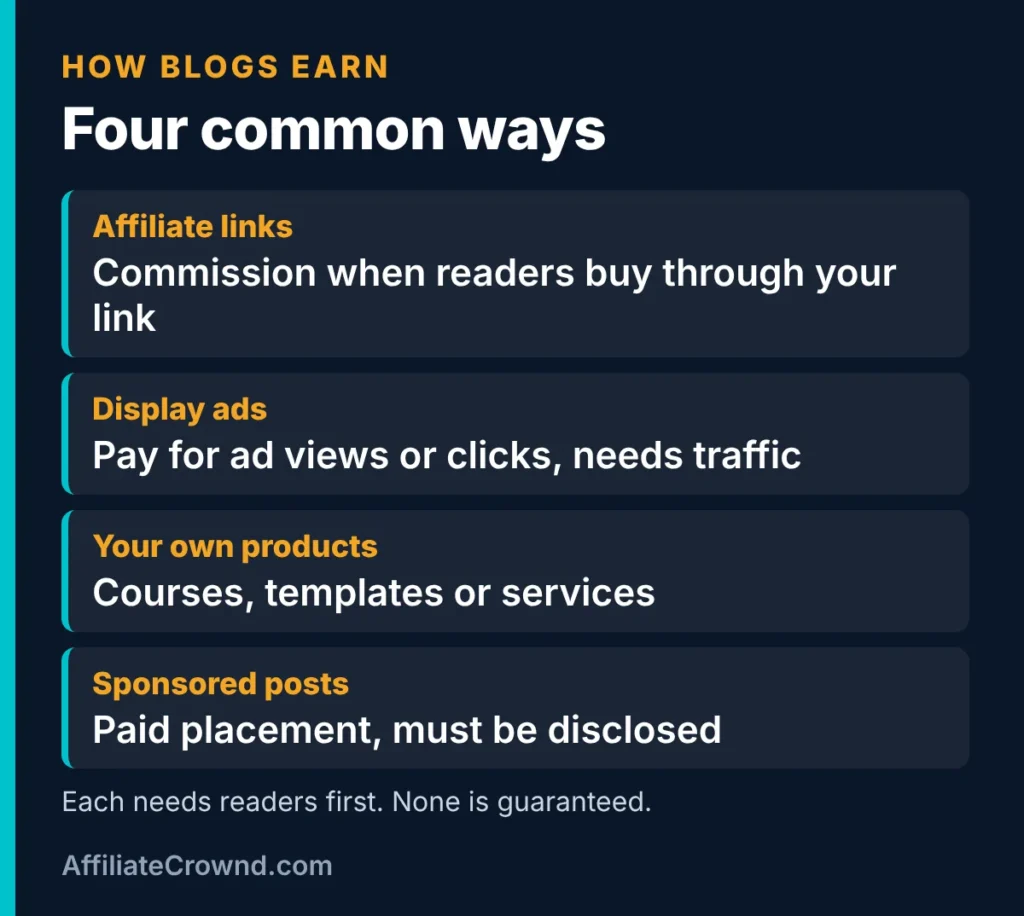
| Way to earn | How it works | What you need first | Main risk |
|---|---|---|---|
| Affiliate links | You recommend a product and may earn a commission when a reader buys through your link | Posts that help readers choose, and a plain disclosure | Program terms change, and thin reviews can hurt trust |
| Display ads | An ad network shows ads on your pages | Enough traffic and a site that meets the network’s rules | Ads can slow pages and need steady visits |
| Your own products | Courses, templates or services you sell | An audience that wants what you make | Takes time to build and support |
| Sponsored posts | A brand pays for a post or mention | A real audience and clear disclosure | Must be labeled, and it can reduce trust if overdone |
For most beginners on this site we recommend starting with helpful articles and honest affiliate recommendations, then adding other income streams later. If you are curious about ads, read how to get Google AdSense approved before you plan around them. And if you are still learning what affiliate marketing is, start with What Is Affiliate Marketing?.
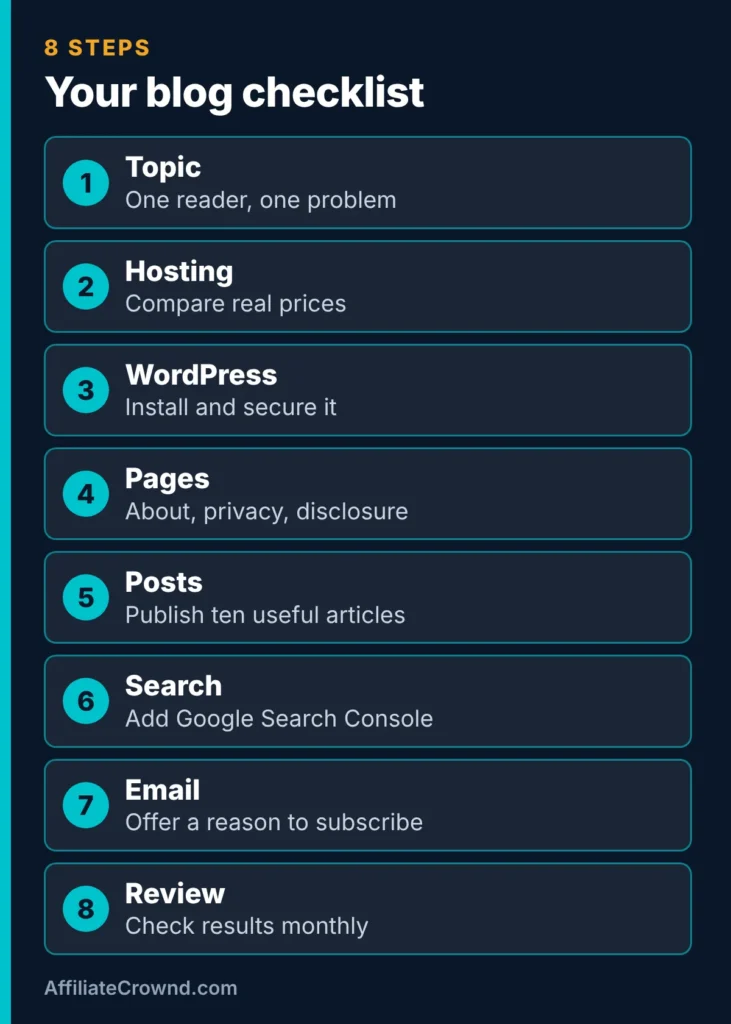
The Eight Steps at a Glance
Here is the whole path on one page. The sections below explain each step, and the checklist is easy to save on your phone.
Step 1: Choose a Topic You Can Help Readers With
Pick a narrow topic where you can answer real questions better than a generic page can. Google asks whether content is created mainly to help people rather than to attract search traffic. In Google’s guidance on helpful, people-first content, the company says content should be made for people first and lists warning signs such as covering topics only because they are trending. A topic you can sustain for a year, with questions you can list ten of, is a safer base than one chosen only for commissions. Our guide to choosing an affiliate niche gives a six-question scorecard for this step.
How to test a topic in one afternoon
You do not need software to check whether a topic is worth your next year. Spend an afternoon on these five checks before you buy anything.
- List twenty questions a beginner would ask. If you struggle to reach ten, the topic may be too narrow or too unfamiliar.
- Search five of them. Read the first page. Note what is missing, outdated or too vague. Those gaps are your opportunity.
- Look for products people buy. A topic with software, courses or services connects naturally to affiliate recommendations. A topic with none will need another way to earn.
- Check the programs. Find the affiliate programs for those products and read their terms, including whether commissions recur and whether the program restricts how you promote.
- Ask whether you will still care in a year. A blog rewards steady effort, and boredom is the most common reason sites stop.
| Question | A good sign | A warning sign |
|---|---|---|
| Can you help a specific reader? | You can describe who they are and what they are stuck on | The audience is “everyone” |
| Do search results leave gaps? | Top pages are thin, dated or hard to follow | Every result is already thorough and current |
| Is there something to recommend? | Several products with clear affiliate terms | No products, or terms that ban your methods |
| Can you stay with it? | You enjoy learning and writing about it | You chose it only for commissions |
Step 2: Compare Hosting by Real Prices
Hosting is where beginners most often get surprised, because the price on the front page is usually a promotional price. We checked two official pages on November 10, 2026.
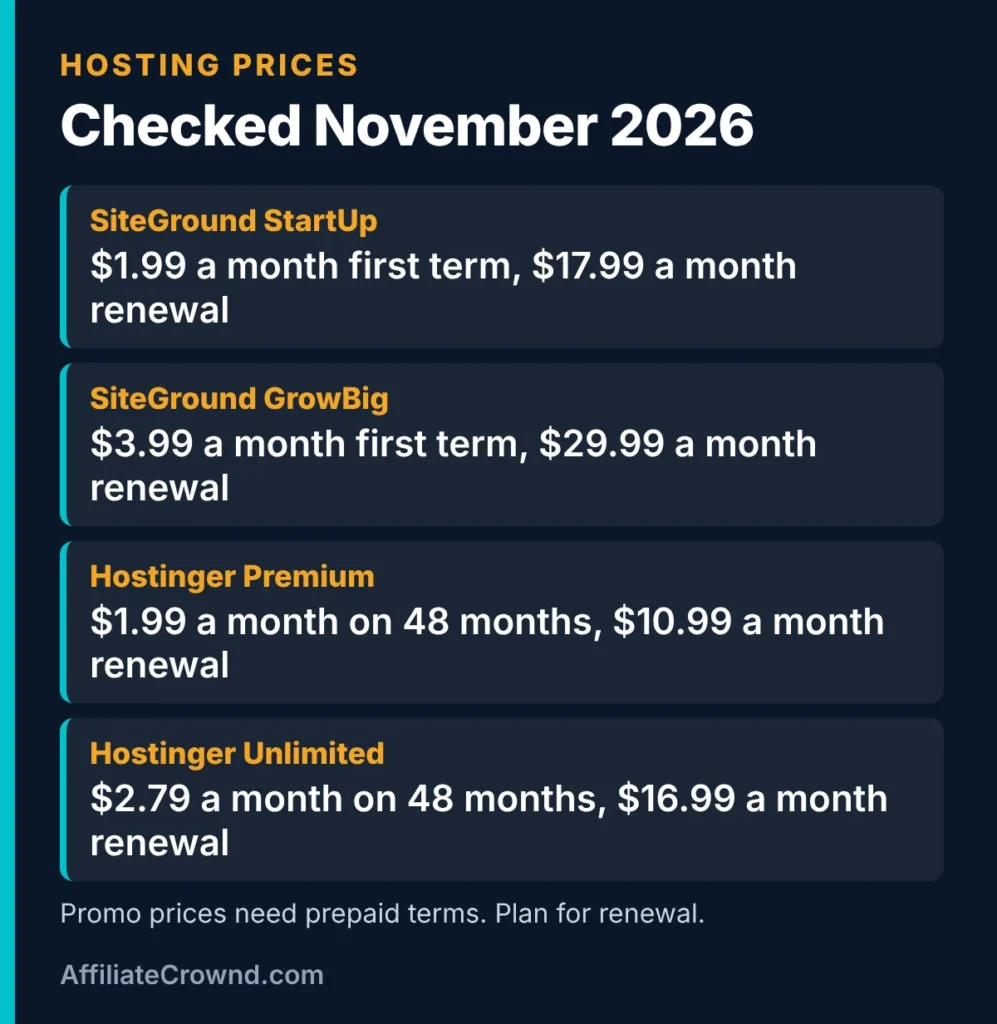
| Plan | First-term price | Term for that price | Renewal price | Sites |
|---|---|---|---|---|
| SiteGround StartUp | $1.99 a month | 12 months prepaid | $17.99 a month | 1 |
| SiteGround GrowBig | $3.99 a month | 12 months prepaid | $29.99 a month | Unlimited |
| SiteGround GoGeek | $5.99 a month | 12 months prepaid | $44.99 a month | Unlimited |
| Hostinger Premium | $1.99 a month | 48 months prepaid | $10.99 a month | 3 |
| Hostinger Unlimited | $2.79 a month | 48 months prepaid | $16.99 a month | Unlimited |
| Hostinger Cloud Startup | $7.99 a month | 48 months prepaid | $25.99 a month | Unlimited |
Sources: SiteGround’s WordPress hosting page and Hostinger’s web hosting page. SiteGround described its prices as a limited-time Early Black Friday deal, so they may have changed. Hostinger lists a free domain for the first year on each plan, and SiteGround lists free email, SSL and backups on each plan. Hostinger lists weekly backups on Premium and daily on higher plans. Always confirm the current price, the term and the renewal price at checkout.
What the table means in practice
- First-term price is not the long-term price. SiteGround StartUp renews at $17.99 a month, about nine times its first-term price.
- Longer terms need more money upfront. Hostinger’s promo prices apply to 48 months paid in advance, so check the total before you commit.
- Site limits matter. If you plan to run more than one site, check the number of sites each plan allows.
- Features differ by plan. Backup frequency, storage and extra tools vary.
Which route should you pick?
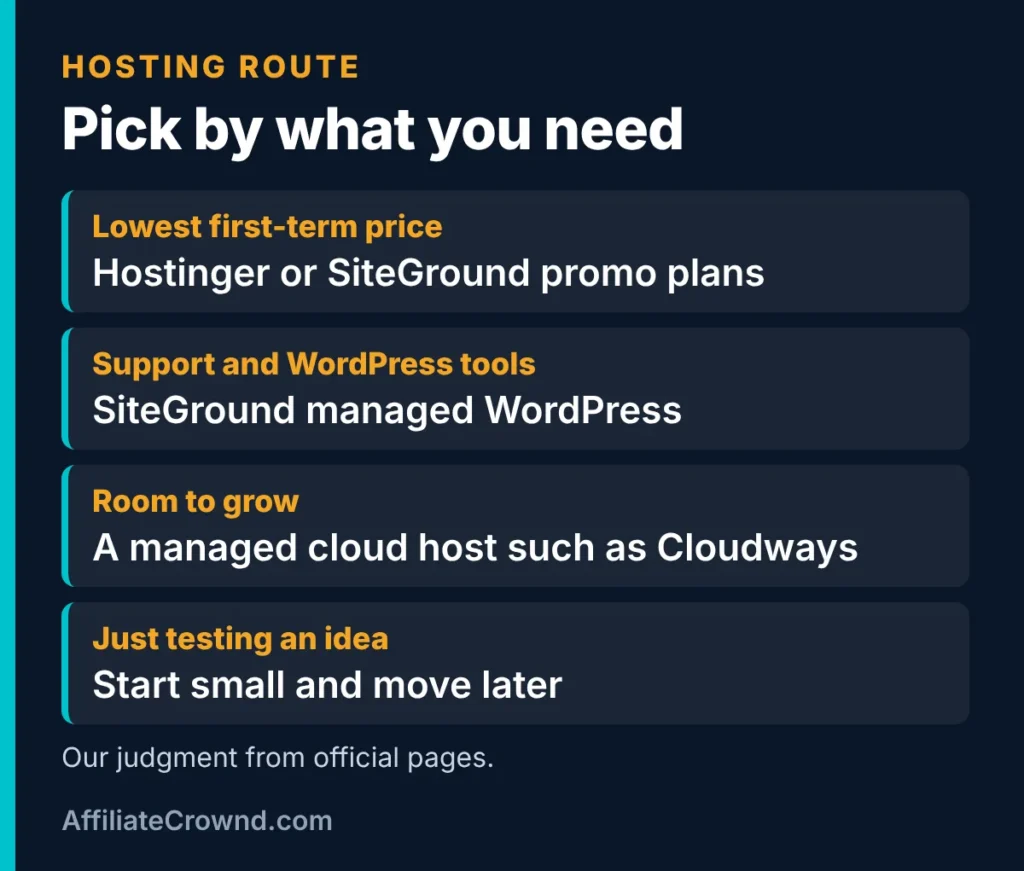
- Lowest first-term price: Hostinger and SiteGround both run low promo prices, with different terms. Hostinger is linked plainly in this article. For SiteGround, you can see SiteGround and read our SiteGround review for the details we checked.
- Managed WordPress with support tools: SiteGround review covers what SiteGround includes and where its limits sit.
- Room to grow on cloud servers: Cloudways is a managed cloud host. We cover it in our Cloudways review and compare it with SiteGround in SiteGround vs Cloudways.
- Just testing an idea: start with the smallest plan that fits, and move later if you outgrow it.
We have not run speed or uptime tests, so we do not rank these hosts by performance. We compare official plans and published terms and tell you where we have not tested.
Step 3: Install WordPress and Keep It Simple
Most hosts offer a one-click WordPress install in their dashboard. After installing, choose a lightweight theme, turn on HTTPS, set your permalink structure so URLs are readable, and delete default sample content. Keep plugins few. Each one adds maintenance and can slow pages. For a full walkthrough, follow our guide to build an affiliate website on WordPress.
Step 4: Add Trust Pages Before You Publish Much
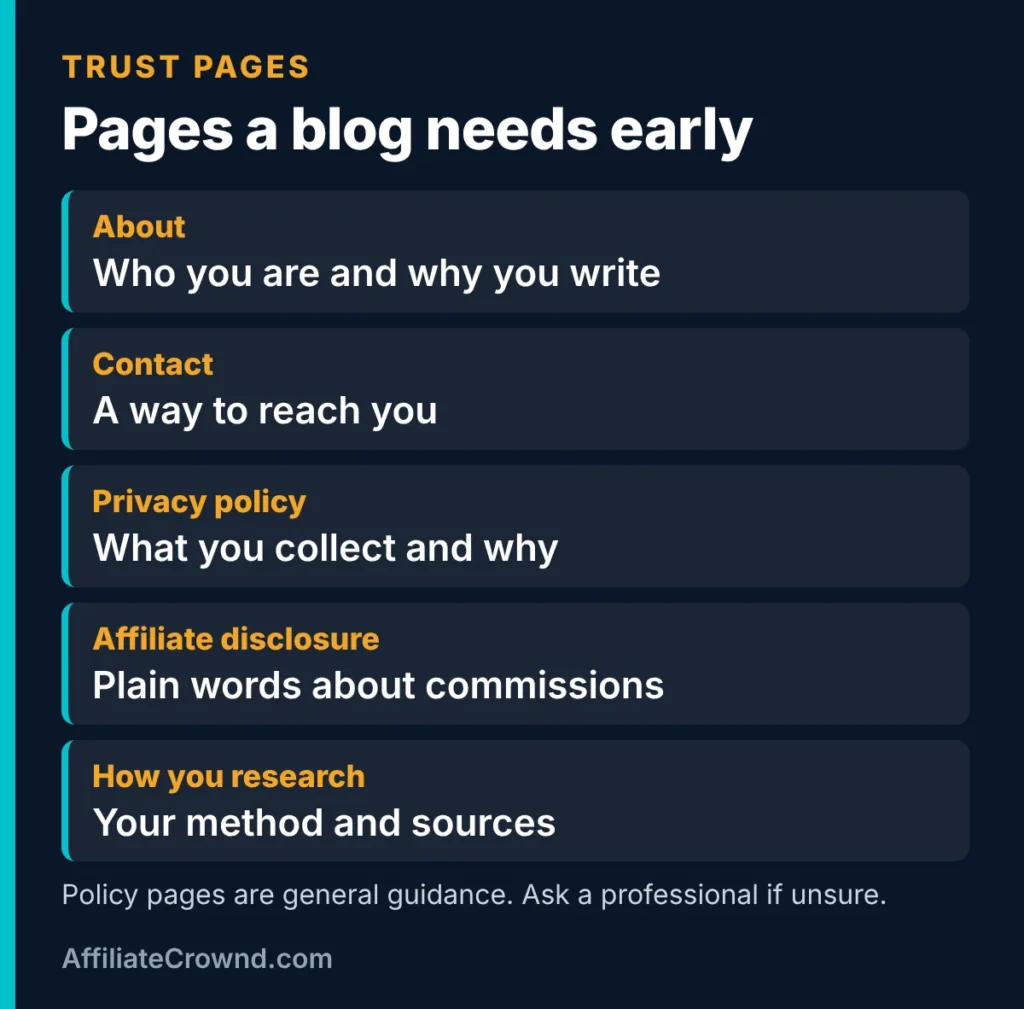
Readers and search engines both look for signs that a real person is behind a site and that you are honest about how it works. Add an About page, a Contact page, a privacy policy, an affiliate disclosure and a short page explaining how you research. The FTC expects clear and conspicuous disclosure of material connections, so put a plain sentence near affiliate links too. This is general information, not legal advice. See our How We Research and Review page for how we describe our own method.
Step 5: Publish Ten Genuinely Useful Posts
Your first ten posts set the tone. Each should answer one question well. For each post, write the question in the reader’s words, search it, read page one and note what is missing, then add what you can contribute: a comparison table, a checklist, honest limits or a worked example. Include a quick answer near the top, short sections, and a clear next step. If you review a product, say what you tested and what you only read from official pages. Never invent tests or income.
Match each post to a search intent
| Reader wants to… | Post type | Example | Next step to offer |
|---|---|---|---|
| Learn | Explainer | What is affiliate marketing? | A beginner guide |
| Compare | Best-of or versus post | SiteGround vs Cloudways | A review of the one they lean toward |
| Buy or sign up | Review or pricing post | Hosting plan prices | A plain link or affiliate link with disclosure |
| Find a specific page | Hub or start page | Start Here | The article that fits their level |
A checklist for a genuinely helpful post
Before you publish any post, read it as a stranger who arrived from a search. Would they find the answer quickly, and would they trust it? Use this checklist.
- The title says what the post answers, in words a reader would search.
- The first paragraph gives the answer, not a long introduction.
- Every claim about prices, features or terms comes from an official page you read, and you say when you checked.
- You say what you tested yourself and what you only read.
- There is at least one table, checklist or example that saves the reader time.
- Limits and downsides are stated, not hidden.
- Affiliate links are marked and disclosed in plain words near the link.
- The post links to related posts and ends with a clear next step.
- Images are compressed, have descriptive alt text and do not slow the page.
How long should a post be?
Long enough to answer the question completely, and no longer. There is no magic word count that makes a post rank, and Google does not rank by length. For comparison and review topics, readers usually want a table, honest limits and a next step, which tends to make posts longer than a quick answer. For a simple question, a short post can be the best result. Write to the reader’s need, then cut anything that does not help.
Step 6: Set Up Search Visibility and an Email List
Add your site to Google Search Console so you can see which searches show your pages and fix problems Google reports. It is free to use. Then offer a reason to subscribe, such as a checklist or short email course, and follow the email rules that apply to you. A free plan can be enough to start. For example, on the official pricing pages we checked on November 10, Systeme.io’s free plan listed up to 2,000 contacts and MailerLite’s free plan listed up to 250 subscribers. You can start with the Systeme.io free plan, and our Systeme.io free plan guide explains its limits. See build an email list for the basics.
Step 7: Add Affiliate Links Honestly
Once a post truly helps a reader choose, link to the products you discuss. Where you have an affiliate link, use it with a clear disclosure and mark it as sponsored. Where you do not, link plainly. Read each program’s terms first, because some restrict paid ads or discount codes, and terms differ on whether commissions recur. In our checks, MailerLite lists 30% of each payment while a customer stays active, and Cloudways lists $30 per sale plus 7% recurring, but confirm on each program page before you plan around them. Our best affiliate programs for beginners guide lists more.
A 90 Day Plan for a New Blog
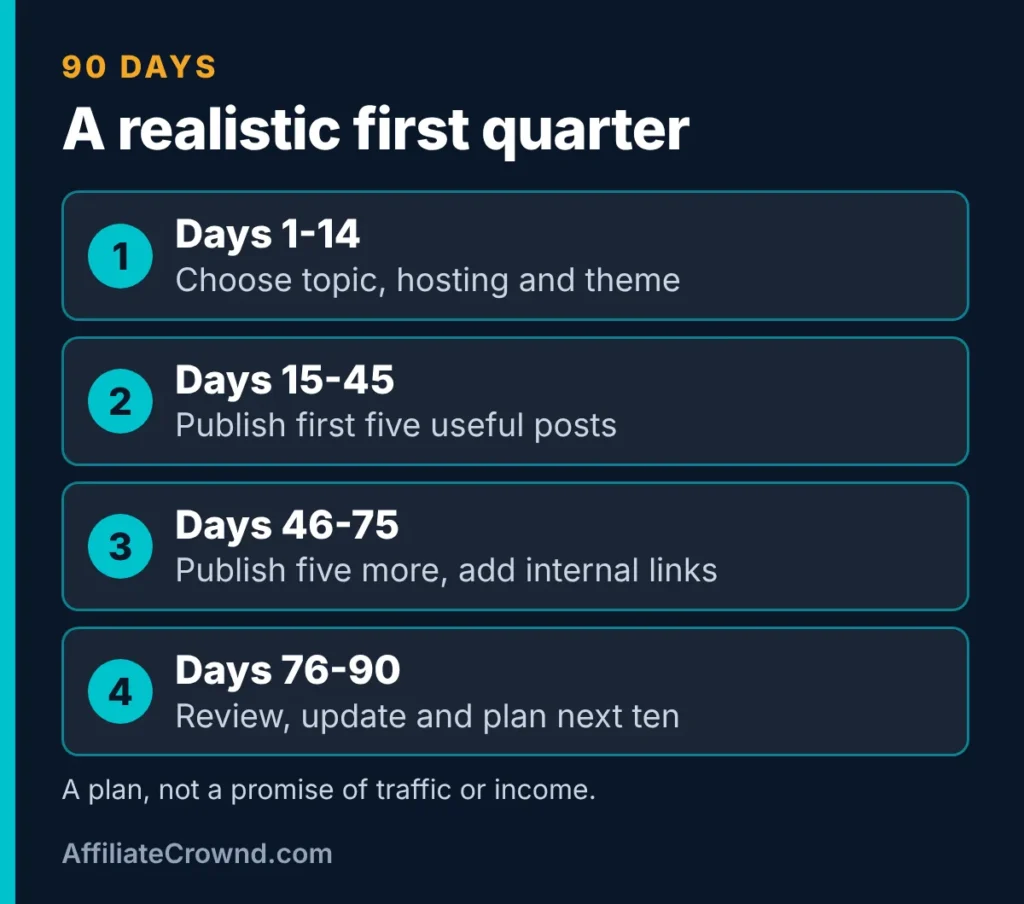
| Days | Focus | What to do |
|---|---|---|
| 1 to 14 | Set up | Choose a topic, pick hosting, install WordPress, add trust pages |
| 15 to 45 | Publish | Write your first five useful posts and add them to Search Console |
| 46 to 75 | Build | Publish five more, link related posts, add a subscribe option |
| 76 to 90 | Review | Update weak posts, check program terms and plan the next ten |
This plan is a suggestion, not a forecast. Traffic and income depend on your topic, competition and how useful your posts are, and nobody can promise a result by a date.
What Your First Year Might Cost
Costs vary, so use this as a way to think, not a quote. Hosting is the main line. A domain name is usually a separate cost unless your host includes one, and Hostinger lists a free domain for the first year on the plans we checked. Email tools can start free, as shown above. A theme can be free or paid. Most beginners can start with free themes and plugins.
| Cost item | What to check | Where to confirm |
|---|---|---|
| Hosting | First-term price, term length and renewal price | The host’s official pricing page and checkout |
| Domain name | Whether it is included free, and the renewal price | The host or registrar page |
| Email tool | Free plan limits and what you pay after them | The tool’s pricing page |
| Theme and plugins | Whether free versions are enough at first | The theme or plugin page |
| Your time | Hours per week you can keep up for months | Your own calendar |
The most important line is the last one. A cheap plan you stop paying attention to earns nothing, while a steady schedule of useful posts is what builds a blog.
A Sample Outline for Your First Post
If you are unsure what a useful first post looks like, here is a simple structure that works for many beginner topics. Start with the question in the title. Give a short direct answer in the first paragraph. Add a quick-answer list of three to five points. Then explain the main sections, each with a short heading. Add one comparison table where it helps. Finish with common mistakes, a plain recommendation and five frequently asked questions. This is the same structure we use for our own guides, and it helps both readers and search engines find the answer quickly.
- Title: the question or the task, in the reader’s words.
- Opening: the direct answer and who the post is for.
- Quick answer: three to five bullet points.
- Body: short sections with one table or checklist where it helps.
- Honest limits: what you did not test and what could change.
- Next step: a link to the next article or a plain recommendation.
How Much Time Does a Blog Take?
Time is the cost beginners underestimate. A single useful post usually takes more than writing: you research the question, read what already ranks, draft, add a table or checklist, check facts and prices, add images and link related posts. Here is an illustration. If one post takes you six hours from research to publish, then ten posts is sixty hours. Spread over the 90 day plan above, that is a little under five hours a week. These numbers are examples to help you plan, not a standard. Your own pace will differ, and faster is not better if the posts become thin.
| Hours per week | What it can realistically cover |
|---|---|
| 3 to 4 hours | One carefully written post every one to two weeks, plus small fixes |
| 5 to 8 hours | About one post a week, plus setup, Search Console and email tasks |
| 10 or more hours | Two posts a week, plus updates to older posts and outreach |
Pick the row you can actually keep up for three months. Consistency matters more than a burst of effort followed by silence.
How to Tell Whether Your Blog Is Working
In the first months, money is a poor measure, because most of the work has not had time to pay off. Track signals that tell you whether you are on the right path, and review them on a schedule instead of daily.
- Indexing. In Google Search Console, check that your new posts are indexed. A post Google has not indexed cannot appear in results.
- Impressions and queries. Impressions show how often your pages appeared in search, and queries show which searches triggered them. Early impressions are a sign Google understands the topic.
- Clicks and click-through rate. If a page gets impressions but few clicks, the title or description may need work.
- Email sign-ups. A growing list is a result you own, whatever search does.
- Clicks on affiliate links. Your affiliate dashboard or link tool shows which posts send readers to products.
- Reader feedback. Comments and emails show what readers did not find.
Set a review date in advance, such as the end of your first ten posts, and decide then what to fix. Update posts that get impressions but few clicks, and expand posts that readers leave quickly.
Common Mistakes New Bloggers Make
- Choosing hosting by the first-term price alone. Check renewal and term length.
- Publishing thin posts at scale. Google lists scaled, low-value content as spam.
- Hiding the disclosure. Put it in plain words near affiliate links.
- Making income claims. Describe how programs pay, not what you will earn.
- Giving up after a quiet month. Set a review point in advance, such as ten published posts.
- Skipping the email list. You want a way to reach readers that is not only search.
Where to Go Next
- Want the full setup? Follow build an affiliate website on WordPress.
- Choosing programs? See the best affiliate programs for beginners.
- Comparing hosts? Read SiteGround vs Cloudways.
- Want the order we suggest? Use Start Here, and see Best Tools.
Our Honest Recommendation
Start small and start honestly. Pick a topic you can help readers with, choose hosting after reading the renewal price, add trust pages, and publish ten useful posts before you worry about income. Add affiliate links where they truly help, with plain disclosure. Expect months, not weeks, and treat every number in this guide as something to confirm on the official page before you spend money. We cannot promise traffic, rankings or earnings.
How To Start A Blog And Make Money: A Short Recap
Before you act on this guide to how to start a blog and make money, write down your goal, your budget and one thing you will test this week, and keep notes so you can improve next time.
For official guidance, read Google’s SEO starter guide and the FTC’s guidance on endorsements and reviews, and check each tool’s official page for current prices and terms before you decide.
Want to see every tool we cover? Browse all the programs we review and compare.
Frequently Asked Questions
How do I start a blog and make money?
Choose a topic and reader, set up WordPress on hosting you have compared by first-term and renewal price, add trust pages, publish useful posts and then add earning methods such as affiliate links. Nobody can promise how long it takes or how much it earns.
How much does it cost to start a blog?
Hosting is the main cost. On the official pages we checked in November 2026, promo plans started at $1.99 a month on prepaid terms, with renewal prices from $10.99 to $44.99 a month on the plans listed. Prices, terms and domain costs change, so confirm before you buy.
How long does it take to make money from a blog?
There is no reliable timeline. Most blogs need months of steady, useful publishing before results show, and income is never guaranteed.
Do I need to disclose affiliate links on my blog?
The FTC says endorsers should disclose material connections such as commissions clearly and conspicuously. Put a plain sentence near affiliate links, and keep a disclosure page too. This is general information, not legal advice.
Which hosting is best for a new blog?
It depends on your budget and needs. Compare first-term price, term length, renewal price, site limits and backups on the official pages. We have not run performance tests, so we do not rank hosts by speed.
Sources checked November 10, 2026: SiteGround’s WordPress hosting page; Hostinger’s web hosting page; Google’s guidance on helpful, people-first content; and the official pricing pages for MailerLite and Systeme.io. Program terms mentioned come from official program pages we read for our reviews and should be confirmed on each program’s own page.