
How to Get Google AdSense Approved in 2026: Requirements and a Step-by-Step Checklist
By Oscar · 16 min read
Affiliate Disclosure: AffiliateCrownd earns a commission when you sign up for some tools mentioned here, such as Systeme.io, SiteGround and ShortPixel, through our links, at no extra cost to you. Google AdSense is not an affiliate program and we earn nothing from recommending it. Every fact about AdSense comes from Google’s own help pages, read in November 2026, and each one is listed in the sources at the end. Read our full disclosure.
You built the site. You wrote the articles. Now you are staring at the AdSense sign-up page, wondering whether Google will say yes, and whether you are about to waste a month waiting for an email that says no.
To get Google AdSense approved in 2026, you need an original, useful site that you own and can edit, an applicant who is at least 18, and pages that follow the AdSense Program policies. Google publishes no minimum visitor count, no minimum number of posts and no minimum word count in its eligibility pages. What decides the outcome is whether the site looks like a finished, helpful project run by a real person.
This guide walks you through the full path in order: what Google says it requires, a readiness checklist, a 30-day preparation plan, the exact sign-up steps, how long review takes, what to do after approval, the policy mistakes that cost people their accounts, and what to fix if you are rejected. We also answer a question most guides skip: whether AdSense is even the right way to earn money from an affiliate site.
Google AdSense Approval: The Quick Answer
- Content: Google says your content must be high-quality, original and able to attract an audience.
- Ownership: you must own the site you submit and be able to access its HTML source code.
- Age: applicants must be at least 18. A parent or guardian can sign up with their own Google Account for a minor, and payments go to that adult.
- Policies: the site must follow the AdSense Program policies, and Google says you are responsible for keeping up with changes.
- Review time: Google says activation usually takes a few days, but in some cases 2 to 4 weeks.
- Identity check: from June 2026, Google says you may need to verify your identity before your account can show ads and receive payments.
Get our free launch checklist → A simple way to get the basics of a new site in order before you apply. If you do not have a site yet, start with our step-by-step WordPress setup guide first.
What Google Actually Requires
These requirements come from two Google help pages: the AdSense eligibility page and the “get your site ready” page. We list them in plain words and add what each one means in practice.
| Requirement | What Google says | What it means for you |
|---|---|---|
| Original content | Content must be high-quality, original and attract an audience | Write your own pages. Do not copy, scrape or lightly rewrite other sites. |
| Site ownership | You must own the site and be able to access its HTML source code | Use a site you control, such as a self-hosted WordPress site where you can paste code. |
| Age | Applicants must be at least 18 | Under 18? A parent or guardian signs up with their own Google Account. |
| Policies | The site must follow the AdSense Program policies at sign-up | Read the policies before you apply. They can change, and keeping up is your job. |
| Blogger sites | Sign up through your Blogger or host partner account | Do not use the direct sign-up for a Blogger blog. |
| YouTube | Sign up through YouTube Studio once the channel is eligible for monetization | AdSense for YouTube is a different route from AdSense for a website. |
Google’s page-readiness advice adds more detail. It says your site needs “unique content that’s relevant to your visitors and provides a great user experience”. It tells you to check your layout, make sure text is easy to read, confirm that drop-down menus work and make sure visitors can quickly tell how to use the site. It also says ads cannot be placed on sites with scraped or copyrighted content, and that doing so can get ads disabled or an account closed.
What Google does not say
Notice what is missing from Google’s pages. There is no minimum word count, no minimum number of posts, no traffic threshold and no minimum domain age. Many blogs publish exact numbers such as “30 posts” or “1,000 visitors a month”. Those are opinions or personal experiences, not published rules. We label anything we suggest beyond Google’s pages as “our suggestion”, so you can tell the difference between a rule and a habit.
Google’s eligibility page also does not list any country restrictions. If you are unsure about your country, check the AdSense sign-up page itself instead of trusting a blog, including this one.
A Readiness Checklist for a New Site
Google’s requirements are short, so this checklist turns them into actions. Items marked “Google” come from Google’s pages. Items marked “Our suggestion” are what we would do to give the review the best chance, and they are not official rules.
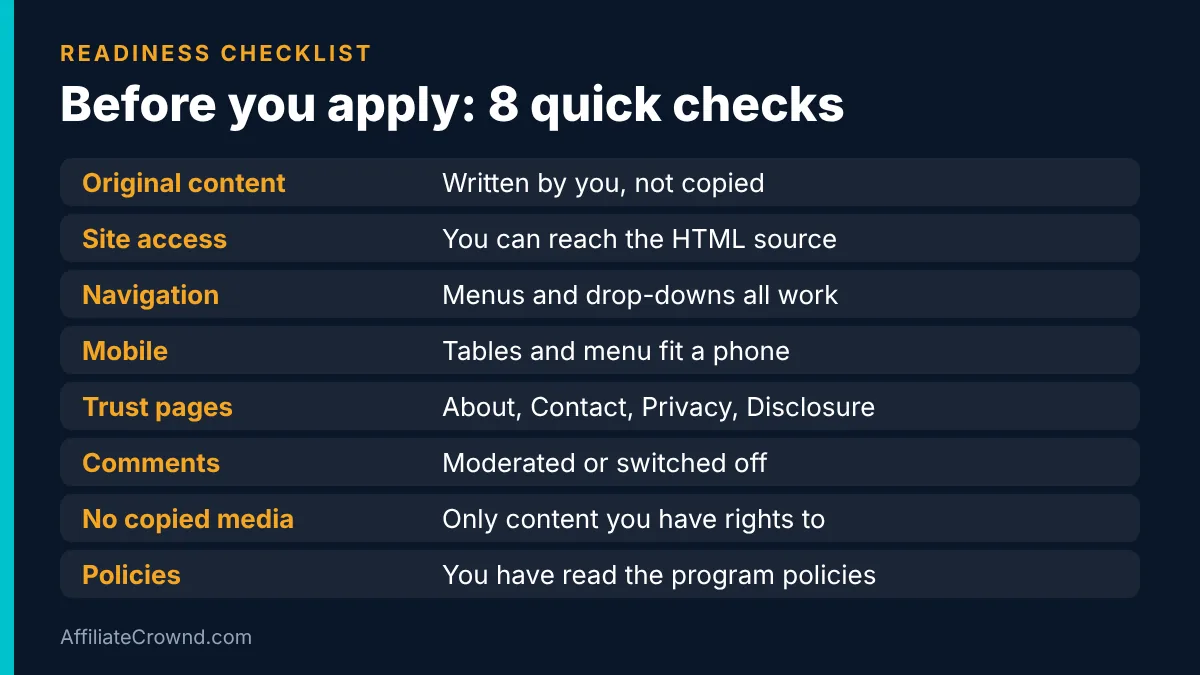
- Own the site and the code (Google). A self-hosted WordPress site lets you paste the AdSense code into your pages. If you have no site yet, read our guide to building an affiliate website on WordPress.
- Publish real articles (Google: original and relevant). Our suggestion: have a solid base of finished pages before you apply, each one answering a specific question better than a quick summary would.
- Write from experience (Google: add your own material). Google says to add your own specialist knowledge, improvement ideas, reviews or personal views. Pages that only restate other sites give a reviewer little reason to approve you.
- Make navigation obvious (Google). Check alignment, readable text and working drop-down menus. Empty category pages look unfinished, so fill or hide them.
- Add the trust pages (Our suggestion). About, Contact, Privacy Policy and an affiliate disclosure show that a real person runs the site.
- Check mobile (Our suggestion). Most readers open sites on a phone. Test every page, menu and table at phone width.
- Keep the site fast (Our suggestion). Compress images before you upload them. Our ShortPixel review explains one way to do it.
- Remove copied or risky content (Google). No scraped text, no copyrighted images you do not have rights to, no embedded content you do not control.
- Moderate comments (Google). Google says comments should be moderated so they follow the policies and contain nothing inappropriate. Turn on approval for new comments, or switch comments off.
- Read the program policies (Google). You are responsible for following them from day one.
A 30-Day Preparation Plan (Our Suggestion)
Google does not publish a preparation schedule, so this plan is ours. It is built around Google’s own requirements: original content, a usable site and clean policies. Use it as a pace to follow, not as a promise of approval.
| Week | Focus | What to finish |
|---|---|---|
| Week 1 | Foundation | Domain, hosting and WordPress installed. HTTPS on. Permalinks set. Sample post and page deleted. |
| Week 2 | Trust pages and navigation | About, Contact, Privacy Policy and affiliate disclosure published. Menu works on a phone. Empty categories hidden or filled. |
| Week 3 | Original content | Several finished articles, each with your own examples, opinions or screenshots. Compress every image. |
| Week 4 | Quality pass and application | Read every page as a stranger would. Fix broken links and menu issues. Moderate comments. Apply once. |
The point of week 4 is the quality pass. Reread each page and ask one question: would a visitor who landed here learn something they could not get from a quick summary? If the answer is no, improve the page before you apply. A rejection costs you weeks, so an extra few days of polish is cheap.
What “original” looks like in practice
Google asks for original content but does not define it with a formula, so here is how we think about it. A page is original when a reader gets something from it that they would not get from the top three results combined. That can be your own testing notes, a worked example, a comparison you built from official pricing pages, a screenshot you took, or a recommendation with honest limits. It is not original when you rephrase the same list everyone else has.
For example, our Systeme.io pricing guide is built from the official plan pages and shows what you outgrow at each plan, which is more useful than repeating the headline price. That kind of detail is what we mean by “add your own material”.
How to Apply: The Sign-Up Steps
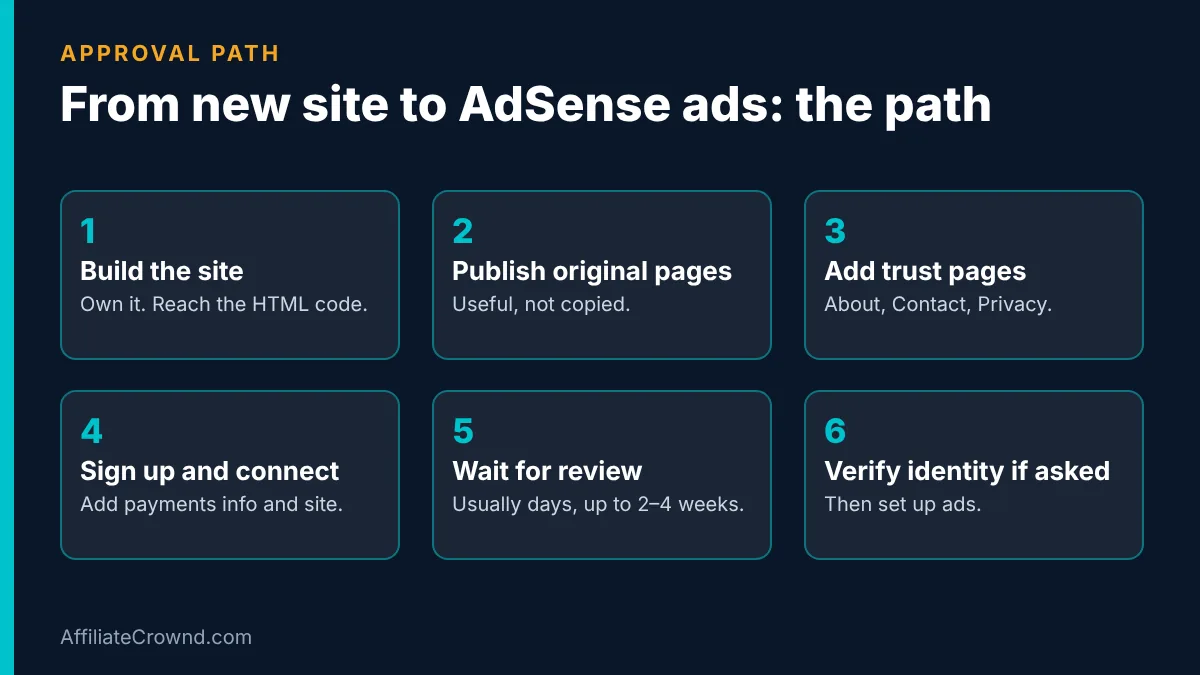
Google’s sign-up page describes the process in five parts. Here they are in order, with what each means for you.
- Create an AdSense account. Make sure your site has original content that attracts visitors, then sign up with your Google Account. If you use Blogger or YouTube, sign up through that product instead.
- Set up your account. Enter your payments information, optionally preview how ads will look, and connect your site to AdSense. Connecting means adding the code Google gives you to your site, which is why you must be able to access the HTML source.
- Wait for review. Google checks that your payments information is correct and reviews your whole site against the AdSense Program policies. You receive an email with your activation status.
- Verify your identity if required. Google says that starting in June 2026 you may need to verify your identity before your account can show ads and receive payments.
- Set up ads. Once setup is complete, you can set up ads on your site.
Use the same legal name on your payments information that appears on your identity documents. We cannot promise what Google will ask for, so follow the steps shown inside your own account.
How Long Does AdSense Approval Take?
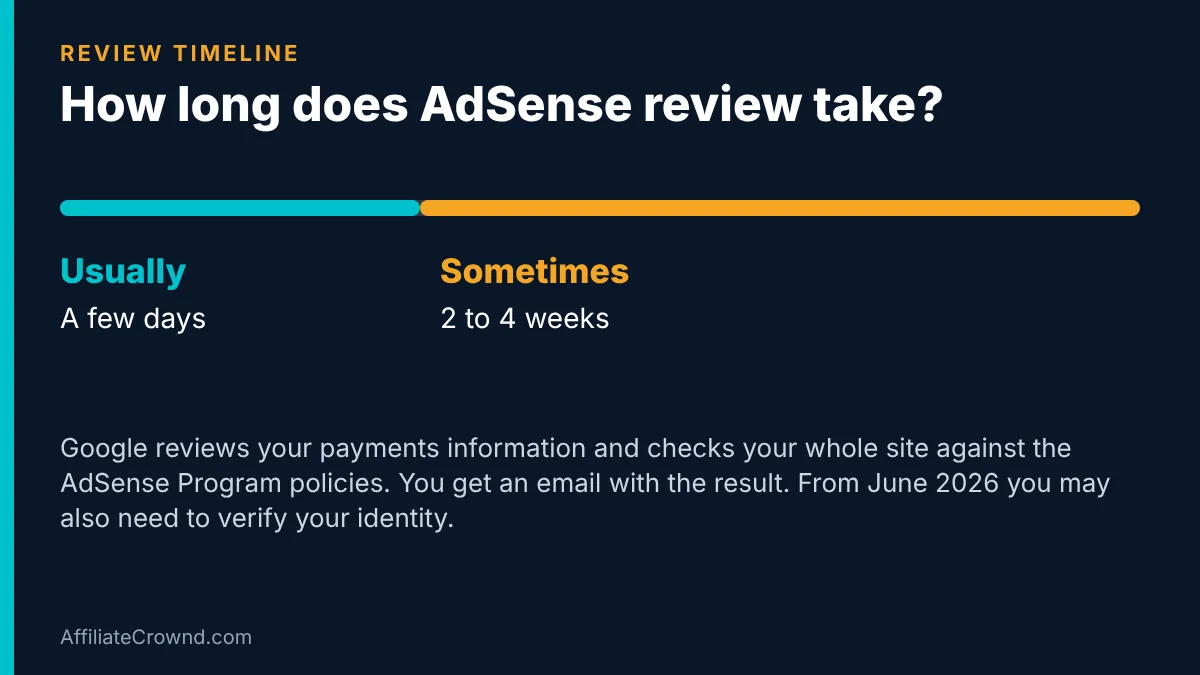
Google says activation “usually takes a few days, but in some cases it can take 2-4 weeks”. That is the only timing Google states, so treat anything more precise from other sites as a guess.
While you wait, three habits help. Do not rebuild the site’s structure while the review runs. Do not apply again every few days. And keep publishing, because the review checks your whole site, and a site that keeps improving is a better sign than one that stops.
What to Put on Each Trust Page (Our Suggestion)
Google does not require specific pages, but a visitor and a reviewer both want to know who runs the site and how it earns money. These pages take an afternoon to write and answer those questions.
| Page | What to include | Common mistake |
|---|---|---|
| About | Who you are, why you write about this topic, and how the site earns money | Writing only about the site and never about the person behind it |
| Contact | A working email address or form that you actually check | A form that sends nothing, or a page with no way to reach you |
| Privacy Policy | What data the site collects, including cookies, analytics and advertising. Use a generator or a lawyer for the wording | Copying another site’s policy word for word |
| Affiliate disclosure | A plain sentence that some links earn you a commission at no extra cost to the reader | Hiding it in the footer only. Put a short note near the top of each article too |
| Start Here | A short guide that sends new visitors to your best articles | Leaving the menu to point at empty categories |
You can see how ours is laid out on our Start Here page and our disclosure page.
How to Test Your Site on a Phone in Ten Minutes (Our Suggestion)
Google tells you to check navigation, alignment and readability. Most visitors will read on a phone, so run this quick test on your own phone before you apply:
- Open your home page and tap every item in the main menu. Each one should lead to a real page.
- Open your two longest articles and scroll to the bottom without zooming. Text should stay readable and nothing should run off the screen.
- Find your widest table. It should scroll sideways or fit the screen.
- Tap every button. It should be easy to press with a thumb.
- Open your Contact page and send yourself a test message.
- Open a page with several images and note how long it takes to load on mobile data. If it feels slow, compress the images.
Write down what fails and fix it before you apply. These problems are common on new sites and easy to miss when you only check on a computer.
Is AdSense a Good Fit for an Affiliate Site?
This is the question that decides whether you should apply at all. Display ads and affiliate links both earn money, but they ask readers to do different things.
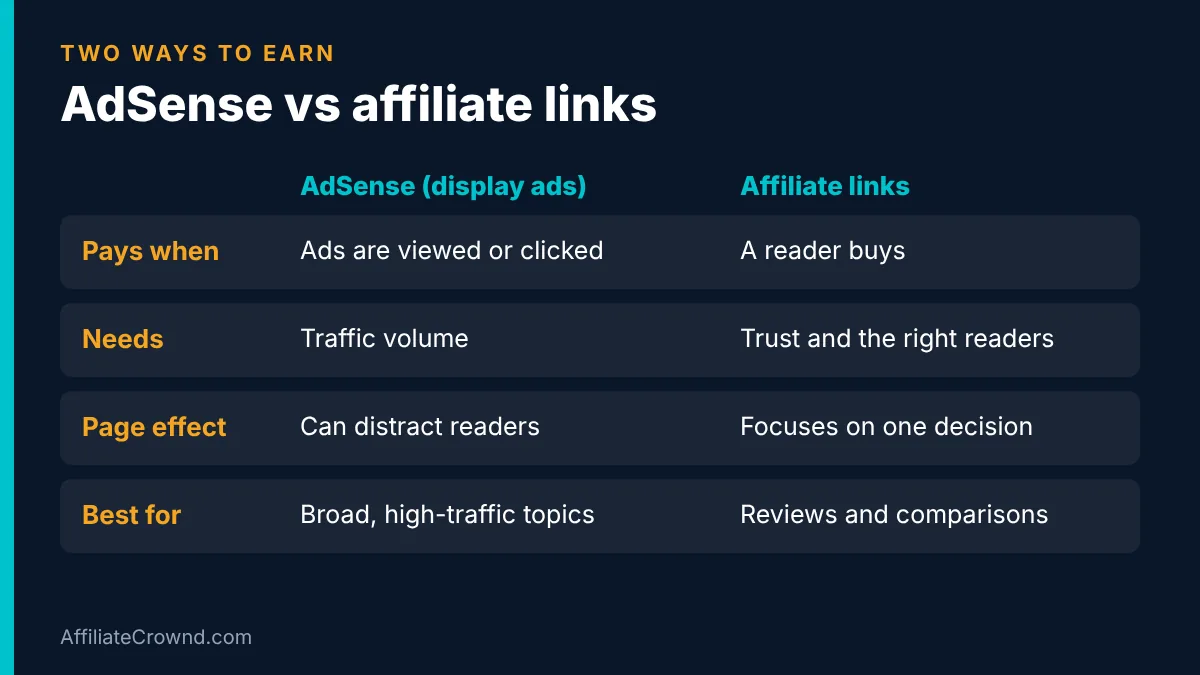
Display ads pay when visitors see or click ads, which usually sends them away from your page. Affiliate links pay when a reader follows your recommendation and buys, which works best when the reader stays focused on your page. They can share a site, but they compete for the same moment of attention.
| Question | Display ads (AdSense) | Affiliate links |
|---|---|---|
| What triggers payment? | Ads shown or clicked | A reader buys through your link |
| What does it need? | Traffic volume | Trust and the right readers |
| Effect on the page | Can distract and slow the page | Pushes readers toward one decision |
| Good for | Broad topics with many page views | Reviews, comparisons and how-to guides |
| Main risk | Policy violations can disable ads or the account | Missing disclosure or unverified claims lose trust |
Our view: on review and comparison pages, keep the reader focused on the recommendation. Use ads on broader informational pages where there is no product to recommend.
That is our opinion, not a rule, and your own numbers should decide. If you want to see which programs fit a beginner site, our guide to the best affiliate programs for beginners compares 12 of them, and the Top Programs page lists the ones we cover. For the basics of how affiliate income works, read our beginner’s guide to affiliate marketing.
After Approval: Payments, ads.txt and What to Expect
When does AdSense pay you?
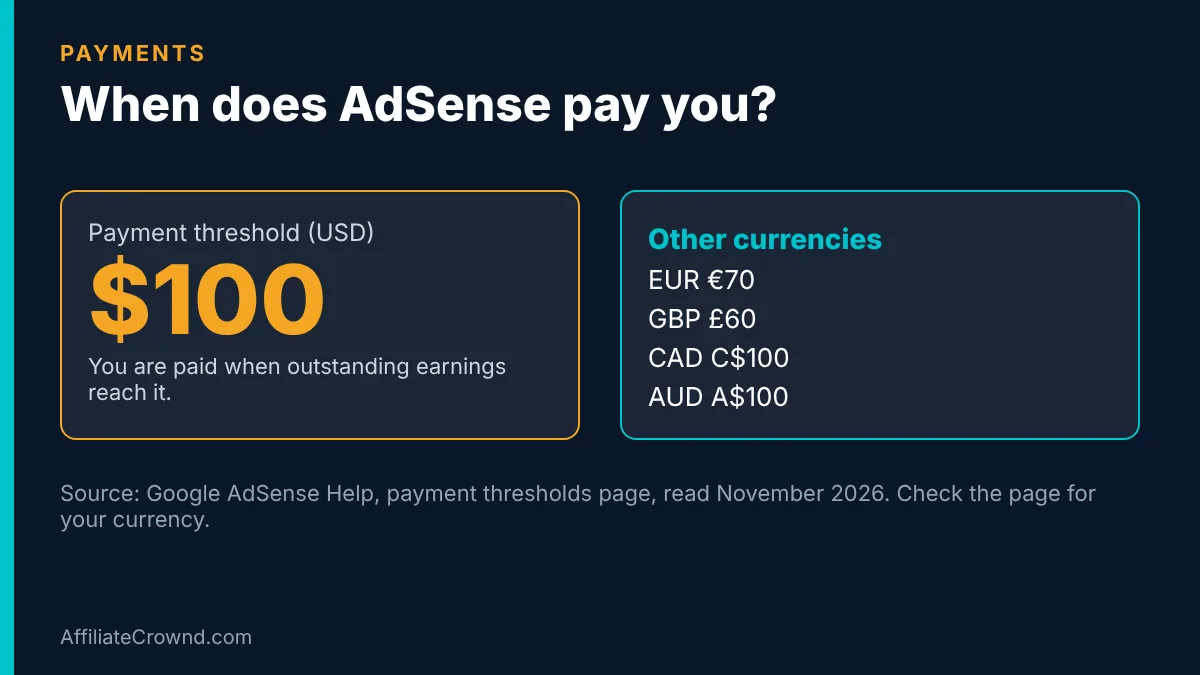
Google says you are paid when your outstanding earnings reach the payment threshold. For US dollars the threshold is $100. Google’s page lists the equivalent for other currencies, for example €70, £60, C$100 and A$100, and says each payments account has its own threshold. Payment also requires that your account has no holds and follows the program policies.
The practical lesson is simple: a new site with few visitors can take a long time to reach the threshold. Treat AdSense as a slow earner at the start, and do not plan your budget around it.
What is ads.txt, and do you need it?
Ads.txt is a small text file that lists who is authorized to sell ads on your site. Google says using it “is not mandatory, but it’s highly recommended”, because it gives you more control and helps prevent counterfeit inventory. If there is an ads.txt issue you see an alert in your AdSense account.
To add it, Google’s steps are: create a plain text file, copy the ads.txt snippet from your AdSense Sites page, paste it in with your publisher ID, upload it to the root of your site so it opens at yoursite.com/ads.txt, and open that address to check it displays. Google says changes can take a few days to appear in AdSense, or up to a month if your site makes few ad requests.
Policy Mistakes That Get Accounts Disabled
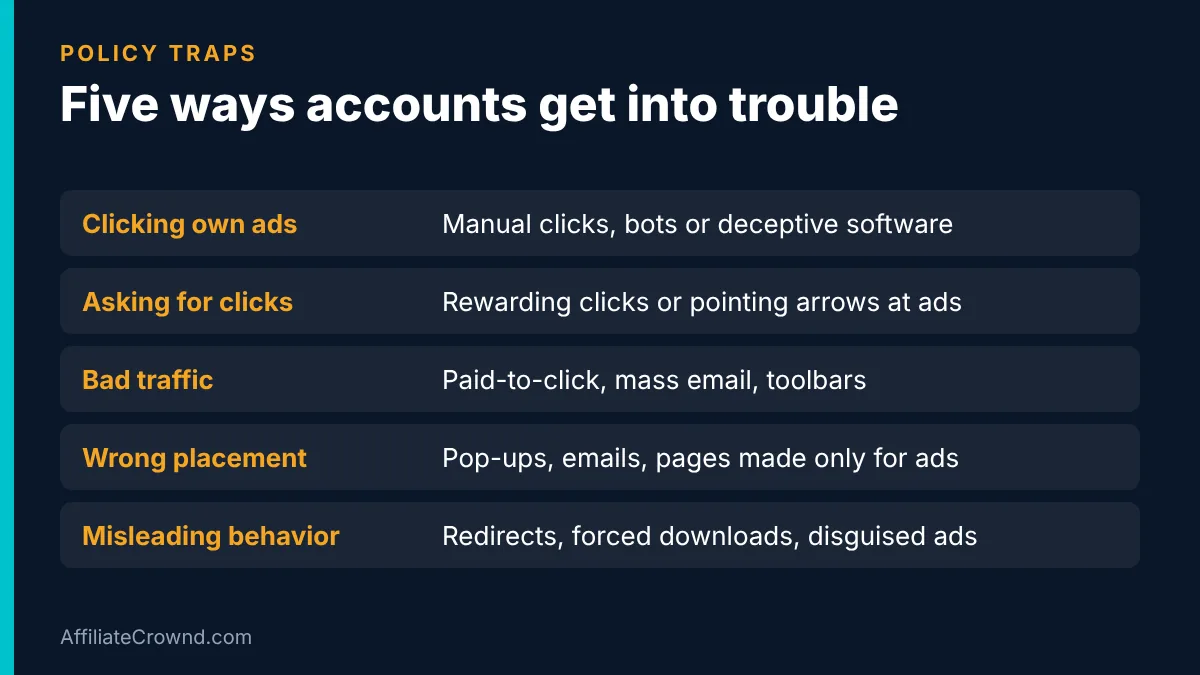
Getting approved is the first step. Keeping the account is the second, and Google can disable ad serving or the whole account for violations. According to the AdSense Program policies, these are the main traps:
- Clicking your own ads or inflating clicks. This includes manual clicks, bots and any deceptive software. Never test by clicking.
- Asking people to click. You cannot reward clicks, use arrows or misleading images to point at ads, or make ads look like other content.
- Bad traffic sources. Ads cannot run on pages fed by paid-to-click programs, unsolicited mass emails or software such as toolbars.
- Ads in the wrong places. No ads in pop-ups, emails, software, framed third-party content, pages that are not real content, or pages built only to show ads.
- Misleading site behavior. No redirects, forced downloads, malware, disguised ads or navigation-blocking pop-ups.
Google also refers to separate publisher policies for content rules and privacy, so read those pages too. They change, and the responsibility to keep up is yours.
If You Are Not Approved
A rejection is a signal about the site, not a judgment about you. Read the reason Google gives in your account first, then fix the specific problem before you reapply. These are the fixes we would check first. They are our suggestions, not a list from Google.
| Possible problem | What to check | What to do |
|---|---|---|
| Thin or unfinished pages | Pages that only skim a topic, or empty categories | Expand articles so they answer the question fully. Remove or hide empty pages. |
| Copied or lightly rewritten text | Passages that match other sites | Replace them with your own explanations, examples and opinions. |
| Hard-to-use navigation | Broken menus, unreadable text, drop-downs that fail | Fix the layout and test on a phone and a computer. |
| Missing trust pages | No About, Contact or Privacy Policy | Publish them and link them in the footer. |
| Policy concerns | Anything that could break the program policies | Read the policies again and remove the content in question. |
After you fix the issue, wait before reapplying. Applying again and again every few days does not help, and the review looks at the whole site.
Build an Audience You Own While You Wait
Approval can take weeks, and ads need traffic to earn anything. While you wait, start an email list so your audience does not depend on Google alone. Systeme.io has a free plan for funnels and email, and our Systeme.io review shows what the free plan includes. Our pricing guide explains when you would need to upgrade.
Start free with Systeme.io → No credit card needed. Check the current plan limits on the official site.
If your pages load slowly because of heavy images, ShortPixel can compress them automatically. Check the current free and paid limits on the official site before you choose a plan. If you are still choosing hosting for your first site, SiteGround is one option we cover in our setup guide.
Google AdSense Approval: FAQ
How many posts do I need to get AdSense approved?
Google does not publish a minimum. Focus on having enough finished, original pages that the site looks complete and useful. Fixed numbers you read online are opinions, not rules.
Do I need traffic before I apply?
Google’s eligibility page says content should attract an audience, but it does not state a traffic number. A new site with good content can apply, but it will earn very little until visitors arrive.
Can I use AdSense and affiliate links on the same site?
Yes, as long as you follow the AdSense policies and disclose your affiliate links. Keep ads from distracting readers on the pages where you want them to act.
How long does AdSense take to approve a site?
Google says usually a few days, and in some cases 2 to 4 weeks.
Can I apply if I am under 18?
Google only accepts applicants who are at least 18. A parent or guardian can sign up with their own Google Account, and payments go to that adult.
Final Takeaway
AdSense approval is about a real, original, easy-to-use site that follows the policies. Build the site first, use the checklist and the 30-day plan, apply once, and wait for Google’s email. Then keep following the policies, because keeping the account matters as much as getting it. For a wider view of how sites earn, read our beginner’s guide to affiliate marketing, compare programs in our beginner programs guide, or return to the Start Here page.
Sources
- Google: AdSense eligibility requirements, read November 2026
- Google: Get your site ready for AdSense, read November 2026
- Google: AdSense Program policies, read November 2026
- Google: Sign up for AdSense, activation timing and identity verification, read November 2026
- Google: Payment thresholds, read November 2026
- Google: About ads.txt, read November 2026
Written by Oscar, founder of AffiliateCrownd. Last updated November 2026. Google does not publish an approval rate, so we do not promise one. Policies and thresholds change, so check Google’s pages before you apply.