
Cloudways Review 2026: Plans, Free Trial, Migration and Who It Suits
By Oscar · 13 min read

Affiliate Disclosure: AffiliateCrownd earns a commission when you sign up for Cloudways through our links, at no extra cost to you. This never changes what we write. Read our affiliate disclosure.
This Cloudways review answers one question: is a managed cloud host too much for a first WordPress site, or a good step up from basic shared hosting? We read Cloudways’ official pricing, WordPress, homepage and migration pages on November 9, 2026, and we report what they say, including the places where the pages disagree with each other.
We have not run speed, uptime or support tests on Cloudways, so this is a review of the published plans and terms, not a performance test. Oscar runs AffiliateCrownd and does the research for every guide.
Cloudways Review: Quick Answer
- What it is: a managed cloud hosting platform. You pick a server size, and Cloudways handles the server setup and tools around it.
- Price: Flexible plans start at $14 a month (Micro) and go up to $99 a month (Large), as listed.
- Try first: a 5-day free trial on Flexible plans with no credit card, per its pricing page.
- Watch out for: no money-back statement on the pricing page, and extras that cost more, such as offsite backups.
- Best for: people who want a server plan they can resize, and who are comfortable learning a dashboard.
Try Cloudways free for 5 days → Look around before you pay. Check the current trial terms on the official page.
What Cloudways Is
Cloudways describes itself as a managed cloud platform. Instead of renting space on a shared server with many other sites, you choose a server plan on a cloud provider, and Cloudways adds a control panel, caching, backups and support on top. Its homepage lists five providers: DigitalOcean, Vultr, Linode, AWS and Google Cloud. It also says it offers “150+ data center locations” across them.
Its homepage says it manages “600K+” web apps. That is Cloudways’ own figure, and we have not verified it. What matters for a beginner is simpler: you are choosing a server-style plan, with a more hands-on dashboard than a basic shared host.
How Cloudways Differs From Shared Hosting
Many beginners start on shared hosting, where a company puts many websites on one server and sells you a plan with limits such as web space and estimated monthly visits. SiteGround’s StartUp, GrowBig and GoGeek plans work this way. You buy a plan name, and the host decides how resources are shared.
Cloudways works the other way around. You choose a server size, such as 1 GB or 2 GB of RAM, and the price follows the size. Moving up means picking a larger size, and the pricing page says you can upgrade or downgrade at any time. The trade-off is that you think in server terms, such as memory, storage and bandwidth, instead of plan tiers named after how many sites you can run.
Neither model is better for everyone. Shared hosting is usually simpler to understand. A server plan gives you a clear size to grow from, at the cost of more to learn. For a deeper side-by-side, read SiteGround vs Cloudways.
Cloudways Plans and Prices
The pricing page lists several product lines. For a first WordPress site, the Flexible plans are the relevant ones. Here is what the page showed on November 9, 2026:
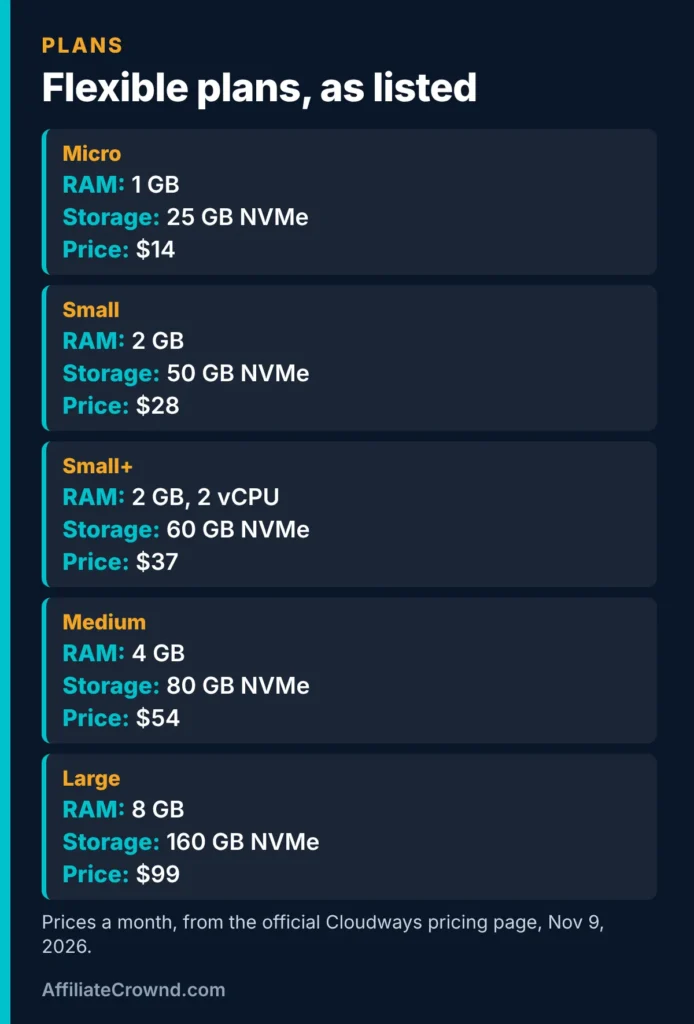
| Plan | Price a month | RAM | vCPU | Storage | Bandwidth |
|---|---|---|---|---|---|
| Micro | $14 | 1 GB | 1 | 25 GB NVMe | 1 TB |
| Small | $28 | 2 GB | 1 | 50 GB NVMe | 2 TB |
| Small+ | $37 | 2 GB | 2 | 60 GB NVMe | 3 TB |
| Medium | $54 | 4 GB | 2 | 80 GB NVMe | 4 TB |
| Large | $99 | 8 GB | 4 | 160 GB NVMe | 5 TB |
Source: Cloudways’ official pricing page, checked November 9, 2026. The page showed a date near the top that did not match our check date, so we rely on the plan figures we read. The page does not say which cloud provider each Flexible plan uses, so we do not compare providers. Prices exclude tax.
One thing is easy to miss: the pricing page does not show a separate introductory price. It also says you can upgrade or downgrade at any time with no lock-in. That makes the price you see the price you plan around, unlike hosts that advertise a low first term.
What the Plan Numbers Mean in Plain Words
The table uses a few terms that are easy to skim past. Here is what each one means for a website owner:
- RAM: the server’s working memory. More RAM lets the server handle more things at once, such as several visitors loading pages while plugins run.
- vCPU: a virtual processor core. More cores let the server do more work in parallel. Small+ has 2 vCPU against 1 on Small, at $9 more a month on the listed prices ($37 against $28).
- NVMe storage: the disk where your files, database and images live. A text-based blog uses little space, while large images and media fill it faster.
- Bandwidth: the data transferred to your visitors. Micro lists 1 TB, which is far beyond what a new site is likely to use, but you should still know the rules if you exceed it.
- Staging: a copy of your site for testing changes safely before you update the live version.
- Cache: a stored copy of pages so they can be served faster. Cloudways lists the Breeze cache plugin on every WordPress site.
You do not need to master these terms to choose a first plan. The simple rule is to pick the smallest plan that fits your site today and use the resize option as the site grows.
If You Go Over Your Bandwidth
The pricing page FAQ lists overage rates per gigabyte, and they differ by cloud provider: AWS $0.12, Google Cloud $0.10 to $0.17 depending on region, DigitalOcean $0.02, Linode $0.02, and Vultr $0.01 in North America and Western Europe, $0.025 in Singapore and Tokyo, and $0.05 in Sydney. Because the page does not say which provider each plan uses, check this with Cloudways before you rely on any figure.
To see why it matters, imagine 100 GB over your limit. At $0.02 a GB that is $2.00, and at $0.12 a GB it is $12.00. This is simple multiplication of the listed rates, not a prediction of what you would pay. A new site is unlikely to approach a 1 TB limit, but a site that grows or serves large files could.
What Is Included, and What Costs Extra
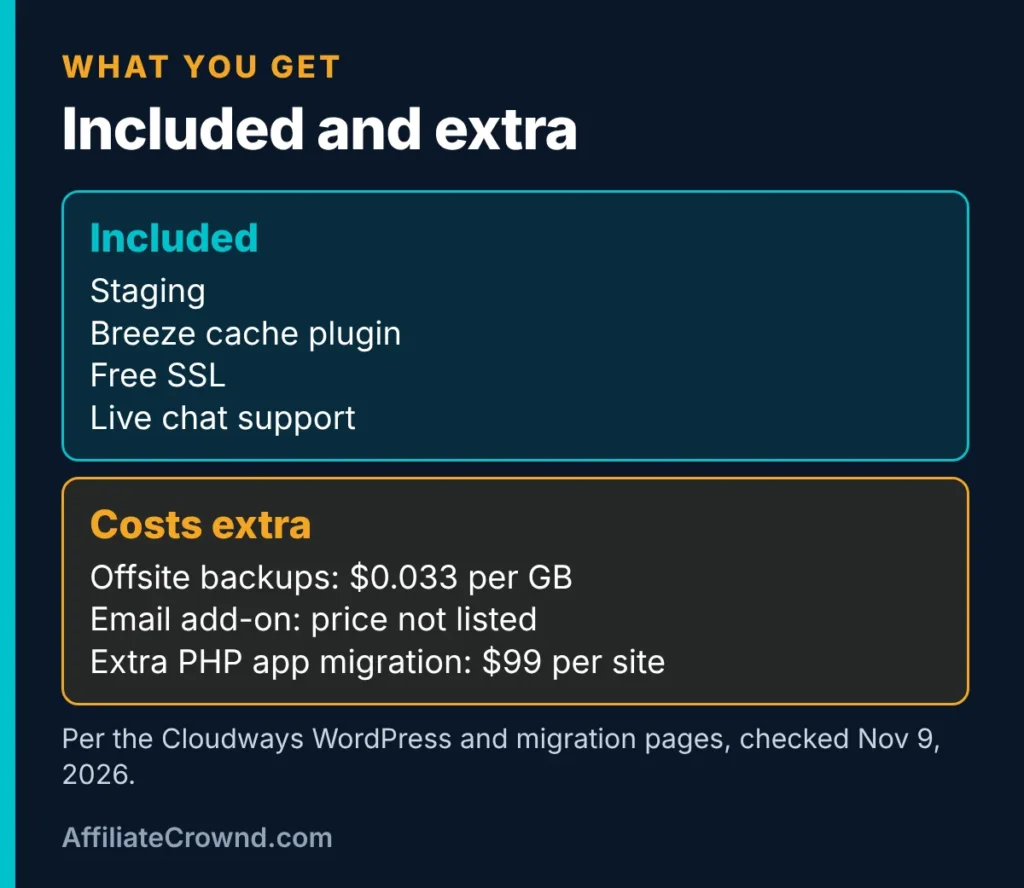
Cloudways’ WordPress page says every plan includes staging, the free Breeze cache plugin, free Let’s Encrypt SSL certificates and live chat support at any hour. Staging gives you a copy of your site to test changes before they go live. Breeze is a caching plugin that comes pre-installed on WordPress sites, and caching can help pages load faster. We have not measured the effect.
Here is what the pages say costs extra:
- Offsite backups: $0.033 per GB for backup storage.
- Email: email hosting and email delivery appear as add-ons, but the pages we read list no price.
- Extra support tiers: Advanced and Premium support are described, again without a price on the page.
- Additional PHP apps: migration of extra apps is a paid add-on at $99 per site.
None of this is hidden, but it adds up. If you want email on your own domain or offsite backups, check the current prices before you decide that a plan is cheap.
What a Year Could Cost: Worked Examples
These examples use only the listed prices and simple multiplication. They are illustrations to help you budget, not quotes, and your real bill depends on your choices.
- A small new site on Micro: $14 a month is $168 a year. If you also stored 20 GB of offsite backups at $0.033 per GB, that adds $0.66 a month, or $7.92 a year, for about $175.92 in total.
- A growing site on Small: $28 a month is $336 a year, before any add-ons.
- A busier site on Medium: $54 a month is $648 a year, before any add-ons.
Compare these with a shared host’s renewal price rather than its intro price. For example, SiteGround’s StartUp renews at $17.99 a month, which is $215.88 a year, as covered in our SiteGround review. The plans are different products, so the cheaper number is not automatically the better buy.
Autonomous and Velocity: Other Cloudways Plans
The pricing page lists two other product lines. We mention them so you know what they are, though most beginners will not need either.
- Autonomous: a WordPress plan with autoscaling, priced at $99 (Growth), $199 (Scale) and $399 (Plus) a month. The page lists one website per plan, 1, 2 and 3 baseline servers, and 150 GB, 250 GB and 1,000 GB of bandwidth. Extra disk space is $1 per GB and extra bandwidth is $0.04 per GB, and autoscaling beyond the baseline is billed per server hour. It includes Cloudflare Enterprise CDN and a 3-day trial.
- Velocity: a plan line for Node.js apps, starting at $20 a month (Starter, with 2 GB of RAM and 5 apps). It is aimed at developers, not WordPress beginners.
If you are building your first affiliate site, Flexible is the place to look. Autonomous only makes sense once a site has enough traffic and revenue to justify $99 a month or more.
The Free Trial
Cloudways’ homepage FAQ and pricing page list a 5-day free trial for Flexible plans and a 3-day trial for Autonomous plans, with no credit card required. Five days is short, so plan what you want to check before you start. A trial lets you try the dashboard, create a site and see how the tools work. It does not tell you how the host performs over months, and we do not claim it does.
We did not find a money-back statement on the pricing page or the homepage. They say plans have no contracts and no lock-in, which is not the same as a refund guarantee. If a refund matters to you, read Cloudways’ terms and ask its support before you pay.
Start the Cloudways trial → No card is listed for the trial. Confirm the terms on the official page.
Moving Your Site to Cloudways
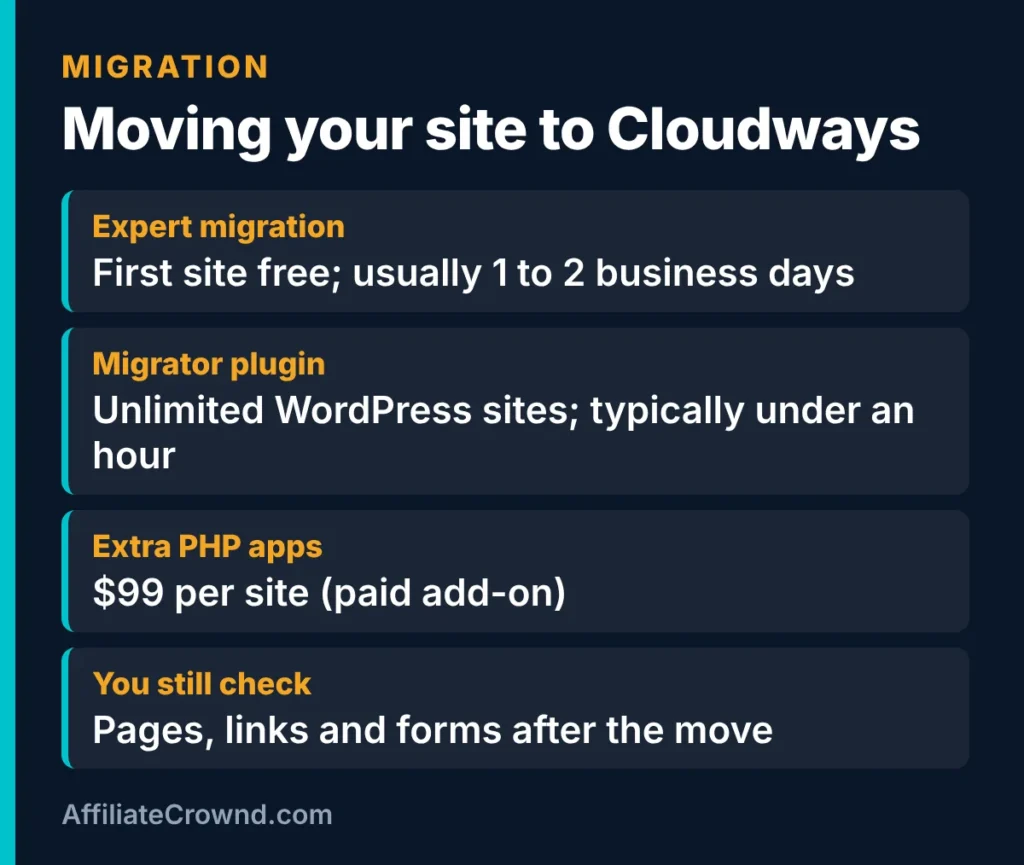
If you already have a site elsewhere, Cloudways lists two ways to move it:
- Free expert migration: its migration page says the first website is moved for free by Cloudways engineers, covering files, databases and settings, followed by testing. It says this is usually completed in 1 to 2 business days, depending on the site.
- The WordPress Migrator plugin: a free plugin for moving WordPress sites yourself. The page says there is no cap on the number of migrations and that it typically takes less than an hour.
The plugin route asks for your WordPress dashboard access, your destination site URL, and your SFTP host and database name, according to the plugin page. The migration page also says “zero downtime” in one place and “minimal or zero downtime” in another, so treat downtime as something to plan for, not a promise. Whichever route you pick, check your pages, links and forms after the move. If you are starting from scratch, you do not need migration at all. Our guide to building an affiliate website on WordPress covers a first install.
Cloudways’ Own Claims We Could Not Confirm
The Cloudways homepage makes several performance and support claims. We list them so you know where they come from, and we do not repeat them as fact:
- Uptime: the homepage claims “99.99% uptime.” We have not monitored it.
- Support speed: the homepage says “90-second response” and “96% CSAT,” while its own FAQ says “under 1-minute response time” and “95% CSAT.” The two figures do not match, and we have not tested support.
- Security: the homepage mentions DDoS protection and automated backups. We have not tested these.
When a company’s own pages disagree, we think readers should see that. It is one reason we say test it yourself during the trial.
Who Cloudways Suits
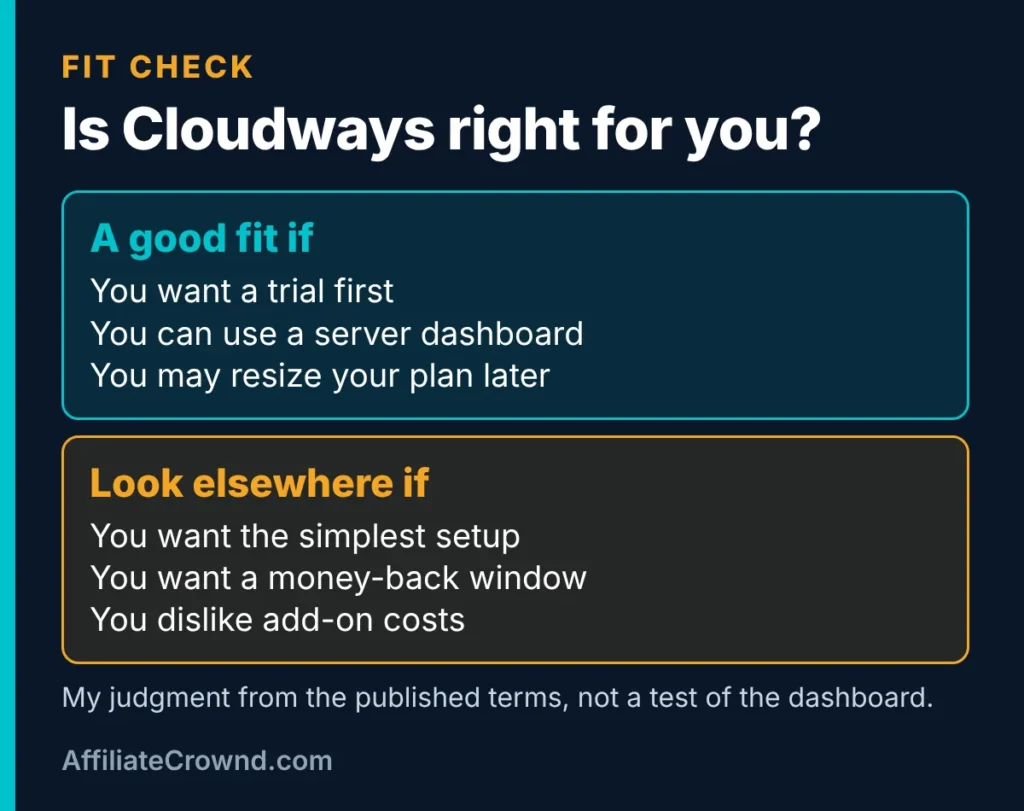
A good fit if
- You want to try a host before you pay.
- You like a listed monthly price and no contract.
- You are happy to learn a server dashboard.
- You may want to resize your plan as your site grows.
- You are moving an existing WordPress site and can use the free migration.
Look elsewhere if
- You want the simplest possible setup for a first site.
- You want a clearly stated money-back window.
- You dislike paying for add-ons such as backups and email.
- You want the lowest first-year price, since Cloudways does not list an intro discount.
If you are deciding between a shared host and Cloudways, read our SiteGround vs Cloudways comparison, or our SiteGround review for the other side.
Pros and Cons From the Published Terms
What looks good on paper: a 5-day free trial with no card, a clear list of plan sizes, staging and free SSL on every plan, a free expert migration for your first site, and a free WordPress Migrator plugin.
What to watch: no refund statement on the pages we read, add-on costs that are easy to overlook, claims on the homepage that do not match each other, and a dashboard with more to learn than a basic shared host.
Questions to Ask Cloudways Before You Pay
Some gaps on the public pages are best closed by asking. Support is listed as live chat at any hour, so these questions cost you a few minutes:
- Is there a refund policy for my plan, and what are the conditions?
- Which cloud provider does my chosen plan run on, and what is its bandwidth overage rate?
- What does email hosting cost for my domain?
- What is the price of Advanced or Premium support, and do I need either?
- If I use the free expert migration, what downtime should I expect for my site?
Write down the answers with the date. If something Cloudways tells you differs from this page, trust the live answer from the company and tell us so we can update the review.
What We Did Not Test
- We did not measure speed, uptime or support response times.
- We did not use the dashboard or run a migration, so we describe those tools as Cloudways describes them.
- We did not compare cloud providers, because the pricing page does not tie plans to providers.
- We reviewed the Flexible plans, and covered Autonomous and Velocity only at the level of their published price lists.
A Checklist for Your Trial

- Pick the smallest plan that fits. You can resize later, per the pricing page.
- Write down the monthly price and any add-ons you expect to need.
- Use the 5-day trial to look around the dashboard and set up a test site.
- Try the migration tools on a copy if you already have a site.
- Read the terms on refunds before you add a payment method.

Try Cloudways → A trial is listed on Flexible plans. Check the current terms on the official page first.
Cloudways Review: FAQ
How much does Cloudways cost?
Its pricing page lists Flexible plans from $14 a month (Micro) to $99 a month (Large). Backups beyond the plan, email and some support tiers can cost extra, and prices exclude tax. Check the official page for the current figures.
Does Cloudways have a free trial?
Yes. The pricing page lists a 5-day free trial for Flexible plans and a 3-day trial for Autonomous plans, with no credit card required. Confirm the terms before you sign up.
Is Cloudways good for beginners?
It can be, if you are willing to learn a server dashboard. It includes staging, free SSL and live chat on every plan, and the trial lets you look around first. If you want the simplest setup, a shared host may feel easier. We have not tested the dashboard, so this is a judgment from the published features.
Does Cloudways offer free migration?
Its migration page says the first website is migrated free by its engineers, usually within 1 to 2 business days. It also offers a free WordPress Migrator plugin for moving WordPress sites yourself. Extra PHP apps cost $99 per site as a paid add-on.
Does Cloudways have a money-back guarantee?
We did not find a money-back statement on its pricing page or homepage. They mention no contracts and no lock-in. Read Cloudways’ terms or ask its support about refunds before you pay.
Conclusion
Cloudways is a managed cloud host with clear plan sizes, a free trial and free migration, and with extras that cost more and a few claims we could not confirm. It suits people who want a resizable plan and do not mind a more hands-on dashboard. If you are still comparing, read SiteGround vs Cloudways, then see our guide to the best affiliate programs for beginners or return to Start Here.
Written by Oscar, founder of AffiliateCrownd. Last checked November 9, 2026. Prices and terms change, so confirm current details on the official site before you buy.