
SiteGround vs Cloudways 2026: Which Host Fits a First WordPress Site?
By Oscar · 12 min read

Affiliate Disclosure: AffiliateCrownd earns a commission when you sign up for SiteGround or Cloudways through our links, at no extra cost to you. This never changes what we write. Read our affiliate disclosure.
SiteGround vs Cloudways comes down to how you want to pay and how much you want to manage. SiteGround sells shared hosting with a low first-term price that renews higher. Cloudways sells managed cloud server plans at a listed monthly price, with a free trial. Neither is the right answer for everyone, and we explain which fits which person below.
We compare the two hosts using their official pages, checked on November 9, 2026. We have not run speed or uptime tests, so we do not declare a performance winner. Oscar runs AffiliateCrownd and does the research for every guide.
SiteGround vs Cloudways: Quick Answer
- Choose SiteGround if you want a simple first WordPress site, a low first-term price and a 30-day money-back window on new orders, and you will budget for the higher renewal price.
- Choose Cloudways if you want a server plan with a steady listed monthly price, a free trial before you pay, and you are comfortable with a few more settings.
- Not sure? Read our SiteGround review and Cloudways review, then use the checklist near the end of this page.
See SiteGround plans → A fit for a first website. Check the current price and renewal on the official page.
Side-by-Side Comparison
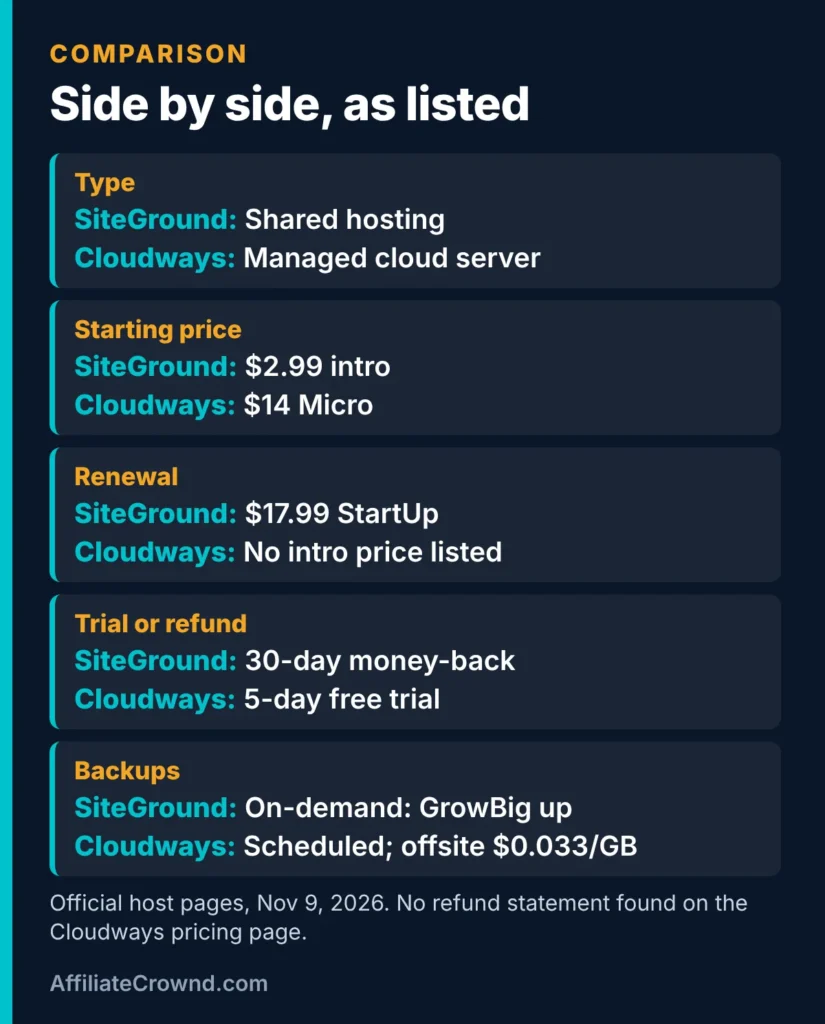
| Item | SiteGround | Cloudways |
|---|---|---|
| Type | Shared hosting plans | Managed cloud server plans |
| Starting price | StartUp $2.99 a month intro, GrowBig $4.99, GoGeek $7.99 (12-month prepaid) | Micro $14 a month, Small $28, Small+ $37, Medium $54, Large $99 |
| Renewal | StartUp $17.99, GrowBig $29.99, GoGeek $44.99 a month | No separate intro price listed on the pricing page |
| Trial or refund | 30-day money-back on new orders | 5-day free trial on Flexible plans, no card; no refund statement found on the pricing page |
| Websites | 1 on StartUp, unlimited on GrowBig and GoGeek | See each plan’s specs on the pricing page |
| Included on WordPress plans | Plan limits vary: 10, 50 and 100 GB of web space | Staging, the Breeze cache plugin, free SSL and live chat on every plan |
| Costs extra | Higher renewal after the intro term | Offsite backups at $0.033 per GB; email add-on price not listed |
Sources: SiteGround’s official plan page and Cloudways’ official pricing page, checked November 9, 2026. The Cloudways page also showed a date near the top that did not match our check date, so we rely on the plan figures we read and tell you when we checked them. Prices exclude tax.
Two Different Kinds of Hosting
Before comparing prices, it helps to see that these hosts sell different things. That is why a simple “which is better” answer would mislead you.
- Shared hosting (SiteGround’s plans): you buy a named plan, such as StartUp, and the host decides how server resources are shared. The plan lists limits like web space, number of sites and estimated monthly visits. It is usually the easier model to understand.
- Managed cloud hosting (Cloudways): you pick a server size, such as 1 GB or 2 GB of RAM, on a cloud provider, and Cloudways manages the tools around it. You think in server terms like memory, storage and bandwidth, and you can resize the plan later.
A shared plan can be a simpler start. A server plan gives you a clear size to grow from, at the cost of a bit more to learn. Neither model is better for everyone.
How Each Host Charges
This is the part that changes your total bill the most, so read it before you compare plans.
SiteGround: a low start, then a higher renewal
SiteGround lists three shared plans. StartUp is $2.99 a month to start and $17.99 a month when it renews. GrowBig is $4.99 then $29.99. GoGeek is $7.99 then $44.99. Those prices are for a 12-month prepaid term, and the intro price applies to new signups.
New orders carry a 30-day money-back guarantee, which gives you a window to cancel if the plan is not what you expected. We cover the plan limits in more detail in our SiteGround review.
Cloudways: a listed monthly price for a server plan
Cloudways lists its Flexible plans by size. Micro is $14 a month with 1 GB of RAM, 1 vCPU, 25 GB of NVMe storage and 1 TB of bandwidth. Small is $28 with 2 GB of RAM and 50 GB of storage. Larger plans go up to Large at $99 with 8 GB of RAM and 160 GB of storage. The page says you can upgrade or downgrade at any time with no lock-in.
The pricing page does not give a separate intro price, so we do not describe one. It offers a 5-day free trial on Flexible plans without a card. We did not find a money-back statement on that page, so read Cloudways’ terms before you pay.
Want the full detail on Cloudways first? Read our Cloudways review for plans, the trial, migration and what costs extra.
SiteGround’s Price Depends on the Term You Pick
SiteGround lists different monthly rates depending on the length of the term you buy. Here are the figures we read on its plan page on November 9, 2026:
| Plan | 1-month term | 12-month term | 24-month term |
|---|---|---|---|
| StartUp | $24.99 a month | $17.99 a month | $14.99 a month |
| GrowBig | $34.99 a month | $29.99 a month | $24.99 a month |
| GoGeek | $49.99 a month | $44.99 a month | $39.99 a month |
These are the listed rates by term. They are separate from the intro prices of $2.99, $4.99 and $7.99 for a first 12-month term. The practical point is that a longer term lowers the monthly rate, but you pay for more months at once. Cloudways works the other way: it lists one monthly price per plan and says there is no lock-in.
What the listed prices add up to
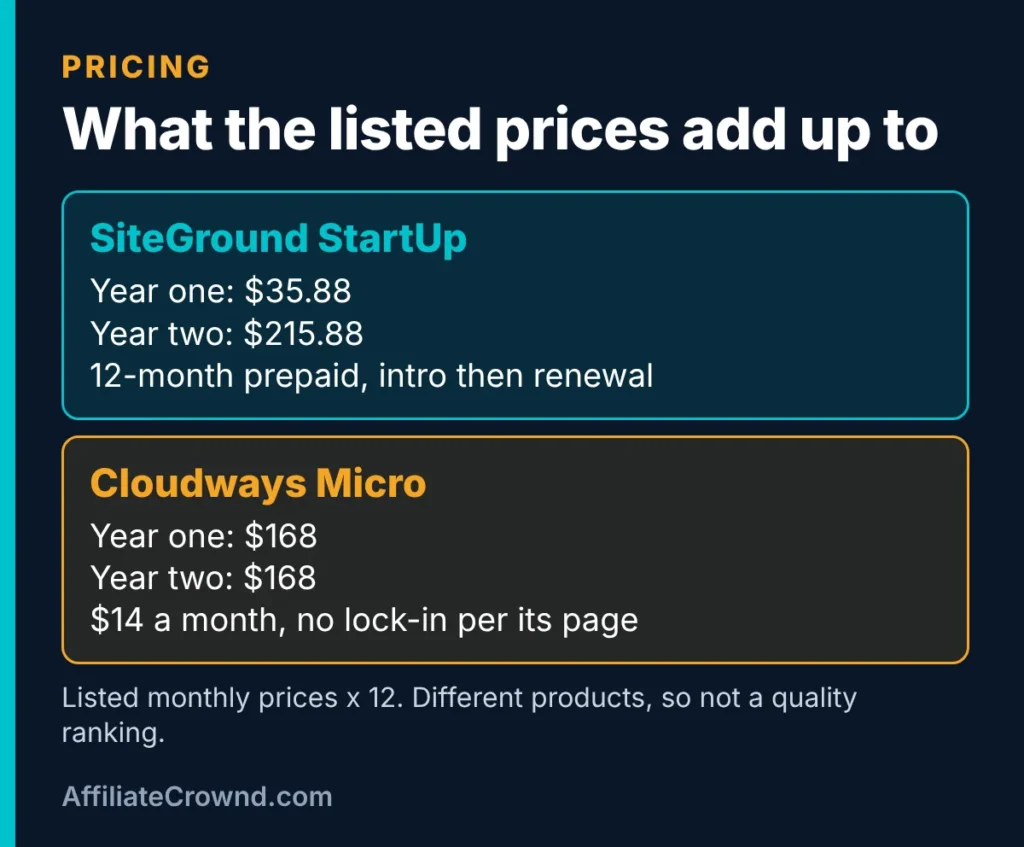
Multiplying the listed monthly prices gives a rough picture. SiteGround StartUp would be $35.88 for the first year at $2.99 a month, then $215.88 a year at the $17.99 renewal price. Cloudways Micro would be $168 a year at $14 a month. This is simple arithmetic on listed prices, before tax and add-ons. It is not a quality ranking, because a shared plan and a cloud server plan are different products.
A Three-Year Cost Example
The first year is not the whole story, so here is the same arithmetic over three years. It assumes you keep the plan, pay the listed prices, and add nothing extra. It is an illustration, not a quote.
- SiteGround StartUp: $35.88 in year one, then $215.88 in each of years two and three, for $467.64 in total.
- Cloudways Micro: $168 a year for three years, for $504 in total.
- SiteGround GrowBig: $59.88 in year one, then $359.88 in each of years two and three, for $779.64 in total.
- Cloudways Small: $336 a year for three years, for $1,008 in total.
Two things stand out. SiteGround’s low first year is real, but by year three the renewal price dominates. And the plans in each pair are not the same product: StartUp and GrowBig are shared plans, while Micro and Small are server sizes. Use the figures to budget, not to crown a winner. If you choose a 24-month SiteGround term instead, the listed rate for StartUp is $14.99 a month, or $359.76 for the 24 months.
Try Cloudways free for 5 days → No card is listed for the trial. Check the current terms on the official page.
What You Get With Each Host
Cloudways says every WordPress plan includes staging, the free Breeze cache plugin, free Let’s Encrypt SSL certificates and live chat support at any hour. Staging means a copy of your site where you can test changes before they go live, which is useful once you have pages you do not want to break.
SiteGround’s plans differ by tier. StartUp covers one website with 10 GB of web space. GrowBig and GoGeek cover unlimited websites with 50 GB and 100 GB, and on-demand backups are listed on GrowBig and GoGeek. SiteGround estimates about 10,000, 100,000 and 400,000 or more monthly visits for the three plans. Those are estimates, not guarantees.
Watch the costs outside the plan. Cloudways lists offsite backup storage at $0.033 per GB, and email hosting is an add-on with no price on the page we read. SiteGround’s main extra cost is the higher renewal price. Add these up before you decide.
Plan Words Explained
The two hosts describe their plans in different words. This short glossary translates the ones that matter:
- Web space or storage: where your files, images and database live. SiteGround lists 10, 50 and 100 GB by plan, and Cloudways lists 25 to 160 GB across its Flexible sizes.
- Estimated visits: SiteGround’s guide to how much traffic a plan suits. It is an estimate, and real capacity depends on your site.
- RAM and vCPU: the memory and processor cores of a Cloudways server. More of each lets the server do more at once.
- Bandwidth: data transferred to visitors. Cloudways lists 1 TB on Micro up to 5 TB on Large, and charges overage rates by provider if you exceed it.
- Staging: a safe copy of your site for testing changes. Cloudways lists it on every plan.
- Renewal price: what you pay when the first term ends. SiteGround’s renewal is much higher than its intro price.
What About Cloudways Autonomous?
Cloudways also sells an Autonomous WordPress plan with autoscaling, listed at $99, $199 and $399 a month for one website each. It is priced for sites that need automatic scaling, not for a first affiliate site, so we do not use it in the comparison above. If your site grows to the point where traffic spikes are a real problem, it is worth reading about then. Our Cloudways review lists the Autonomous figures we read.
Who Should Pick Which
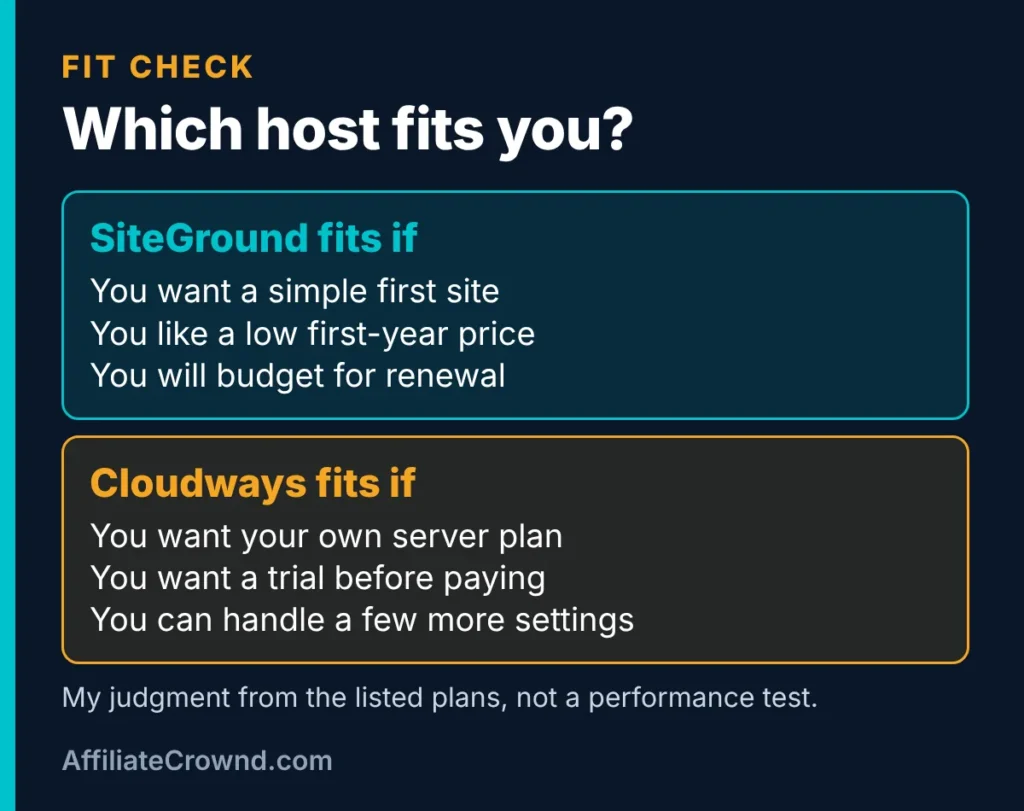
SiteGround is a good fit if
- You are building your first WordPress site and want a simple start.
- You like a low first-term price and will plan for the renewal.
- You want a money-back window on a new order.
- You may run more than one site later, which GrowBig and GoGeek allow.
Cloudways is a good fit if
- You want to try the product for a few days before paying.
- You prefer a listed monthly price without an intro-then-renewal jump.
- You are comfortable with a server dashboard and a few more settings.
- You expect to resize your plan as your site grows.
Our judgment from the listed plans is that a complete beginner who wants the simplest route will find SiteGround easier to start, and that someone who values a trial and steady pricing may prefer Cloudways. That is a judgment from the published terms, not the result of testing either dashboard.
Three Situations, Three Different Answers
Real choices depend on your situation. These scenarios use only the published terms:
- You are starting your first site on a tight budget. SiteGround StartUp’s $2.99 first-term price is the lowest starting figure on either page, and the 30-day money-back window gives you a way out. The catch is the $17.99 renewal, so decide up front whether you will keep the site or move.
- You want to test before spending anything. Cloudways lists a 5-day free trial with no card. That is the only no-cost way to look inside either dashboard on these pages, though five days is short.
- You plan to run several sites. SiteGround GrowBig and GoGeek list unlimited websites. Cloudways prices by server size, so what you can fit depends on the resources you choose. Check each plan’s specs against the number of sites you expect.
If You Already Have a Site
Moving a site is a common reason to compare hosts. Cloudways says its engineers migrate your first website for free, usually in 1 to 2 business days, and it offers a free WordPress Migrator plugin for doing it yourself. Extra PHP apps cost $99 per site. We did not review SiteGround’s migration options on the pages we read for this comparison, so check its site if migration matters. Whichever host you pick, test your pages, links and forms after the move.
Questions to Ask Each Host Before You Pay
- Ask SiteGround: what exactly does my plan renew at, and on what date? Which conditions apply to the 30-day money-back guarantee? How are visits counted against my plan’s estimate?
- Ask Cloudways: is there a refund policy for my plan? Which cloud provider does my plan use, and what is its overage rate? What does email hosting cost for my domain?
Keep the answers with the date you asked. If a host tells you something different from this page, trust the live answer and let us know so we can update.
What We Did Not Test, and Where This Page Is Limited
- We did not run speed, uptime or support-response tests for either host, so we make no performance claims.
- We compared Cloudways’ Flexible plans. Its Autonomous and Velocity plans are priced differently and are aimed at other needs.
- The Cloudways pricing page does not say which cloud provider each Flexible plan uses, so we do not compare providers.
- We did not use either dashboard, so ease-of-use points are judgments from the published features.
- SiteGround’s affiliate and Cloudways’ affiliate terms are separate from the hosting terms, and they do not affect the facts above.
Prices and terms change, so confirm them on each official page before you buy. We update this page when we recheck.
Before You Pick a Host: A Five-Question Checklist
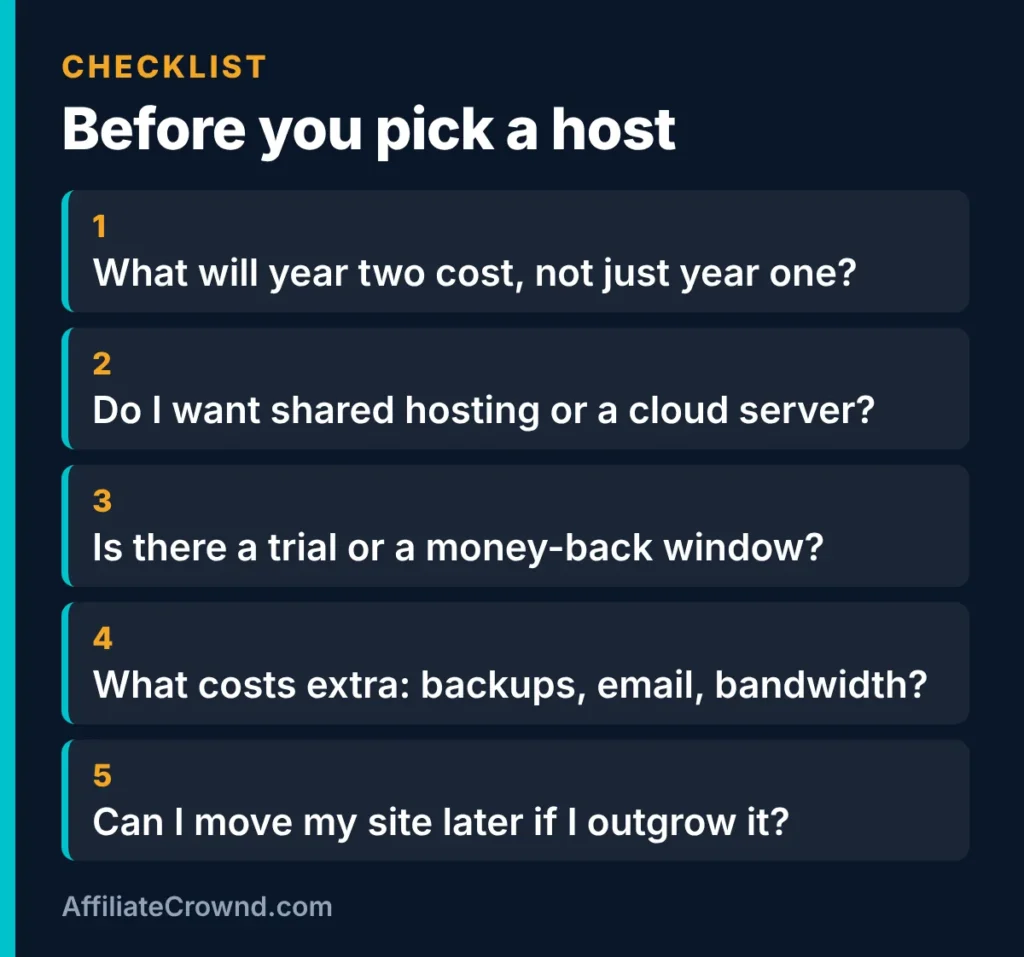
- What will year two cost? Look at the renewal price, not only the first term.
- Do I want shared hosting or a cloud server? Shared is simpler. A server plan gives you more control and more to manage.
- Is there a trial or a money-back window? Know the days and the conditions.
- What costs extra? Backups, email and bandwidth can add up.
- Can I move later? Check how you would migrate if you outgrow the plan.
If you have no site yet, follow our step-by-step guide to building an affiliate website on WordPress. Hosting is step 3 of 10, and the guide covers the rest.

See SiteGround plans → or try Cloudways → Compare the current price, trial and refund terms on each official page first.
SiteGround vs Cloudways: FAQ
Is SiteGround or Cloudways better for beginners?
For a first WordPress site, SiteGround is the simpler starting point because it is shared hosting with a low first-term price and a money-back window. Cloudways suits beginners who want a free trial and are happy to learn a server dashboard. We have not tested either dashboard, so this is a judgment from the listed plans.
Which is cheaper, SiteGround or Cloudways?
SiteGround StartUp is cheaper in the first term at $2.99 a month, but it renews at $17.99. Cloudways Micro is $14 a month with no intro price listed. Over three years the listed prices come to $467.64 for StartUp and $504 for Micro, before tax and add-ons. The two are different products, so compare what you actually need.
Does Cloudways have a free trial?
Its pricing page lists a 5-day free trial on Flexible plans with no credit card required. Autonomous plans show a 3-day trial. Confirm the current terms on Cloudways’ site before you sign up.
Does SiteGround offer a refund?
SiteGround lists a 30-day money-back guarantee on new orders. Read the conditions on its official page, since refund terms can differ for some products and renewals.
Which host is faster?
We do not know, because we have not run speed tests on either host, and we will not guess. If speed matters to you, look for independent test results from sources you trust, and check both hosts’ trial or refund windows so you can see how your own site behaves.
Conclusion
SiteGround is the simpler start with a low first-term price, and Cloudways is the server-plan option with a free trial and a steady listed price. Decide on the year-two cost, the trial or refund terms and how much you want to manage. Next, read our best affiliate programs for beginners guide, or return to the Start Here page.
Written by Oscar, founder of AffiliateCrownd. Last checked November 9, 2026. Prices and terms change, so confirm current details on each official site before you buy.