
SiteGround Review 2026: Plans, Real Renewal Prices and Who It Fits
By Oscar · 12 min read

Disclosure: some links to SiteGround on this page are affiliate links. If you buy through them, AffiliateCrownd may earn a commission at no extra cost to you. All prices and limits come from SiteGround’s own plan and rates pages, checked in November 2026, and can change. I have not run speed or uptime tests, so this review does not rate performance.
Hosting is the first bill that surprises new website owners. The ad says $2.99 a month, and a year later the invoice says something very different. This SiteGround review focuses on what you can actually check: the three shared hosting plans, the intro prices, the renewal prices and which limits will matter to a beginner building a first site.
Quick answer: is SiteGround good for beginners?
SiteGround is a reasonable choice for a beginner who plans one or a few WordPress sites and who budgets for the renewal price, not the intro price. The StartUp plan lists $2.99 a month for new signups and renews at $17.99 a month on a 12-month prepaid term. New orders list a 30-day money-back guarantee. I cannot rate its speed or support because I have not tested them.
In this guide
- The three plans, side by side
- Shared hosting in plain words
- The renewal-price trap
- How the billing term changes the price
- A three-year cost example
- What the limits mean
- What every plan lists
- What I could not verify
- A 30-day test plan
- Who each plan fits
- Common mistakes
- Before you buy
- Honest verdict
- FAQ
SiteGround’s three shared plans, side by side
SiteGround’s shared web hosting page lists three plans: StartUp, GrowBig and GoGeek. Here is what the page shows, copied as listed. Prices are per month on a 12-month prepaid term, and the page says they exclude tax.
| Item | StartUp | GrowBig | GoGeek |
|---|---|---|---|
| Websites | 1 | Unlimited | Unlimited |
| Web space | 10 GB | 50 GB | 100 GB |
| Estimated visits a month | About 10,000 | About 100,000 | 400,000+ |
| Intro price a month | $2.99 | $4.99 | $7.99 |
| Renewal price a month | $17.99 | $29.99 | $44.99 |
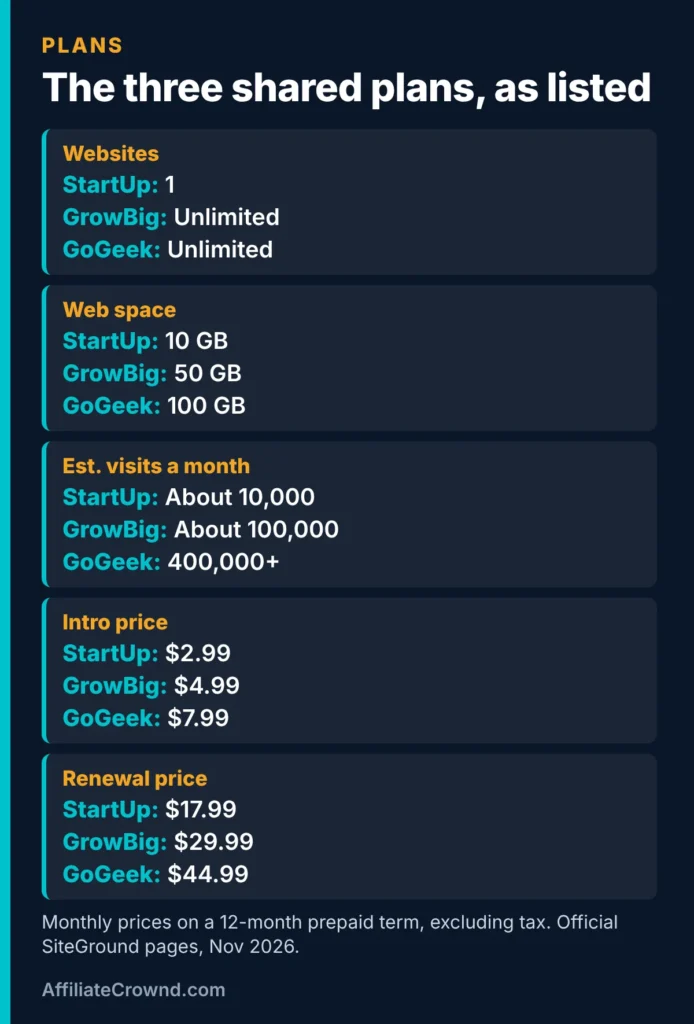
The visit numbers are SiteGround’s own estimates from its FAQ, not guarantees, and real capacity depends on how your site is built. A heavy plugin set or large uncached pages can use up resources faster than a simple blog.
Check today’s SiteGround plan prices →
Shared hosting in plain words
All three plans on this page are shared hosting. That means your website lives on a server with other websites, and the host decides how the server’s resources are divided. You do not choose a server size. You choose a plan, and the plan sets limits such as how many websites you can run and how much web space you get.
The upside is simplicity. You buy a plan, install WordPress and start publishing, without picking memory or processor sizes. The trade-off is that you have less control than on a server plan. Some beginners prefer a server-style host because they can resize a plan directly. Our Cloudways review covers that model, and SiteGround vs Cloudways puts the two side by side.
The renewal-price trap
Intro prices are for new customers. The same plan page shows each plan renewing at a much higher monthly rate. StartUp goes from $2.99 to $17.99, GrowBig from $4.99 to $29.99 and GoGeek from $7.99 to $44.99.
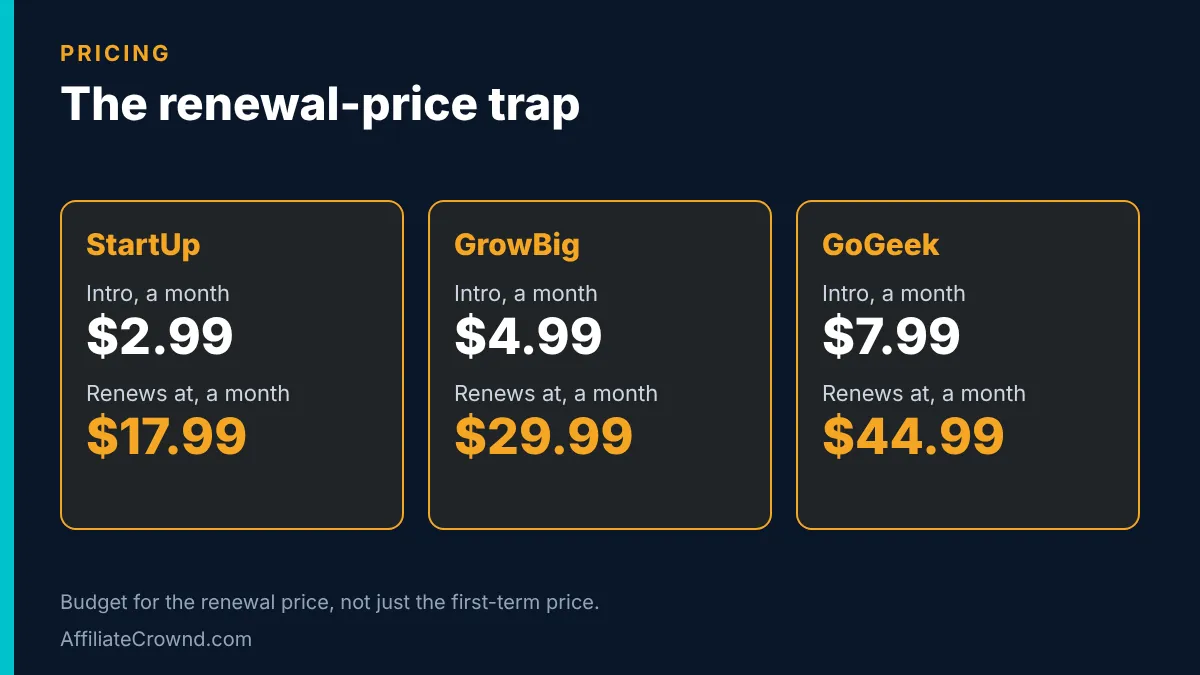
A simple way to see the effect: StartUp’s renewal rate of $17.99 a month is roughly six times its $2.99 intro rate ($17.99 divided by $2.99 is about 6.0). Over a full 12 months at the renewal rate you would pay about $216 for the year, compared with about $36 at the intro rate. That is arithmetic on the listed prices, not a promise of what you will be charged. Always confirm at checkout.
None of this is unusual for hosting. Many hosts lead with a discount. It is only a problem if you plan your budget around the first number. If you are building a site to earn money, treat the renewal price as your real cost and the intro price as a first-year bonus. Our guide to building an affiliate website on WordPress shows how hosting fits into the rest of a small site budget.
How the billing term changes the price
SiteGround’s “current rates” page lists standard monthly rates by prepaid term, and the page says it is current as of October 2026. The longer you prepay, the lower the monthly rate. These are the US dollar figures it lists:
| Plan | 1 month | 12 months | 24 months |
|---|---|---|---|
| StartUp | $24.99 | $17.99 | $14.99 |
| GrowBig | $34.99 | $29.99 | $24.99 |
| GoGeek | $49.99 | $44.99 | $39.99 |
The rates page does not list intro discounts. It says signup discounts appear on the sales pages. So the two pages work together: the plan page shows what you pay first, and the rates page shows the standard price you move to later. Read both before you buy, and note the term you choose, because the renewal rate depends on it.
To see what the term does to a StartUp bill, multiply it out. Twelve one-month terms at $24.99 would be $299.88. One 12-month term at $17.99 a month is $215.88. One 24-month term at $14.99 a month is $359.76, which covers two years, so it works out to $179.88 a year. The longer term has the lowest monthly rate, but it asks for the most money at once.
For a brand-new site that may never launch, that up-front cost is a risk. The guarantee below helps, but it is better not to prepay more than you are comfortable losing if the project changes.
A three-year cost example
The first year hides most of the cost. Here is the same arithmetic over three years, using the listed intro price for year one and the listed renewal price for years two and three. It assumes a 12-month term, no add-ons and no tax. It is an illustration, not a quote.
| Plan | Year 1 | Years 2 and 3 (each) | Three-year total |
|---|---|---|---|
| StartUp | $35.88 | $215.88 | $467.64 |
| GrowBig | $59.88 | $359.88 | $779.64 |
| GoGeek | $95.88 | $539.88 | $1,175.64 |
Notice that year one is a small part of the total. On StartUp, $35.88 of the $467.64 comes from the intro year. The other $431.76 comes from two renewal years. That is why we say to budget with the renewal price.
Two StartUp accounts or one GrowBig account?
If you expect to run two websites, the listed prices let you compare. Two StartUp accounts would cost $71.76 in the first year (2 x $35.88) and $431.76 a year at renewal (2 x $215.88). One GrowBig account would cost $59.88 in the first year and $359.88 a year at renewal, and it lists unlimited websites with 50 GB of web space. On price alone, one GrowBig account is lower in both years. Two separate accounts can still suit you if you want your sites kept apart.
What the plan limits mean in plain words
One website versus unlimited websites
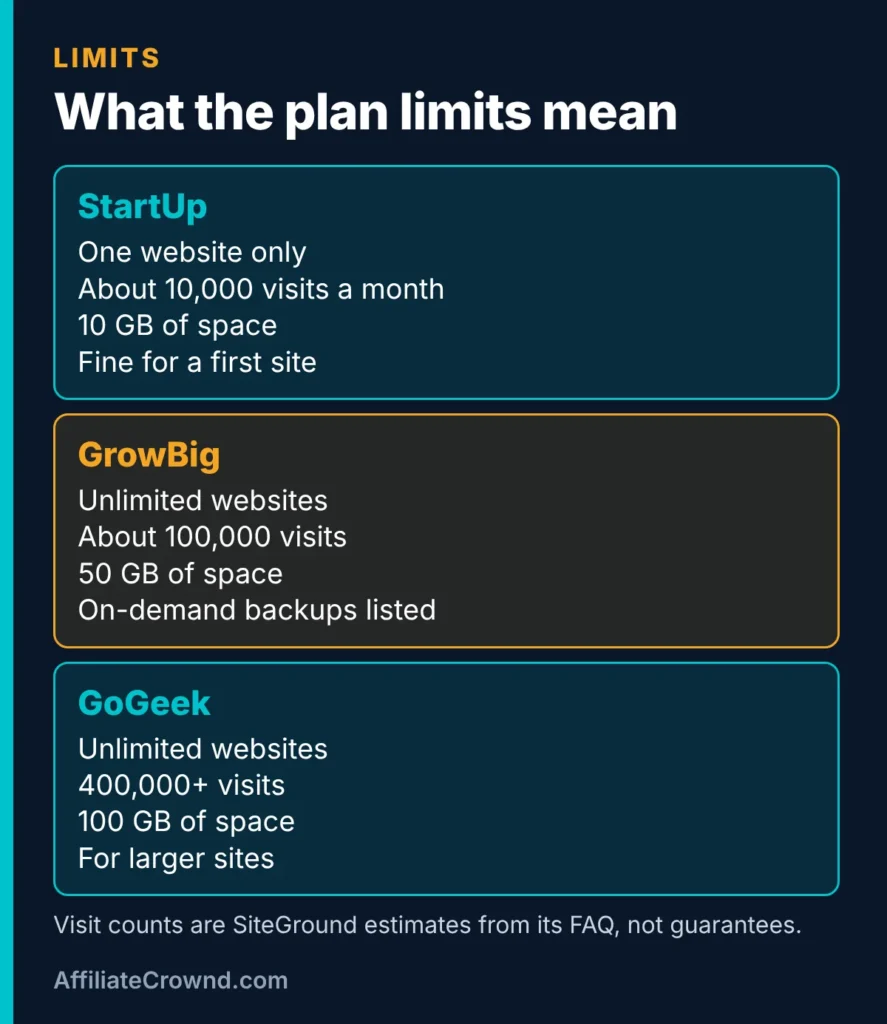
StartUp allows one website. If you only plan to run your main site, that is enough. If you know you will build a second site within the year, a tester site, a client site or a niche project, GrowBig’s unlimited websites change the maths, as the example above shows.
Web space
10 GB sounds small, but a text-based blog uses little space. Images are what fill it. If you compress images to WebP before upload, as we do on this site, a new blog is unlikely to fill 10 GB soon. Large photo libraries, video files and many backups of a big site would be a different story.
Estimated monthly visits
About 10,000 visits a month on StartUp is far above where most new sites start. That is useful perspective: your first hosting bottleneck is almost never traffic, it is getting any. Treat the estimates as a rough guide to which tier suits a site’s size, not as a limit that SiteGround will enforce at a precise number.
What every plan lists
SiteGround’s page lists free email, free SSL, a free CDN and backups across the plans, and its FAQ says backups give up to 30 days of restore points. GrowBig and GoGeek list on-demand backups, which StartUp does not. New shared hosting orders list a 30-day money-back guarantee, and the rates page notes renewals may be refundable only under certain conditions.
- Free SSL: the padlock that lets visitors use your site over HTTPS.
- Free CDN: a network that serves files from locations closer to visitors.
- Backups: copies of your site you can restore if something breaks.
- Free email: addresses at your own domain, such as hello@yoursite.com.
- 30-day guarantee: a refund window for new orders, subject to SiteGround’s terms.
Read the refund terms before you rely on them. A guarantee on a new order does not mean every charge, including add-ons and renewals, is refundable.
What I could not verify
Most hosting reviews talk about speed scores, uptime percentages and support response times. I have not measured any of these for SiteGround, and I will not invent them. If a review gives a precise load time without saying how and when it was measured, treat it with caution, because results vary by site, location and test tool.
- Speed: not tested by me.
- Uptime: not monitored by me.
- Support quality: not tested by me.
- Migration experience: not tested by me.
What helps instead is the 30-day guarantee on new orders: it lets you test your own site on the plan and judge the speed yourself. If it is slow, you can ask for a refund inside the window under the stated terms.
A 30-day test plan using the guarantee window
A guarantee only helps if you use the window. This is a simple plan you can follow to judge SiteGround yourself. The steps are our suggestion, not a SiteGround process:
- Day 1: write down the order date, the plan, the term and the renewal price from your receipt. Put day 25 in your calendar.
- Days 1 to 3: install WordPress and publish a real test page with images, so you test a site that looks like your final one.
- Days 4 to 10: open the site on your phone and on a computer, on Wi-Fi and on mobile data, and note how it feels.
- Days 10 to 20: send one real question to support and note how long the answer takes and whether it helps.
- Days 20 to 25: decide. If the site or support does not meet your needs, read the refund terms and ask for a refund before the window closes.
This turns “I have not tested it” into a test you can run yourself in your own conditions, which is more useful than a number from a stranger’s site.
Who each plan fits
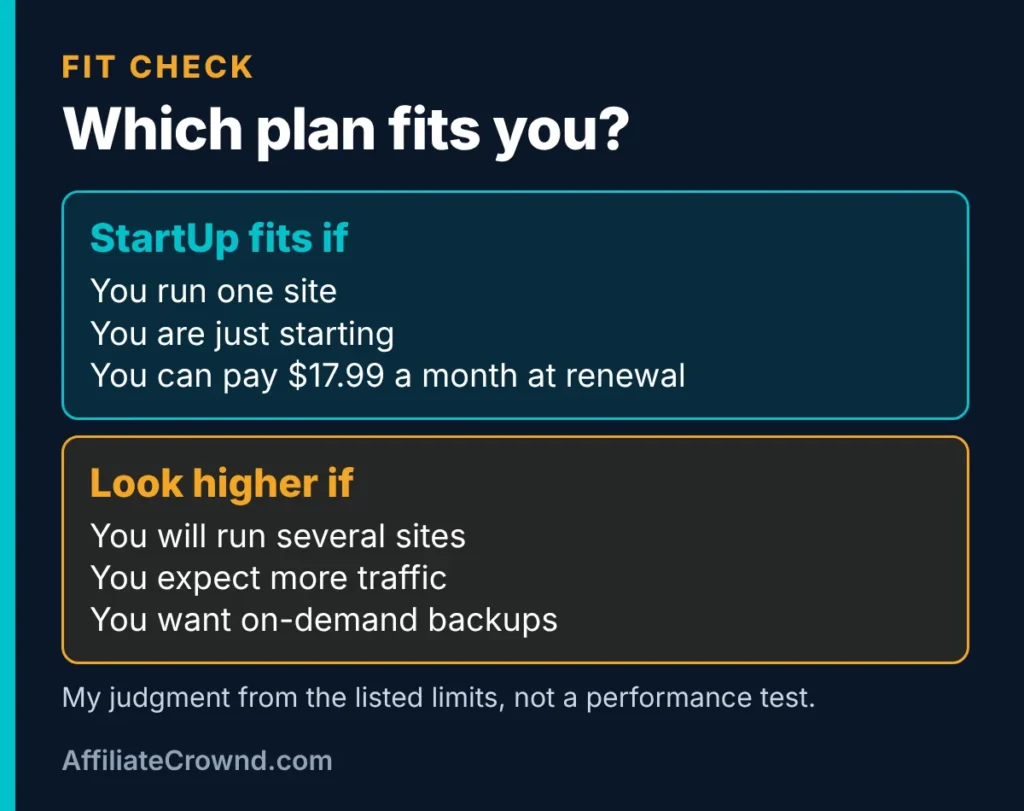
StartUp fits you if
- You are launching one new site and want the lowest first-year cost.
- You can afford $17.99 a month when the first term ends, or you plan to review hosting then.
- You are building a content site, such as a niche blog, and your first goal is getting published.
Look at GrowBig or GoGeek if
- You already know you will run more than one website.
- You expect steady traffic growth and want more room.
- You want on-demand backups listed on the plan.
If you are still deciding whether to build a site at all, start with the Start Here page, then compare options in our best affiliate programs for beginners guide to see where hosting fits in a plan to earn.
Common mistakes when buying hosting
- Budgeting with the intro price. Plan for the renewal figure.
- Prepaying the longest term too early. A lower monthly rate is not a saving if you abandon the project.
- Buying more than you need. A new blog rarely needs the top plan. You can upgrade when a real limit blocks you.
- Ignoring the number of sites. One site versus unlimited sites is the biggest practical difference between StartUp and the other plans.
- Skipping the refund terms. Read what the 30-day guarantee covers before you pay.
- Expecting hosting to bring traffic. Hosting only keeps a site online. Content and search visibility bring visitors.
- Trusting speed claims without a source. Test your own site inside the guarantee window.
Before you buy: a five-question checklist
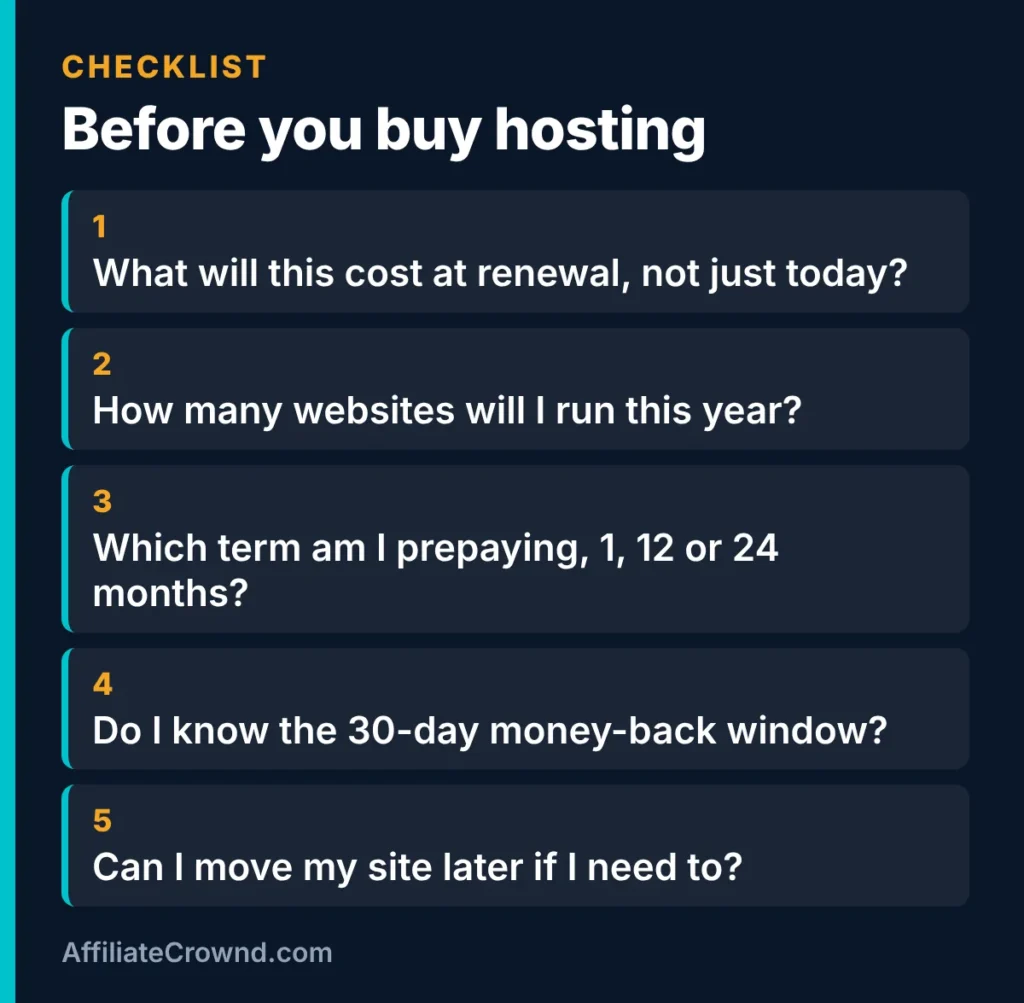
- What will this cost at renewal, not just today? Write down both numbers.
- How many websites will I run this year? One points to StartUp, several points higher.
- Which term am I prepaying? One month, 12 months or 24 months changes both the price and the risk.
- Do I know the 30-day money-back window? Put the date in your calendar.
- Can I move my site later? Choose a setup you can leave if your needs change.
Questions to ask SiteGround before you pay
- What exactly will my plan renew at, and on what date?
- Which conditions apply to the 30-day money-back guarantee, and to add-ons?
- How are visits counted against my plan’s estimate?
- If I want to move my site later, what help is there?
Keep the answers with the date you asked. If SiteGround tells you something different from this page, trust the live answer.

Honest verdict
What looks good on paper: a low intro price on StartUp, a clear three-plan ladder, free SSL, CDN, email and backups listed on every plan, and a 30-day guarantee on new orders.
What to watch: renewal prices roughly six times the intro price on StartUp, a one-site limit on the cheapest plan, and the fact that I have not tested speed, uptime or support.
For a beginner with one WordPress site, StartUp is a sensible place to start if you accept the renewal price. If you want to compare other hosts before deciding, read the other host pages we publish, and always weigh the renewal price rather than the headline number. If you are ready, you can check SiteGround’s current plans and read its terms before you pay.
Comparing hosts? Read our SiteGround vs Cloudways comparison for pricing models, trial and refund terms side by side.
Building more than a website? A free email list pairs well with a new site. See how to build an email list from scratch to capture visitors from day one.
Frequently asked questions
How much does SiteGround cost?
SiteGround’s plan page lists introductory prices of $2.99 a month for StartUp, $4.99 for GrowBig and $7.99 for GoGeek. The same page lists renewal prices of $17.99, $29.99 and $44.99 a month on a 12-month prepaid term. Prices exclude tax and can change.
Does SiteGround offer a money-back guarantee?
SiteGround lists a 30-day money-back guarantee for new shared hosting orders. Its rates page says renewals may be refundable only under certain conditions, so read the refund terms before you buy.
Which SiteGround plan should a beginner choose?
If you are launching one website, StartUp is usually enough. Look at GrowBig if you already plan to run several sites, since StartUp allows one and GrowBig lists unlimited websites.
Why does the price go up when I renew?
The low price is an introductory rate for new customers, and the plan renews at the standard rate. The page lists the renewal price next to the intro price, so check both before you buy.
Have you tested SiteGround’s speed and uptime?
No. This review compares official prices and limits only. To judge performance, test your own site during the 30-day guarantee window rather than relying on someone else’s numbers.
Last checked: November 2026 against SiteGround’s shared hosting page and its current rates page (updated October 2026). Plans, limits and prices can change, so confirm on the official site before you buy.