
Best WordPress Hosting for Affiliate Sites in 2026: Prices Checked
By Oscar · 20 min read
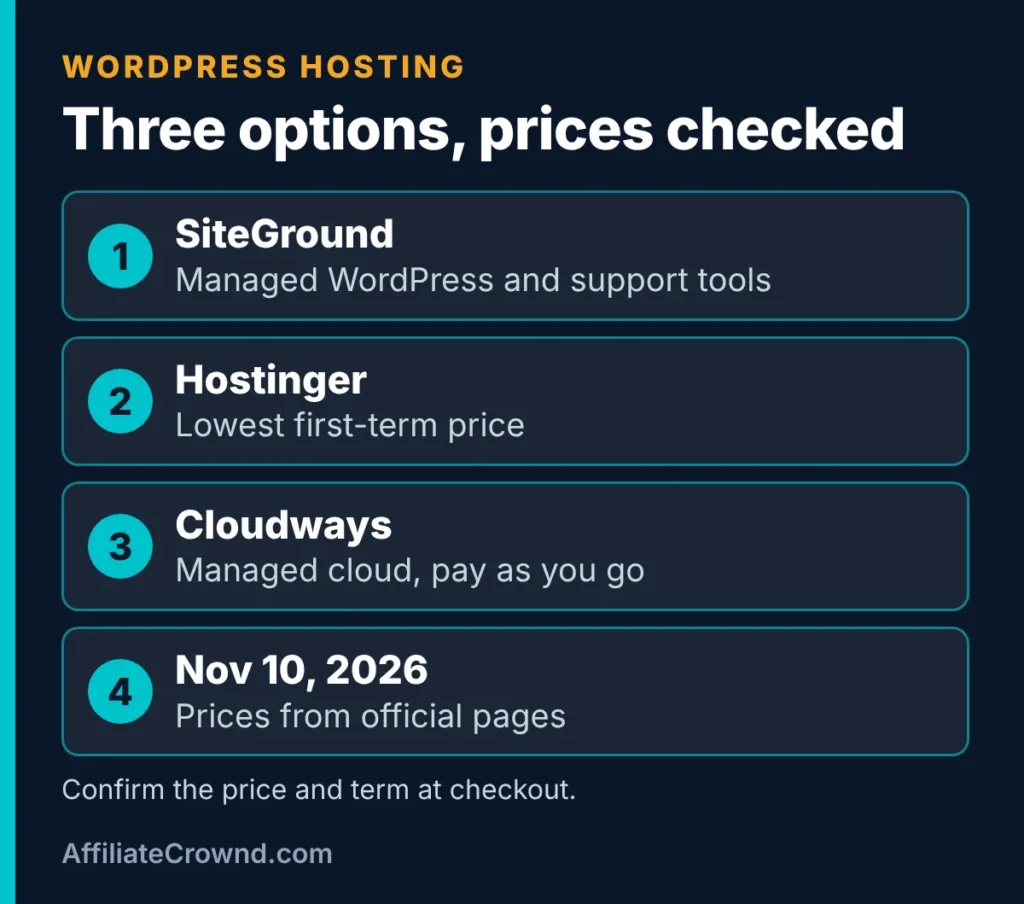
The best WordPress hosting for affiliate sites is the plan you can afford after the promo ends and that fits your skills. From official pages we checked on November 10, 2026: SiteGround suits beginners who want managed WordPress and support tools, Hostinger has the lowest first-term prices, and Cloudways suits people who want managed cloud servers with pay as you go billing. We list the promo price, term and renewal price for each, because the renewal price is what you pay long term. Nothing here guarantees traffic or income.
Disclosure: some links in this article are affiliate links, to SiteGround and Cloudways. If you buy through them we may earn a commission at no extra cost to you. Hostinger is linked plainly because we do not have an affiliate link for it. This does not change what we say, and we list limits for each. Read our affiliate disclosure.
Table of Contents
Quick Answer: Which WordPress Host Should You Pick?
- Managed WordPress and support tools: SiteGround. See our SiteGround review.
- Lowest first-term price: Hostinger, with a 48 month prepaid term for its lowest prices.
- Room to grow on cloud servers: Cloudways. See our Cloudways review and SiteGround vs Cloudways.
- Not sure yet: start small and move later. Hosts can be switched.
How We Compared These Hosts
We read the official pricing and plan pages for SiteGround, Hostinger and Cloudways on November 10, 2026. We did not buy plans or run speed tests for this article, so we do not publish speed scores or uptime claims. Everything about plans, prices and terms comes from the official pages. Everything else is general explanation of how WordPress hosting works, written to help you choose.
We compared the hosts on five things that change what you pay and how much work you do after you buy: the first-term price, the renewal price, the term length, what is included (backups, staging, SSL and support), and how hands-on the platform is. Each of these shows up in the tables and sections below.
WordPress Hosting Prices We Checked
Prices come from SiteGround’s WordPress hosting page and Hostinger’s web hosting page. SiteGround labeled its prices an Early Black Friday deal, so they may change.
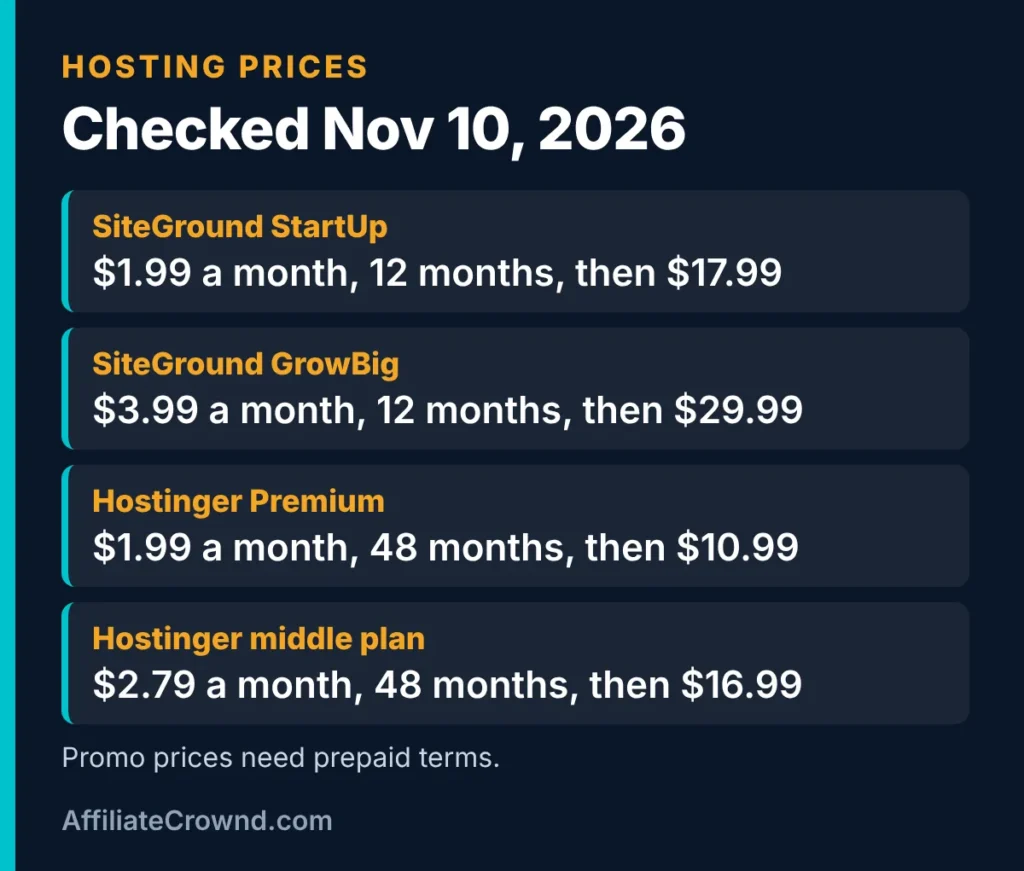
| Plan | Promo price | Term | Renewal price | Sites | Storage |
|---|---|---|---|---|---|
| SiteGround StartUp | $1.99 a month | 12 months prepaid | $17.99 a month | 1 | 10 GB |
| SiteGround GrowBig | $3.99 a month | 12 months prepaid | $29.99 a month | Unlimited | 50 GB |
| SiteGround GoGeek | $5.99 a month | 12 months prepaid | $44.99 a month | Unlimited | 100 GB |
| Hostinger Premium | $1.99 a month | 48 months prepaid | $10.99 a month | 3 | 20 GB SSD |
| Hostinger middle plan | $2.79 a month | 48 months prepaid | $16.99 a month | Unlimited | 50 GB NVMe |
| Hostinger Cloud Startup | $7.99 a month | 48 months prepaid | $25.99 a month | Unlimited | 100 GB NVMe |
Hostinger lists a 30 day money-back guarantee and a free domain for the first year. SiteGround lists free SSL, CDN, backups and email on each plan, with staging on GrowBig and GoGeek. Plan names and offers change, so confirm at checkout.
What the Prices Really Add Up To
A monthly price tells you very little on its own. Hosts advertise the promo number, but you pay the term total up front and then the renewal price after that. We multiplied the listed prices from the table above so you can see the difference. These are our own calculations from the prices listed on November 10, 2026, and they assume the renewal prices stay as listed, which they may not.
| Plan | First term total | Renewal cost per year | Total over 4 years |
|---|---|---|---|
| SiteGround StartUp | $23.88 (12 months) | $215.88 | $671.52 |
| SiteGround GrowBig | $47.88 (12 months) | $359.88 | $1,127.52 |
| SiteGround GoGeek | $71.88 (12 months) | $539.88 | $1,691.52 |
| Hostinger Premium | $95.52 (48 months) | $131.88 | $95.52 |
| Hostinger middle plan | $133.92 (48 months) | $203.88 | $133.92 |
| Hostinger Cloud Startup | $383.52 (48 months) | $311.88 | $383.52 |
Two things stand out. First, SiteGround’s first-year price is small and the jump comes at renewal, so most of the four year cost is the renewal price. Second, Hostinger’s lowest prices lock in four years of cost in one payment, so the four year total is simply the prepaid amount. After that term, the listed renewal prices apply.
This is not a like-for-like comparison. The plans differ in sites allowed, storage and included tools, as the table above shows, and a cheaper plan is only a bargain if it fits what you need. Use the numbers to understand how each host prices, not to pick a winner. Always run the same sums on the checkout page, because offers and renewal prices change.
What Is Hosting and Why Does It Matter?
Web hosting is the service that stores your website’s files and sends them to visitors when they type your address or click a search result. Your domain name is the address, and the hosting is the building. WordPress is the software that runs inside it. If you are new to this, you can think of hosting as renting space on a computer that is always on and connected to the internet.
For an affiliate site, hosting matters for three practical reasons. It affects how fast your pages load, it determines how easy it is to keep your site safe and backed up, and it is a recurring cost that grows if you choose carelessly. It does not decide how well you rank, and it cannot make weak content perform.
Plan for the Renewal Price
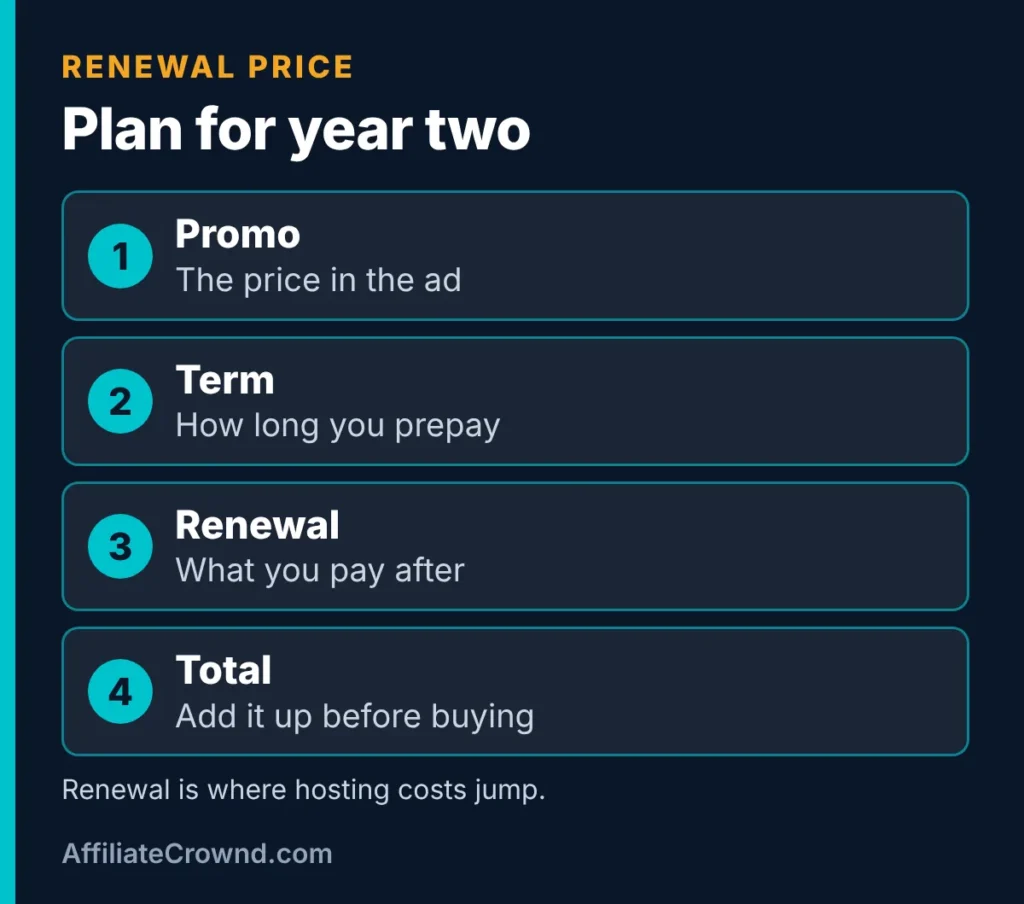
- First-term price is not the long-term price. SiteGround StartUp renews at $17.99 a month, about nine times its $1.99 promo price.
- Longer terms need more money upfront. Hostinger’s lowest prices apply to 48 months paid in advance. Its Premium plan lists $95.52 upfront at that term.
- Add up the total for the term you would really use, not just the monthly number.
Compare the Three Hosts Side by Side
| SiteGround | Hostinger | Cloudways | |
|---|---|---|---|
| Best for | Managed WordPress and support tools | Lowest first-term price | Managed cloud and room to grow |
| Billing style | Prepaid terms, promo then renewal | Prepaid terms, promo then renewal | Pay as you go, usage based |
| Free trial or guarantee | See the official page | 30 day money-back guarantee | 5 day trial on flexible plans, no card required |
| Staging | On GrowBig and GoGeek | Check the plan page | Free advanced staging on flexible plans |
| Watch out for | Big jump at renewal | Long prepaid term for the lowest price | Costs depend on server size and usage |
| Our review | SiteGround review | Linked plainly, no review yet | Cloudways review |
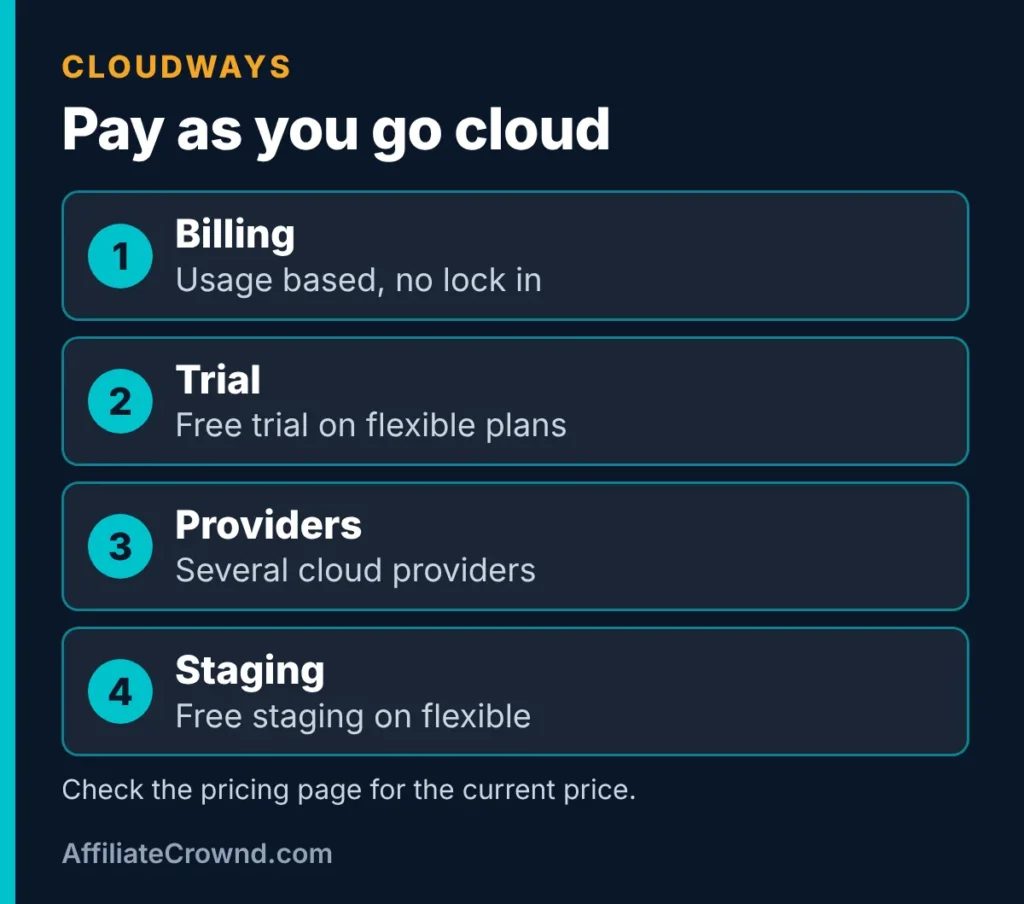
Cloudways listed its Micro plan at $14 a month on the pricing table we read. Its Flexible page explains the lower figure: a 1 GB Standard server starts at $11 a month, while Micro is the 1 GB Premium (NVMe) plan (checked November 16, 2026). Check Cloudways’ pricing page for the current price. It bills usage hourly and lets you upgrade or downgrade without lock in, according to that page.
Limited-time offer, ends December 4, 2026
Cloudways Black Friday: 80% off your first 2 months
Cloudways says new accounts created with code BFCM802 by December 4 get 80% off the first 2 months on DigitalOcean servers, up to $200 off per month. Its own example: the Large server listed at $99 a month comes to $19.80 a month during those 2 months. After that, the normal monthly price applies, so plan your budget around the regular price.
Not sure yet? The free trial still lets you look around before you pay.
Offer terms come from Cloudways’ own page, checked November 16, 2026, and Cloudways can change them. Confirm the code and price at checkout. This is an affiliate link: we may earn a commission at no extra cost to you.
When you look for the best WordPress hosting for affiliate sites, check the renewal price first, because the low first-year price is rarely what you pay later.
Who Each Host Suits
SiteGround: managed WordPress and support tools
Good if you want a host that handles updates and includes staging on higher plans. The catch is the renewal price. Read the SiteGround review for what we checked.
The best WordPress hosting for affiliate sites also has to load quickly on mobile, since most readers find affiliate articles on their phones.
Hostinger: the lowest first-term price
Good if budget matters most and you are comfortable prepaying a long term. The catch is the prepaid commitment for the lowest price, and the renewal price afterwards. We do not have a review of it yet, so this section is based only on its official page.
Cloudways: managed cloud for growth
Good if you expect your site to grow or want to pay for what you use. The catch is that costs depend on server size, and it is more hands on than a basic shared plan. Read the Cloudways review and SiteGround vs Cloudways.
WordPress Hosting Types, Explained
The three hosts above are not the same kind of product, which is why their prices are hard to compare. Knowing the main types makes the choice clearer.
Shared hosting
Many websites share one server and its resources. It is the cheapest option and works well for a new site. The trade-off is that performance can vary when neighbouring sites use more than their share, and plans usually set limits on storage and processing.
Managed WordPress hosting
The host sets up its servers for WordPress and often handles updates, backups and WordPress-specific tools such as staging. You pay more for less technical work. This is the category SiteGround’s WordPress plans fall into.
Cloud hosting
Your site runs on cloud servers that you size yourself, and billing often follows usage. You get more control and an easier path to more power, in exchange for more decisions. Cloudways and Hostinger’s Cloud Startup plan are examples in our tables.
VPS and dedicated servers
These give you the most control and expect you to manage the server yourself. Most new affiliate sites do not need them, so we do not cover them here.
What Actually Matters for an Affiliate Site
Hosting pages list dozens of features. For an affiliate site, a handful decide whether the host is a good fit.
- Page speed. Readers leave slow pages, and slow pages hurt the experience that comparison articles depend on. Hosting is one factor. Images, themes and plugins matter too, which is why we compress every image on this site.
- Reliability. A site that is often down loses readers and the chance to earn from them. Look for how the host describes uptime and how it handles problems, and do not rely on a number alone.
- Backups and restores. You will break something eventually. A restore point turns a crisis into a ten minute fix.
- Staging. A copy of your site for testing changes before they go live. It matters most once you have pages that earn.
- Support. If you are new to WordPress, quick, clear answers are worth paying for.
- The renewal price. The number you will pay for most of the life of the site.
Things that matter less than sales pages suggest: a huge storage number for a text-based site, unlimited anything without limits explained, and free extras you will not use.
Hosts We Did Not Rank
We have not checked other well-known hosts against their official pages for this article, so we do not rank them. If you want one we have not covered, use the checklist below on its pricing page.
One good test of the best WordPress hosting for affiliate sites is how easily you can move your site later without losing rankings.
Choose by What You Need
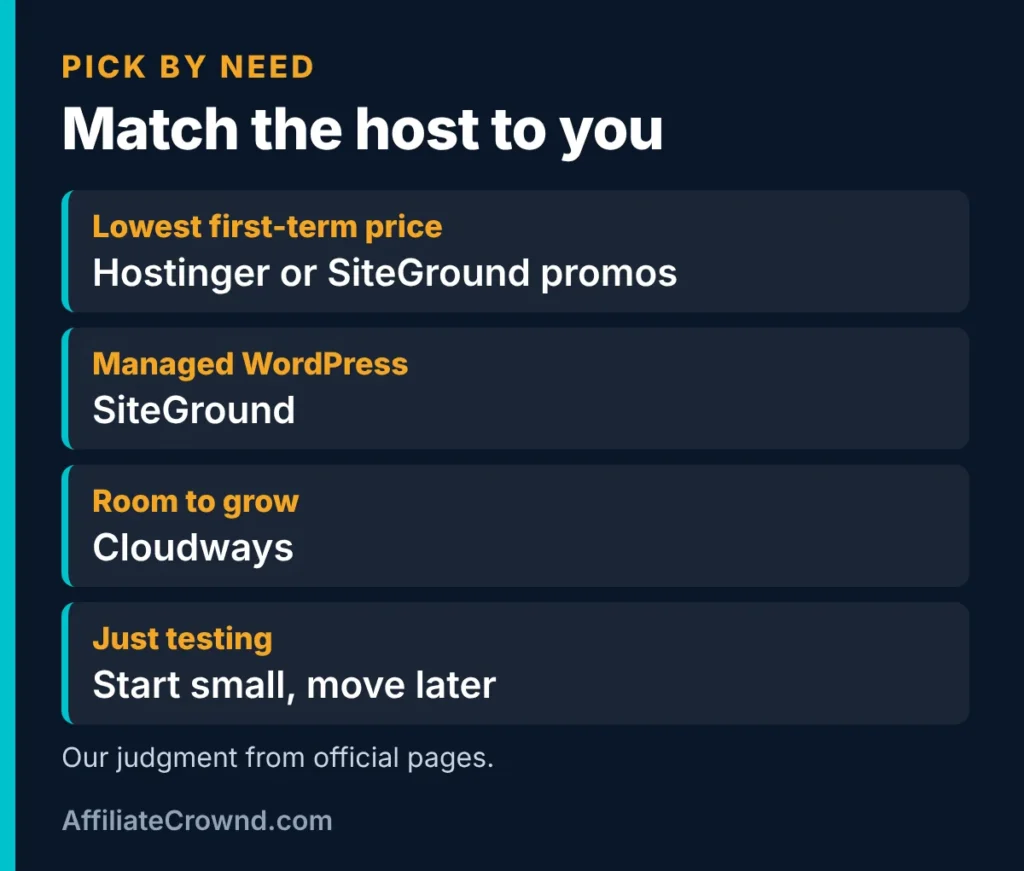
| If you want | Look at | Why |
|---|---|---|
| The lowest first-term price | Hostinger or SiteGround promos | Both run low promos, with different terms |
| Managed WordPress with support tools | SiteGround | Staging and managed updates on higher plans |
| Room to grow | Cloudways | Pay as you go cloud servers |
| Just testing an idea | Start small and move later | Hosts can be switched when you outgrow them |
Hosting Checklist Before You Pay
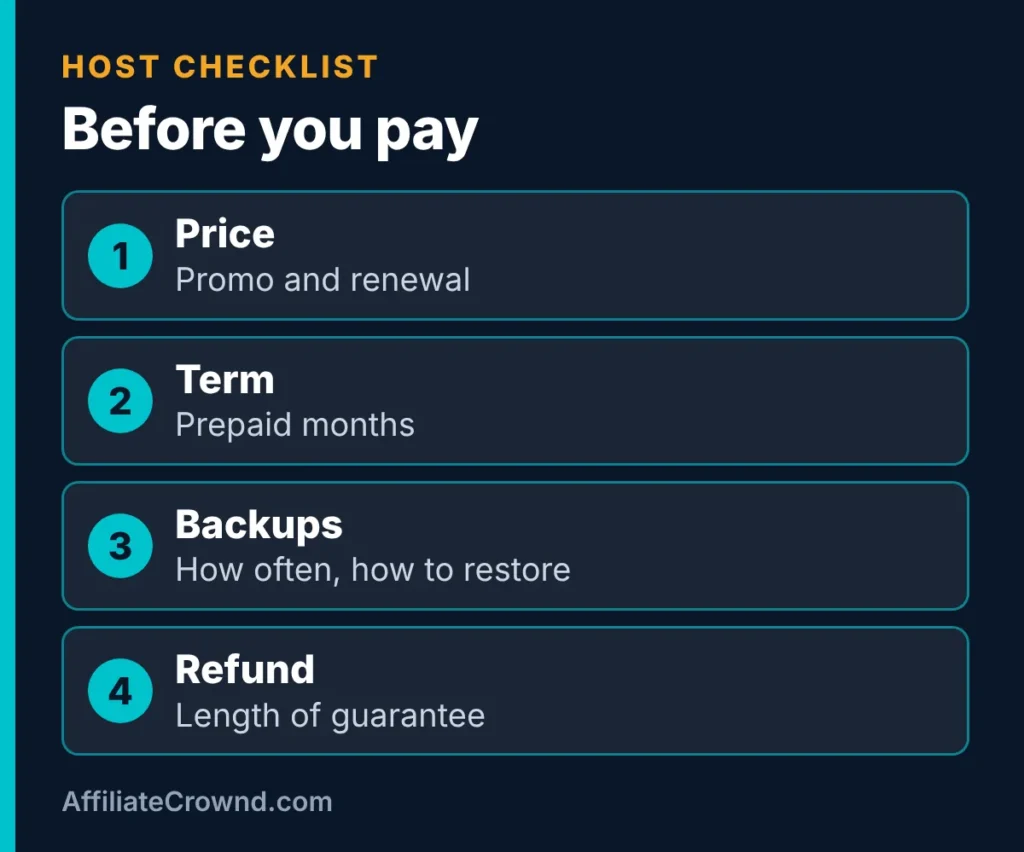
- Promo price, term length and renewal price.
- Total cost over the term you will really use.
- Backups: how often, and how to restore.
- Staging, so you can test changes safely.
- Refund or guarantee period.
- Limits on sites, storage and visits.
- Support options.
Can You Move Hosts Later?
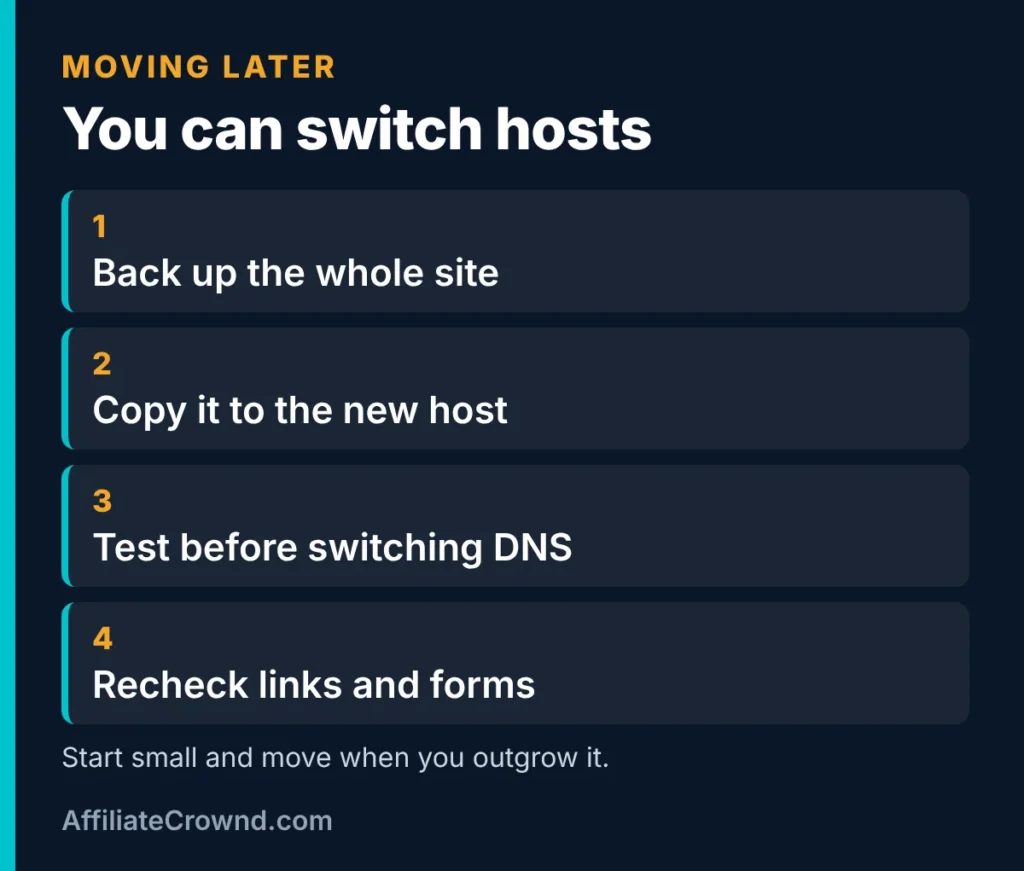
Yes. Many sites outgrow their first plan, so the best WordPress hosting for affiliate sites today does not have to be your host forever. The usual path is to back up the site, copy it to the new host, test it, then switch your domain. Check each host’s migration help first, since terms differ.
Support quality is part of choosing the best WordPress hosting for affiliate sites, because a slow reply during a problem can cost you traffic and commissions.
No host, even the best WordPress hosting for affiliate sites, will rank your articles for you. A fast, reliable host simply removes one common reason pages underperform.
How Much Hosting Do You Need at Each Stage?
Most new affiliate sites need less hosting than hosts would like you to believe. A site with a few dozen articles and modest traffic runs comfortably on an entry plan. The plan you need depends on where the site is today, not where you hope it will be in two years.
| Stage | What it looks like | What to look for in hosting |
|---|---|---|
| Just starting | A handful of articles, little or no traffic | A low entry price, a refund period and a term you are comfortable with |
| Growing | Steady search traffic and more pages | Backups you can restore, staging for safe changes and responsive support |
| Established | Many pages and occasional traffic spikes | Room to upgrade server resources without moving the site |
Because hosts can be switched later, as covered above, you do not have to predict the final stage on day one. Start with the stage you are in.
Questions to Ask Before You Pay
Sales pages show the best case. Support chat and the fine print show the rest. Before you pay, ask or look up the following, and keep a note of the answers.
- What is the exact renewal price for this plan? Ask for the number per month and per year.
- What happens if I cancel early? Prepaid terms may not be fully refundable after the guarantee period.
- How do I restore a backup, and how often are backups taken? Backups you cannot restore are not much use.
- Is there a limit on visits, storage or processing? Know what happens if you pass it.
- Will you help me move my site? Ask whether migration is free or paid.
- What support channels are available, and when? Chat, tickets and phone differ by host and plan.
Your First Hour After You Buy Hosting
The first hour sets up a clean, safe site that is ready for content. This is the short version. Our step by step guide to building an affiliate website on WordPress covers each step in detail.
- Connect your domain and make sure the site loads over HTTPS.
- Install WordPress using your host’s installer, and choose a strong admin password.
- Set your permalinks to a clean structure that includes the post name, so your addresses are readable.
- Delete the sample content that WordPress adds, such as the sample post and page.
- Install a lightweight theme and only the plugins you need. Every extra plugin adds something to update and secure.
- Turn on backups and confirm you know where to find them.
- Create the trust pages every affiliate site needs: About, Contact, Privacy Policy and an affiliate disclosure.
- Connect Google Search Console so you can see how your pages appear in search.
Backup and Security Basics
You do not need to be a security expert to avoid the most common problems. Most hacked WordPress sites have the same weaknesses: old software, weak passwords and plugins nobody updates. A few habits cover most of it.
- Keep WordPress, your theme and plugins updated. Updates often fix security problems.
- Use strong, unique passwords and turn on two-step login if your host or a plugin offers it.
- Remove plugins and themes you do not use rather than just deactivating them.
- Keep a backup away from the server if you can, so one problem cannot take both the site and its backup.
- Test your restore process once. It is better to find out how it works on a calm day.
Get Started: Set Up Your Site
Once you have picked the best WordPress hosting for affiliate sites at your budget, follow build an affiliate website on WordPress for the step by step setup. New to affiliate marketing? Start with What Is Affiliate Marketing?, and see best affiliate programs for beginners when your site is ready. Our Start Here page shows the order we suggest.
Common Hosting Mistakes
- Choosing on the promo price alone. Check the renewal price.
- Prepaying a long term before the site works. Start with a term you are comfortable with.
- Skipping backups. Know how to restore before you need to.
- Buying more than you need. Upgrade when traffic requires it.
- Believing hosting alone ranks a site. Helpful content matters most, as in Google’s guidance on helpful, people-first content.
How Hosting Fits Into Your Affiliate Strategy
Hosting is a cost of doing business, not a growth strategy. It keeps your site online and fast enough to read, but it does not decide whether people find the site or trust it. Rankings and clicks come from pages that answer real questions honestly, which is why Google’s guidance on helpful, people-first content matters more to your results than which plan you buy. A good host removes problems. It does not create traffic.
It also helps to be clear about the conflict of interest in an article like this one. We earn a commission if you buy SiteGround or Cloudways through our links, and we do not have an affiliate link for Hostinger. That is why we show renewal prices, limits and the downsides of each host, and why Hostinger still appears in the quick answer. You can use any host without our links, and nothing here changes if you do.
Three common situations
- Your budget is very tight. Compare Hostinger’s long prepaid terms against SiteGround’s 12 month promo using the cost table above. Only prepay a long term if you are sure you will keep the site that long.
- You want as little maintenance as possible. A managed WordPress plan, such as SiteGround’s, handles more of the technical work for you. You pay more at renewal for that convenience.
- You expect the site to grow quickly. Cloudways bills by usage and lets you change server size, which suits sites that may outgrow a basic plan. Expect to learn a little more about servers.
A simple decision path
- Decide how long you are willing to commit. If you are unsure, choose a shorter term even if the monthly price is higher.
- Write down the renewal price for the plan you are considering and multiply it by 12.
- Check that the plan includes backups you can restore, and staging if you plan to test changes.
- Read the refund terms for prepaid plans before you pay.
- Buy, set up the site, and publish your first helpful articles. Revisit the plan when the site grows.
Hosting Terms in Plain English
Hosting pages are full of jargon. This short glossary explains the terms you will meet on a pricing page, so you know what you are agreeing to.
| Term | What it means | Why it matters to you |
|---|---|---|
| Promo price | The low advertised price for the first term only | It is not what you pay long term |
| Renewal price | The price after the first term ends | Usually the number you pay most often |
| Term | How long you prepay, such as 12 or 48 months | Longer terms cost less per month but need more money upfront |
| SSL certificate | Encrypts the connection and gives your site the padlock and HTTPS | Readers and browsers expect it, so it should be included |
| CDN | A network that serves your files from locations closer to readers | Can help pages load faster for readers far from your server |
| Staging site | A private copy of your site for testing changes | Lets you try updates without risking the live site |
| Backup | A saved copy of your site you can restore | Your safety net if something breaks |
| Migration | Moving a site from one host to another | Matters if you outgrow your first plan |
| Uptime | How much of the time a site is available | A site that is down cannot earn or rank |
If a pricing page uses a term you do not understand, ask support before you pay. A host that explains its plan clearly before the sale is more likely to help you after it.
Best WordPress Hosting for Affiliate Sites by Budget
Price is usually the first filter, so here is how the best WordPress hosting for affiliate sites lines up by what you will pay each year after the promo ends. The prices come from the official pages we read on November 10, 2026, and the yearly figures are our own multiplication of them.
- About $130 a year at renewal: Hostinger Premium renews at $10.99 a month ($131.88 a year) and allows 3 sites. If you can prepay 48 months, it is the best WordPress hosting for affiliate sites on a tight budget among the plans we checked.
- About $200 to $220 a year at renewal: Hostinger’s middle plan renews at $16.99 a month ($203.88 a year) with unlimited sites, and SiteGround StartUp renews at $17.99 a month ($215.88 a year) for one site with managed WordPress tools.
- About $300 a year and up: SiteGround GrowBig renews at $29.99 a month and adds staging, and Cloudways bills by usage, with its Micro plan listed at $14 a month on the table we read. These suit sites that already earn and need staging or room to grow.
No single plan is the best WordPress hosting for affiliate sites in every case. If you are unsure, pick the tier you can afford for two years at the renewal price, publish your first articles, and upgrade only when a real limit gets in your way. Moving hosts later is possible, as covered above.
Our Honest Recommendation
Our pick for the best WordPress hosting for affiliate sites depends on your situation. If you want the simplest path, start with a managed WordPress plan and plan for the renewal price. If budget is tight, Hostinger’s lowest prices need a long prepaid term, so be sure that works for you. If you expect growth, look at Cloudways. Whatever you choose, no host can promise rankings or income.
Which host fits you?
- You want managed WordPress and support tools: SiteGround. Low first-term price, then StartUp renews at $17.99 a month, so budget for that.
- You want the lowest first-term price and can prepay a long term: Hostinger. Check the renewal price before you pay.
- You expect to grow and want a server you can resize: Cloudways. Servers start at $11 a month (1 GB Standard), with a free trial to look around first.
- You are still testing an idea: pick the cheapest plan that fits today. You can move hosts later.
SiteGround and Cloudways links are affiliate links; Hostinger is a plain link. Prices from official pages, checked November 2026.
Best WordPress Hosting for Affiliate Sites: A Short Recap
The best WordPress hosting for affiliate sites is the plan you can keep paying for after the promo ends, with backups you can restore and enough room for the sites you run. Before you buy, write down your budget at the renewal price, how many sites you need, and whether you want staging.
For official guidance, read Google’s SEO starter guide and the FTC’s guidance on endorsements and reviews, and check each tool’s official page for current prices and terms before you decide.
Want to see every tool we cover? Browse all the programs we review and compare.
Frequently Asked Questions
What is the best WordPress hosting for beginners?
SiteGround is a common beginner choice for managed WordPress and support tools, and Hostinger has the lowest first-term prices. Compare the renewal price and term before you decide.
Why does hosting cost more after the first term?
Many hosts advertise a low promo price for a prepaid term and charge a higher renewal price afterwards. For example, SiteGround StartUp lists $1.99 a month promo and $17.99 a month renewal on the page we checked.
Is Cloudways good for an affiliate site?
It can be if you want managed cloud servers and pay as you go billing. It is more hands on than basic shared hosting, and costs depend on the server size you pick.
Can I switch hosts later?
Yes. Back up your site, copy it to the new host, test it and then switch your domain. Check the new host’s migration help first.
Do these prices change?
Yes. SiteGround labeled its prices an Early Black Friday deal. Always confirm the current price, the term and the renewal price at checkout.
How much does the best WordPress hosting for affiliate sites cost?
On the official pages we checked on November 10, 2026, first-term prices started at $1.99 a month: SiteGround StartUp on a 12 month term and Hostinger Premium on a 48 month term. Those plans renew at $17.99 and $10.99 a month. When you budget for the best WordPress hosting for affiliate sites, plan on the renewal price, not the promo.
Is shared hosting the best WordPress hosting for affiliate sites that are just starting?
Often, yes. A new site with a few dozen articles and modest traffic usually runs fine on an entry plan. Move up to managed or cloud hosting when traffic, staging or support needs justify the higher renewal price.
Which is the best WordPress hosting for affiliate sites that expect to grow?
Cloudways suits sites that expect to grow, because it bills by usage and lets you change server size without moving hosts. SiteGround’s GrowBig and GoGeek plans add staging for safer changes. Neither guarantees speed or rankings, so check the current plan pages before you commit.
Sources checked November 10, 2026: SiteGround’s WordPress hosting page; Hostinger’s web hosting page; Cloudways’ pricing page; and Google’s guidance on helpful, people-first content. Prices and offers change, so confirm them at checkout.