
Systeme.io for Beginners 2026: What It Is and How to Start Free
By Oscar · 14 min read
Disclosure: some links on this page are my referral links. If you sign up through them, AffiliateCrownd may earn a commission at no extra cost to you. I only recommend tools I think fit a beginner, and I tell you the limits too.
A plain-English guide by Oscar for people who have never built a funnel or sent a marketing email.
If you are new to online business, the tool list can feel endless. One tool for pages, one for email, one for courses, one for payments. Each costs money, and each has a login you have to remember. Systeme.io tries to put the basics in one place, and it has a free plan, so you can learn it without risking money. This guide explains what it is, who it fits, what the free plan lists, and what to do in your first hour.
Quick answer: is Systeme.io good for beginners?
Yes, for most beginners it is a sensible place to start, mainly because you can begin on the free plan with no card and learn the basics before paying anything. It covers funnels, email, courses, a blog and simple automation in one account. The trade-off is that it is a do-everything tool, so advanced users may find specific features lighter than a dedicated tool. I cover that in the fit check below.
Want to look first? You can open a free Systeme.io account here and follow along while you read.
In this guide
- What Systeme.io is, in plain words
- Who it fits and who should test first
- What the free plan lists
- Your first hour, step by step
- The four plans
- Five beginner mistakes
- My honest verdict
- FAQ
What is Systeme.io?
Systeme.io is an all-in-one platform for building an online business. Think of it as a toolbox with the most common tools already inside. According to the official site, it includes sales funnels, email marketing, online courses, a blog, automation and an affiliate program feature. You do not need to connect five different services to get started.
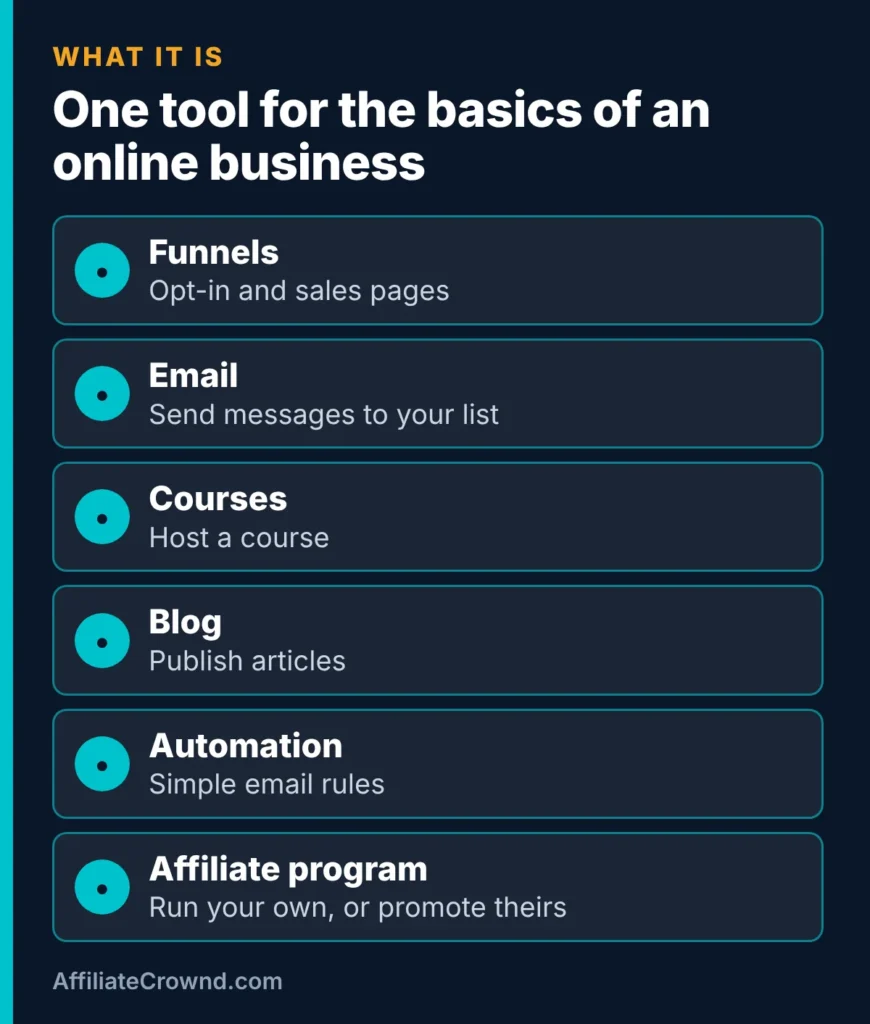
Here is what each part means for a beginner:
- Funnels. A funnel is a short path of pages. A common one is an opt-in page where a visitor gives you an email address in return for a free download, followed by a thank-you page. A sales funnel adds an offer page.
- Email. Once someone joins your list, you can send them messages, such as a welcome email or a newsletter.
- Courses. If you want to teach something, you can host lessons inside the same account.
- Blog. You can publish articles. Many people still prefer WordPress for blogging, and that is fine. I run this site on WordPress myself.
- Automation. Simple rules, for example: when someone joins a list, send the welcome email.
- Affiliate program. You can run an affiliate program for your own product. Separately, Systeme.io has its own program you can promote. I explain that in my Systeme.io affiliate program review.
For a deeper look at the whole product, see my full Systeme.io review. This page stays focused on getting started.
Who is Systeme.io for?
No tool fits everyone. Here is a fair view of who tends to get value, and who should test it before committing.
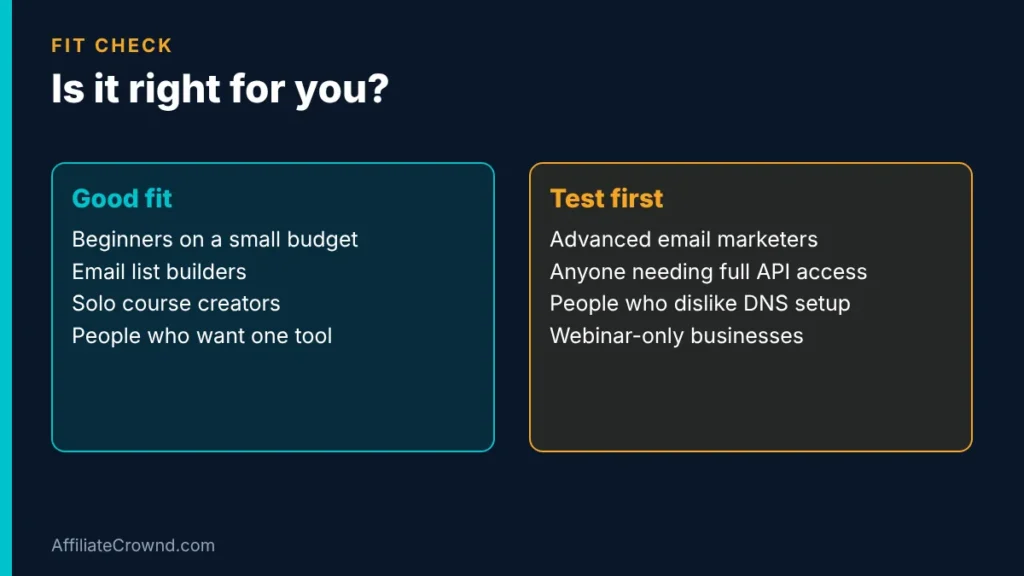
A good fit if you are
- A beginner on a small budget who wants to learn without paying first.
- Starting an email list from zero.
- A solo creator who wants to sell one course or one small offer.
- Someone who would rather learn one tool than five.
Test it first if you are
- An experienced email marketer who needs very advanced segmentation and reporting. Check that the features you rely on exist.
- Someone who needs full developer access to everything. Check the documentation first.
- Not comfortable with a little setup, such as connecting a custom domain.
- Planning a business built only around webinars. Compare webinar tools before choosing.
I have not run a large business on Systeme.io and I will not pretend to. What I can do is read the official pages, compare the plans, and tell you where a beginner should be careful. If you are weighing it against a bigger funnel tool, my Systeme.io vs ClickFunnels comparison is the next read.
What the free plan lists
The free plan is the reason most beginners try Systeme.io first. According to the official pricing page, which I checked when writing this guide, the free plan lists these limits:
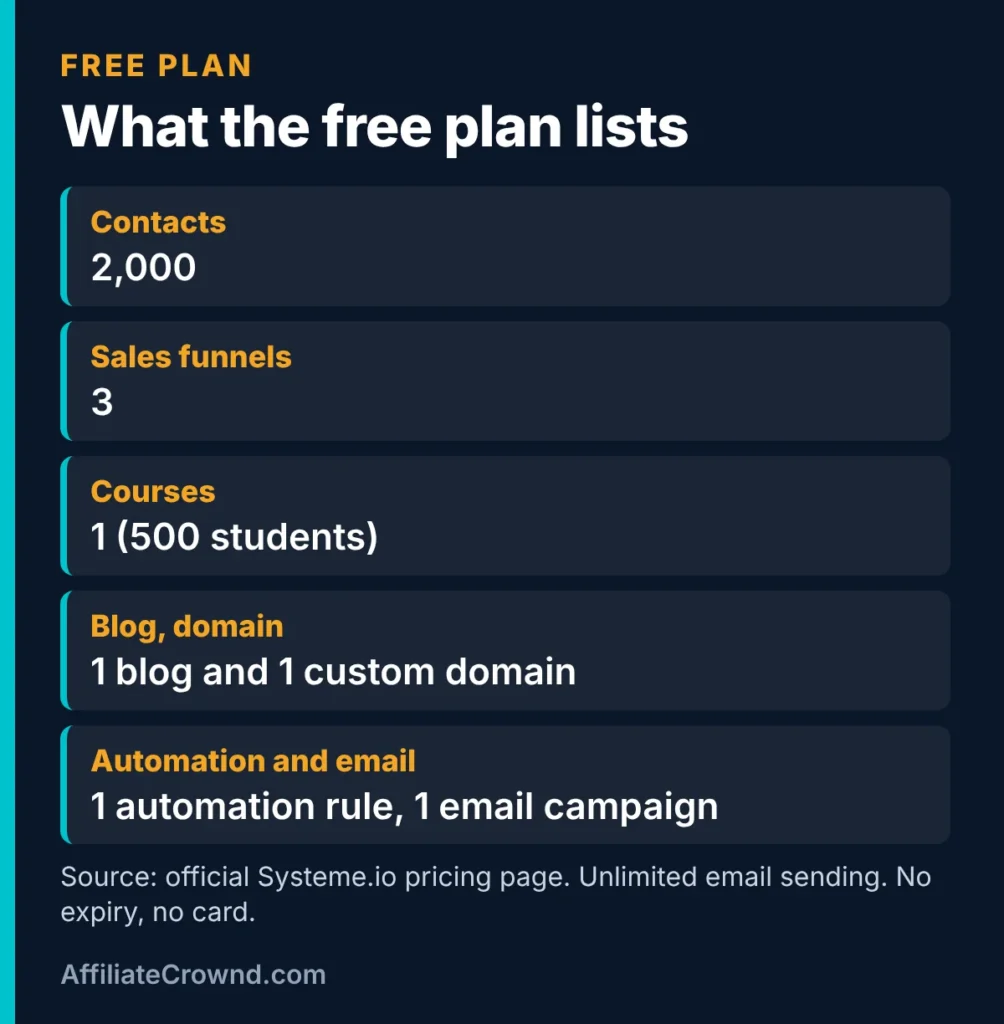
| Item | Free plan limit (as listed) |
|---|---|
| Contacts | 2,000 |
| Sales funnels | 3 |
| Courses | 1 (500 students) |
| Blog and custom domain | 1 blog, 1 custom domain |
| Automation and email | 1 automation rule, 1 email campaign |
| Card to sign up | Not required |
Two honest points. First, I cannot see inside your account, so I will not show you a dashboard screenshot I did not take. Second, limits like “1 automation rule” matter. If your plan is to run several automated sequences, you will reach that limit quickly. That is not a flaw, it is how a free plan works. I go deeper on this in my guide to the Systeme.io free plan, coming soon. For paid costs, see my Systeme.io pricing breakdown.
Your first hour on Systeme.io
The biggest beginner trap is trying to build everything on day one. Do one small thing well instead. Here is a simple plan for your first hour.
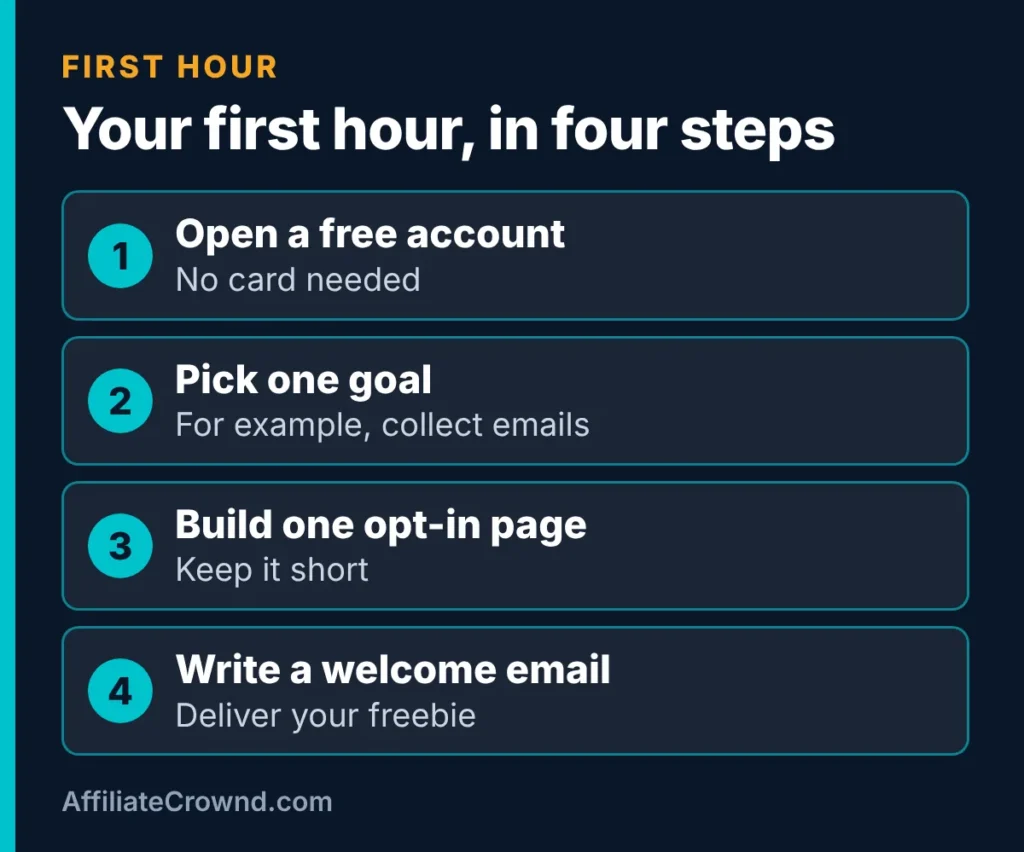
Step 1: Open a free account
Create your free Systeme.io account. No card is listed as required for the free plan. Use an email address you check often, because that is where setup messages go.
Step 2: Pick one goal
Write one sentence: “I want people to join my email list in exchange for a free checklist.” That is enough. A clear goal stops you wandering through every menu.
Step 3: Build one opt-in page
Create a funnel with a single opt-in page and a thank-you page. Keep the page short: a clear headline, two or three lines about the free item, and a form. Do not add extra buttons or links that lead people away.
Step 4: Write a welcome email
Write a short email that delivers the freebie and says who you are. Then use your one automation rule so the email goes out when someone joins. Finally, test everything with your own email address. Sign up, check the email arrives, and click every link.
That is a working lead-capture setup. If you want help with the bigger picture, including how to grow a list, start with my Start Here page, and see how email fits into earning in my guide to the basics of affiliate marketing.
The four plans
When you outgrow the free plan, there are three paid tiers. These are the monthly prices and headline limits as listed on the official pricing page (FAQ updated April 2026). I left out annual pricing because it can change; check the page for current offers.
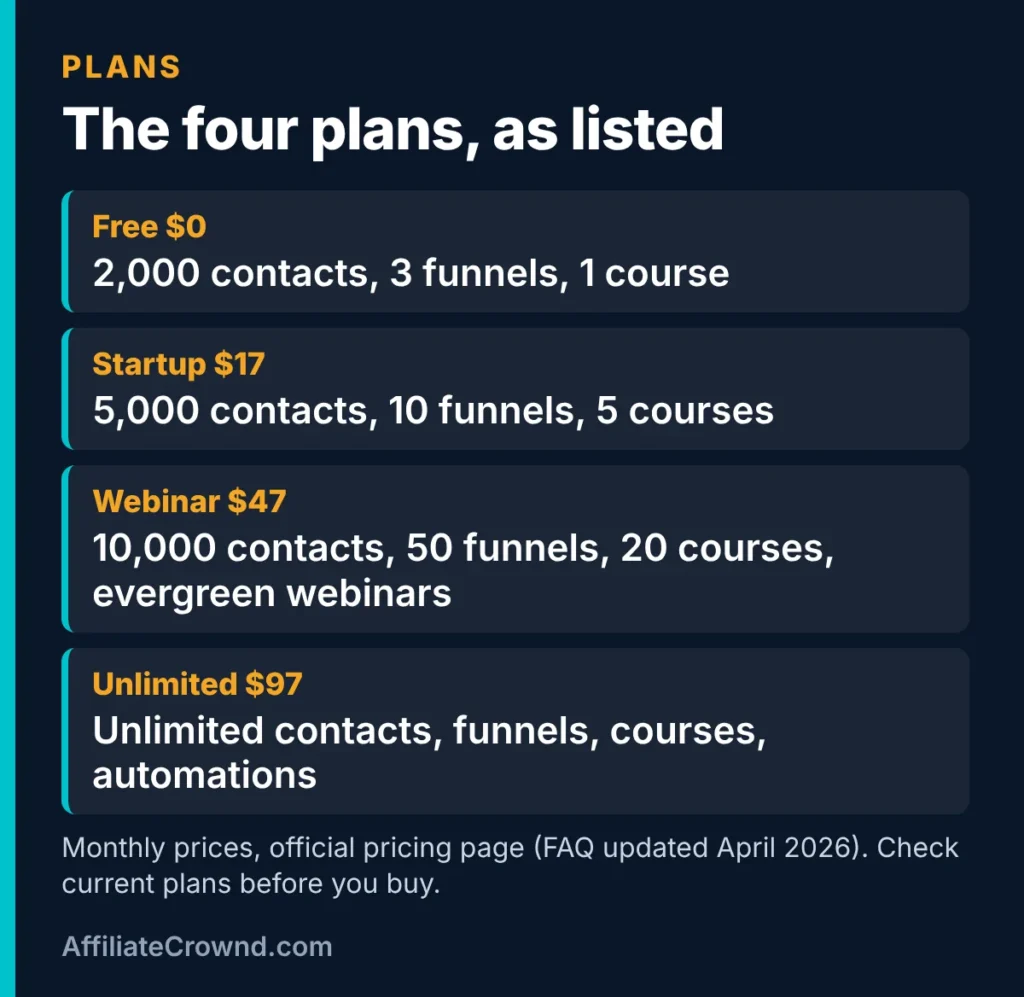
| Plan | Monthly price | Headline limits |
|---|---|---|
| Free | $0 | 2,000 contacts, 3 funnels, 1 course |
| Startup | $17 | 5,000 contacts, 10 funnels, 5 courses |
| Webinar | $47 | 10,000 contacts, 50 funnels, 20 courses, evergreen webinars |
| Unlimited | $97 | Unlimited contacts, funnels, courses and automations |
My rule for beginners: stay on free until a limit actually blocks something you are trying to do. Do not upgrade because a bigger plan feels more serious. A plan only earns its price when you are using what it adds. For a full side-by-side view, read the pricing guide.
Five beginner mistakes to skip
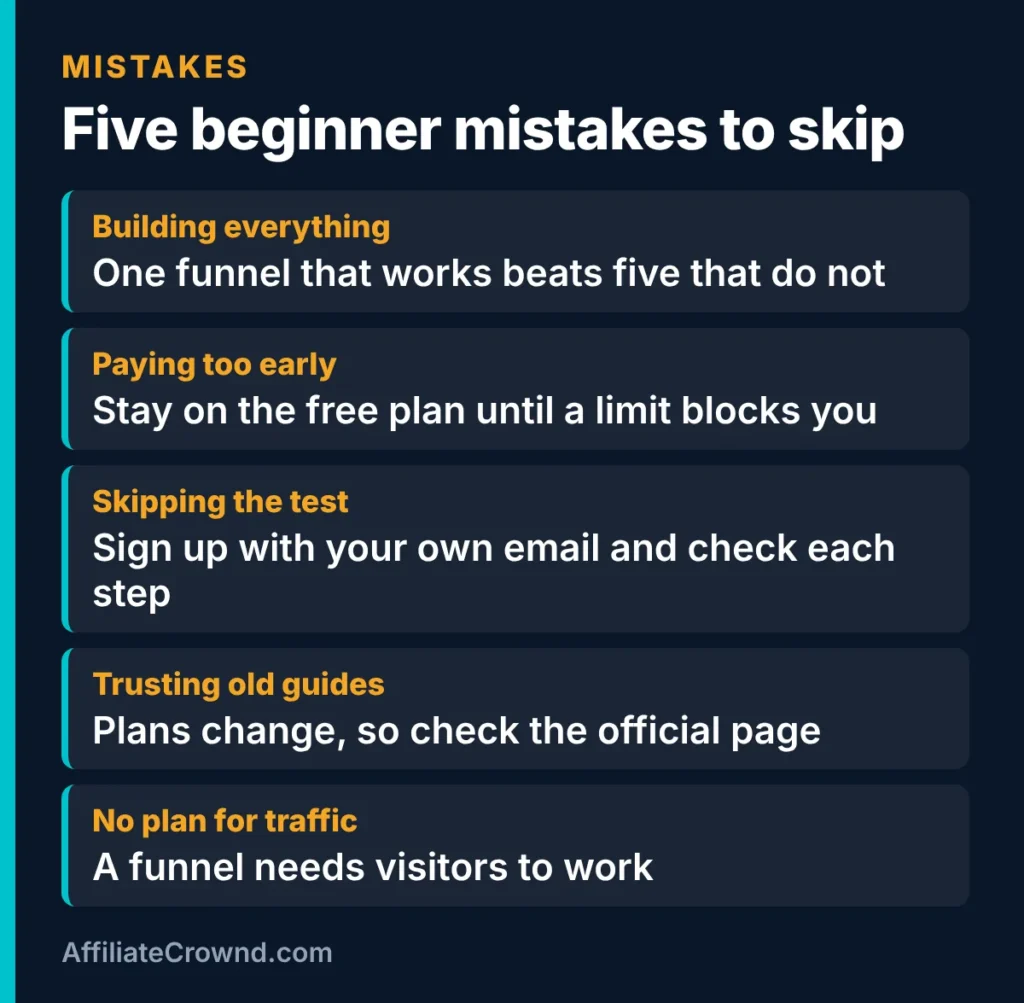
1. Building everything at once
It is tempting to build a funnel, a course, a blog and ten automations in week one. One funnel that works beats five that do not. Finish one thing, test it, then move on.
2. Paying too early
The free plan exists so you can learn. Upgrade when a real limit blocks you, not before. If money is tight, this matters more than any feature.
3. Skipping the test
Sign up to your own funnel with your own email address. Check the thank-you page, the welcome email and every link. Most launch problems are small and easy to catch this way.
4. Trusting old guides
Plans and limits change. A guide from two years ago may list the wrong numbers. Always compare what you read, including this page, with the official pricing page.
5. Having no plan for traffic
A funnel does nothing without visitors. Decide where people will come from: search, social, a blog, or a link in your bio. A beautiful page with no visitors collects no emails.
A simple 30-day plan after your first hour
Finishing the first hour is a good start, but beginners often stall in week two. A rough plan helps. This is not a promise of results. It is a way to keep moving while you learn what works for you.
Week 1: Build and test
Finish the opt-in page, the thank-you page and the welcome email from the first-hour plan. Test it on your phone as well as a computer, because many visitors will arrive on a phone. Read every line out loud once. If a sentence is hard to say, it is probably hard to read.
Week 2: Make the free item better
People join a list because they want the free item. A short, useful checklist beats a long, vague ebook. Pick one problem your reader has and solve a small part of it. Keep the file small so it opens quickly on any device.
Week 3: Bring in the first visitors
Share the page where your reader already spends time. That might be a blog post, a social profile, or a community where links are allowed. Do not buy traffic yet. At this stage you are learning whether the offer makes sense, and a handful of real visitors teaches you more than a big bill.
Week 4: Look at what happened
Count how many people visited and how many joined. If few visitors joined, change the headline or the free item, not everything at once. If few people visited, the page is not the problem. Work on where the visitors come from. Write down one change to test next month.
You can follow this plan on the free plan alone. If you want to try it, open a free Systeme.io account and start with week 1.
How Systeme.io fits with a blog
Many beginners ask whether they need a blog, a funnel tool, or both. They do different jobs. A blog is where search visitors find you. A funnel is where a visitor becomes a subscriber. They work well together: articles bring people in, and a simple opt-in invites them to join your list so you can follow up later.
This site works that way. The articles are on WordPress, and my own guide on how to build an affiliate website on WordPress shows the setup. If you plan to earn from ads as well, read how to get Google AdSense approved. You do not have to pick one path. Start with the one you will actually finish.
Questions to ask before you pay for anything
Before you move to a paid plan, or any paid tool, answer these honestly. They will save you money.
- Which limit am I hitting? Name it. If you cannot name a specific limit, you probably do not need to upgrade yet.
- What will I do with the extra capacity this month? A feature you plan to use someday is not a reason to pay today.
- Is the price on the official page right now? Prices and plan details can change, so check the source, not a blog post, including this one.
- Can I cancel, and how? Read the terms before you enter a card.
- Do I have visitors yet? Paying for more contacts or funnels makes little sense before anyone is joining your list.
If you cannot answer yes to most of these, stay on the free plan a little longer. There is no prize for upgrading early.
What to prepare before you sign up
Ten minutes of preparation saves a lot of wandering later. Before you open the dashboard, have these ready:
- One goal in one sentence. For example: “I want people to join my list for a free checklist.”
- A freebie idea. A one-page checklist or short guide you can finish in a day. It does not need to be perfect.
- An email address you check. Welcome emails and sign-up tests come to you first.
- A note of the limits. Copy the free plan numbers from the official pricing page with today’s date, so you can see later if anything changed.
- A domain, if you have one. The free plan lists one custom domain, but you can start without it.
Words you will see, in plain English
| Word | What it means |
|---|---|
| Funnel | A short path of pages that leads a visitor to one action, such as joining your list. |
| Opt-in page | A page with a form where someone gives you their email address. |
| Lead magnet | The free item you offer in exchange for that address. |
| Thank-you page | The page shown right after someone signs up. |
| Contact | One person on your list. |
| Automation rule | An instruction such as “when someone joins, send this email”. |
| Email campaign | A planned message or set of messages sent to your list. |
| Custom domain | Your own web address, such as yourname.com, instead of a shared one. |
Starting free vs starting with a paid tool
Beginners often ask whether it is worth starting somewhere more established. We read the official pricing pages of two larger tools on November 9, 2026. Kajabi lists a 14-day free trial and plans from $179 a month, or $143 a month billed annually. ClickFunnels lists plans from $97 a month and does not state its trial length on the pricing page. Systeme.io’s page lists a free plan at $0 that does not expire. For a first project with no income yet, the free plan is the lowest-risk way to learn what you need.
That does not make the others worse. They may suit you later if you hit a real limit or need something Systeme.io does not offer. Our plain comparisons are Systeme.io vs Kajabi and Systeme.io vs ClickFunnels.
Reading the pricing page without getting confused
- Monthly vs annual. The page mentions “2 months free” on annual billing but, when we read it, showed no annual prices. Check the live page before you assume a number.
- “Unlimited” does not mean unlimited sequences. The free plan lists unlimited email sends but only one automation rule and one campaign.
- 0% transaction fees. This is the platform’s fee. Your payment processor still charges its own.
- Some details differ across the page. We saw the student cap and the support wording described in more than one way. Ask support if either matters to you.
With the list above, you can read the page once, note the numbers that matter to you, and get on with building your first page.
My honest verdict
For a beginner with a small budget, Systeme.io is a practical way to learn funnels and email without paying up front. The free plan is generous enough to build a real lead-capture setup. The main risks are not the tool itself: they are trying to do too much, upgrading too early, and having no traffic plan.
What it does well: one account for the basics, a free plan with no card listed, and a low-cost first paid tier.
Where to be careful: free plan limits such as one automation rule, features that may be lighter than specialist tools, and the fact that I have not tested every feature myself. If you need something advanced, test it on the free plan before you plan a business around it.
My suggestion: open the free plan, build the one page and one email from the first-hour plan, and judge it from real use. If it works for you, the best next step is to learn how to bring visitors in. My list of best affiliate programs for beginners shows one way to earn from that traffic.
Systeme.io for beginners: FAQ
Is Systeme.io really free?
The official pricing page lists a free plan at $0 with limits, including 2,000 contacts and 3 funnels. No card is listed as required to sign up. Limits and terms can change, so check the page when you sign up.
Do I need a website to use Systeme.io?
No. You can build funnel pages inside Systeme.io and, according to the free plan listing, connect one custom domain. Many people also run a separate blog on WordPress and use Systeme.io for email and funnels.
Can a complete beginner learn it?
Yes, if you start small. Build one opt-in page and one welcome email first. Most confusion comes from opening too many features at once.
When should I upgrade from the free plan?
Upgrade when a limit blocks something you are actively trying to do, such as needing more than 3 funnels or more automation rules. Do not upgrade just in case.
Can I earn money by promoting Systeme.io?
Systeme.io has an affiliate program, but earnings are never guaranteed and depend on your traffic and trust. Read the terms yourself and see my affiliate program review for how it works.
Conclusion
Systeme.io is a low-risk way to learn funnels and email because you can start free and grow only when you need to. Pick one goal, build one page, write one email, test it, and then decide. That small first win teaches you more than any amount of reading. When you are ready, start free with Systeme.io.
Still deciding between Systeme.io and a premium option? Read Systeme.io vs Kajabi for a plain price and plan comparison.
Next step after your first page: how to build an email list from scratch.
Last checked: November 2026 against the official Systeme.io pricing page. Plans, limits and prices can change, so confirm on the official site before you buy.