Klap Review 2026: Honest Look at Pricing, Features and Who It Suits
By Oscar · 16 min read
Disclosure: some links in this review are affiliate links, including our Klap link. If you subscribe through them we may earn a commission at no extra cost to you. It never changes our verdict. Read our affiliate disclosure. Prices checked on klap.app: November 21, 2026.
Short videos are now one of the easiest ways to get found online. A single long video, podcast or webinar can become a week of YouTube Shorts, TikToks and Instagram Reels, but cutting those clips by hand takes hours. This Klap review looks at one of the best-known AI tools for that job: what Klap does, what it costs in 2026, what you get on each plan, how it compares with Opus Clip, and whether it is worth paying for. Building a site around your videos? Our guide to building a website on WordPress shows how to start.
How we made this review: Oscar, who runs AffiliateCrownd, checked Klap’s pricing page, help pages and feature pages on November 21, 2026, and compared them with Opus Clip’s official pricing. We have not published a library of Klap clips for this review yet, so you won’t find invented view counts or test results here. Where a number is Klap’s own claim, we say so.
Quick verdict
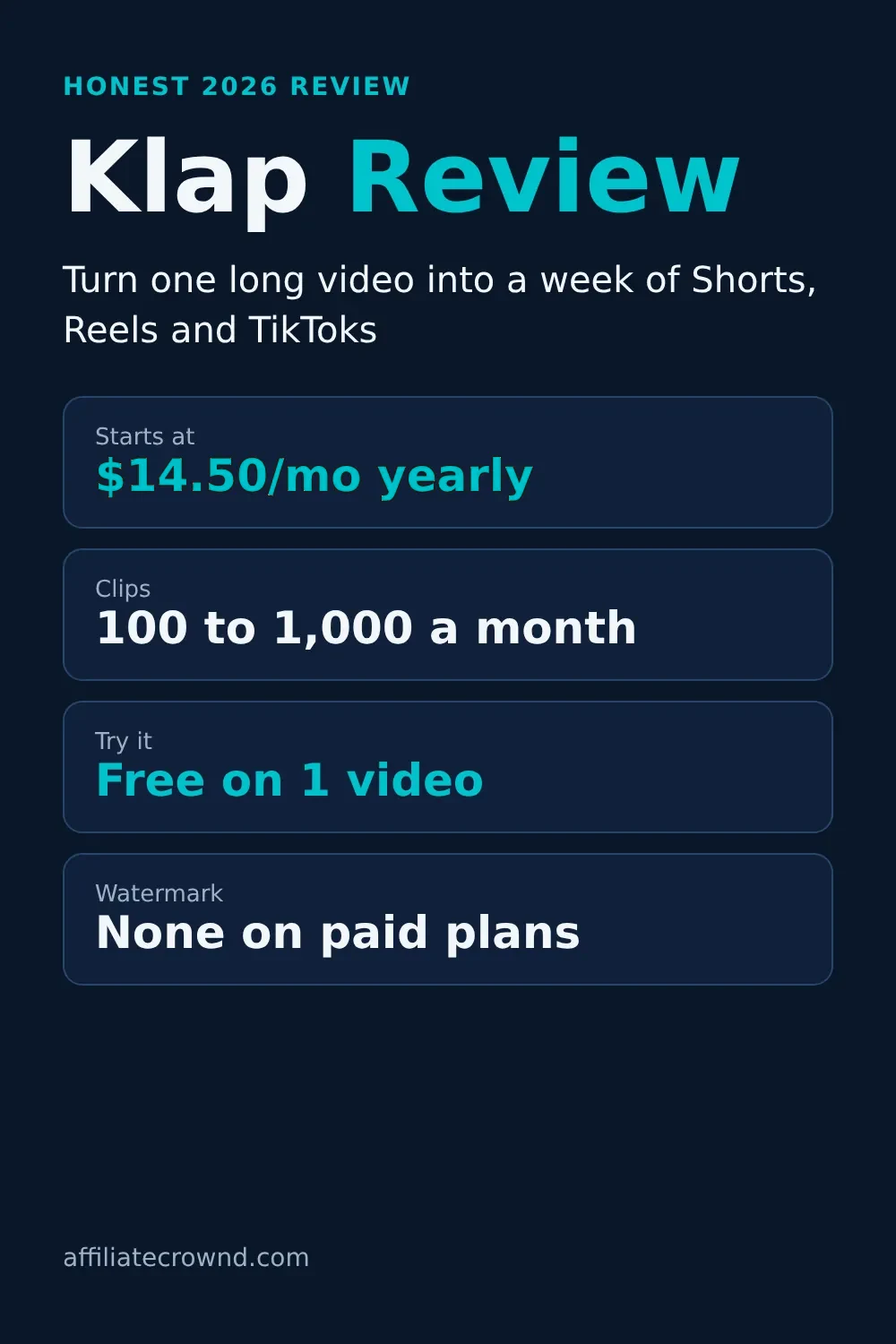
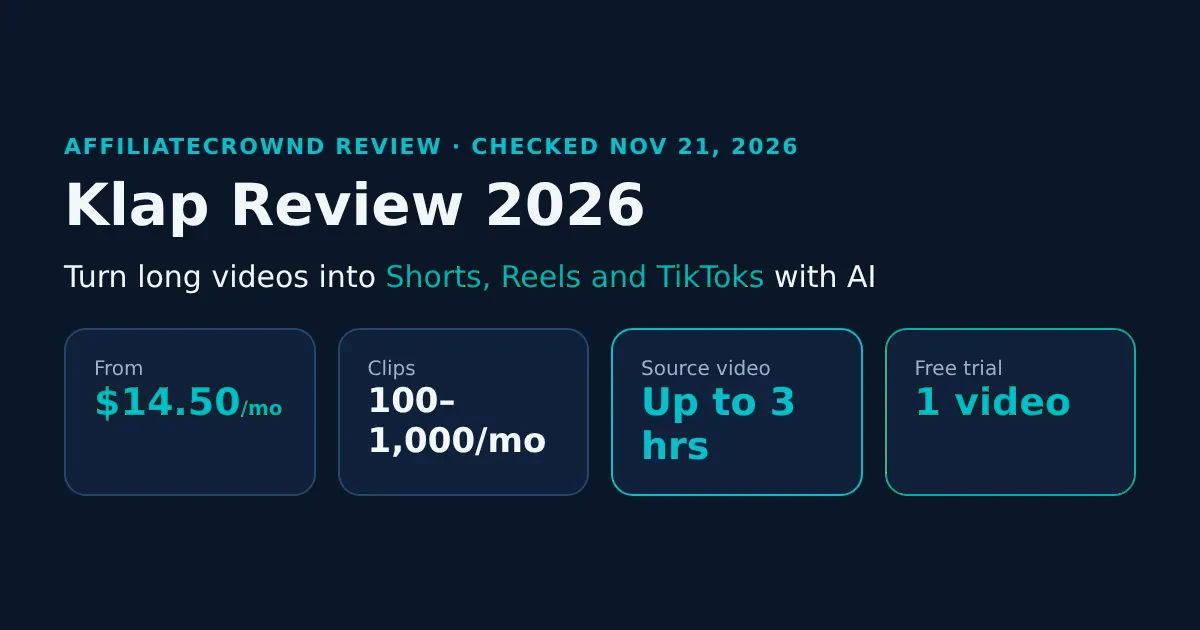
Klap is a strong, simple choice if you already make long videos and want short clips without editing them yourself. It finds the best moments, reframes them to vertical, adds captions and a virality score, and can post straight to TikTok, YouTube, Instagram, LinkedIn and Facebook. Plans start at $14.50 a month billed yearly ($29 month to month), and you can try it free on 1 video with no credit card. It is less suited to people who don’t have long videos to start from.
In this review
Klap Review at a Glance
| Question | Short answer |
|---|---|
| What is it? | An AI tool that turns long videos into short vertical clips for Shorts, Reels and TikTok |
| Price | Basic $29/mo, Pro $79/mo, Pro+ $189/mo; or $174, $474 and $1,134 a year (50% less) |
| Clips per month | 100 (Basic), 300 (Pro), 1,000 (Pro+) |
| Free trial | 1 video, no credit card; downloading and posting need a paid plan |
| Source video length | Up to 3 hours per video |
| Languages | 99+ |
| Watermark | None on paid plans |
| Best for | YouTubers, podcasters, coaches, educators and businesses with long videos |
What Is Klap?
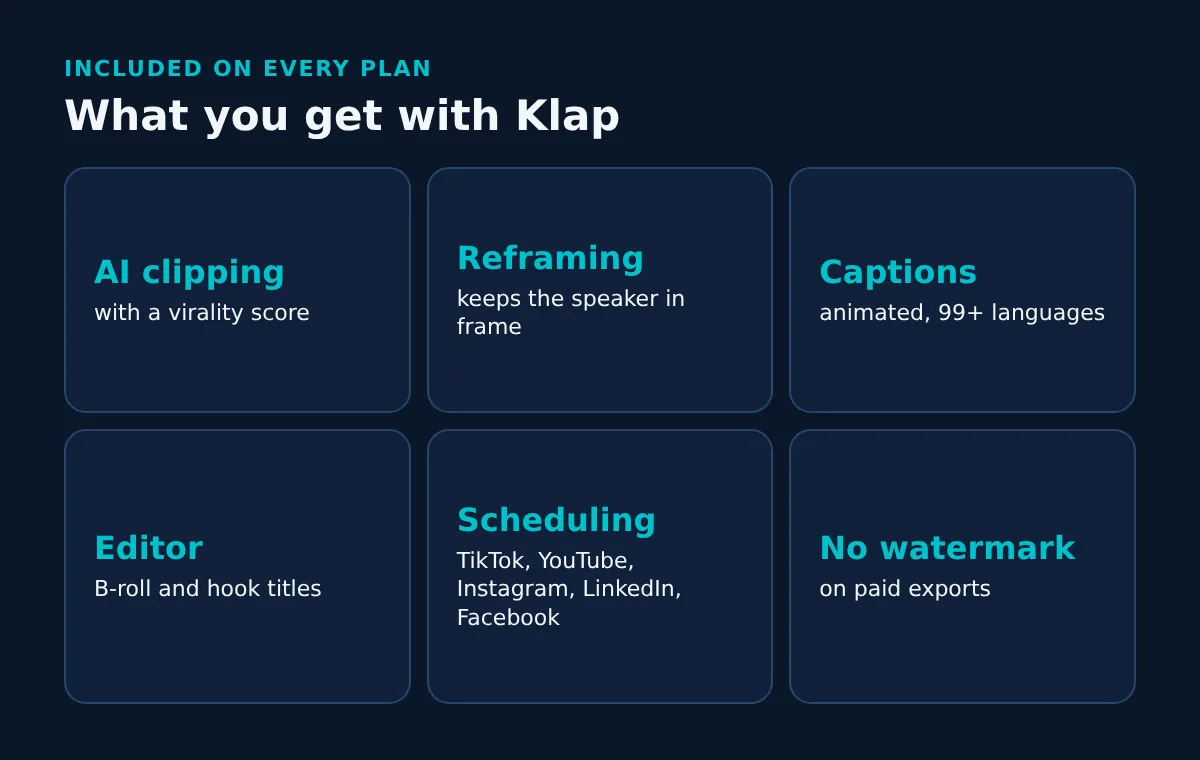
Klap is an AI video clipping tool. You upload a video file or paste a YouTube link, and Klap’s AI watches it for you. It finds the strongest moments, cuts them into short clips, turns them from wide (16:9) to vertical (9:16), keeps the speaker in frame, and adds animated captions. Each clip gets a virality score, Klap’s estimate of how likely it is to perform well, so you can post the best ones first.
Klap says more than 3.5 million creators have made more than 8.5 million clips with it. That is the company’s own figure, but it shows Klap is one of the larger tools in this space. Beyond clipping, Klap also offers a social media scheduler, a subtitle generator, a video translator, cropping, resizing and trimming tools, and a self-serve API and MCP server for developers who want to automate the whole process.
How Klap Works, Step by Step
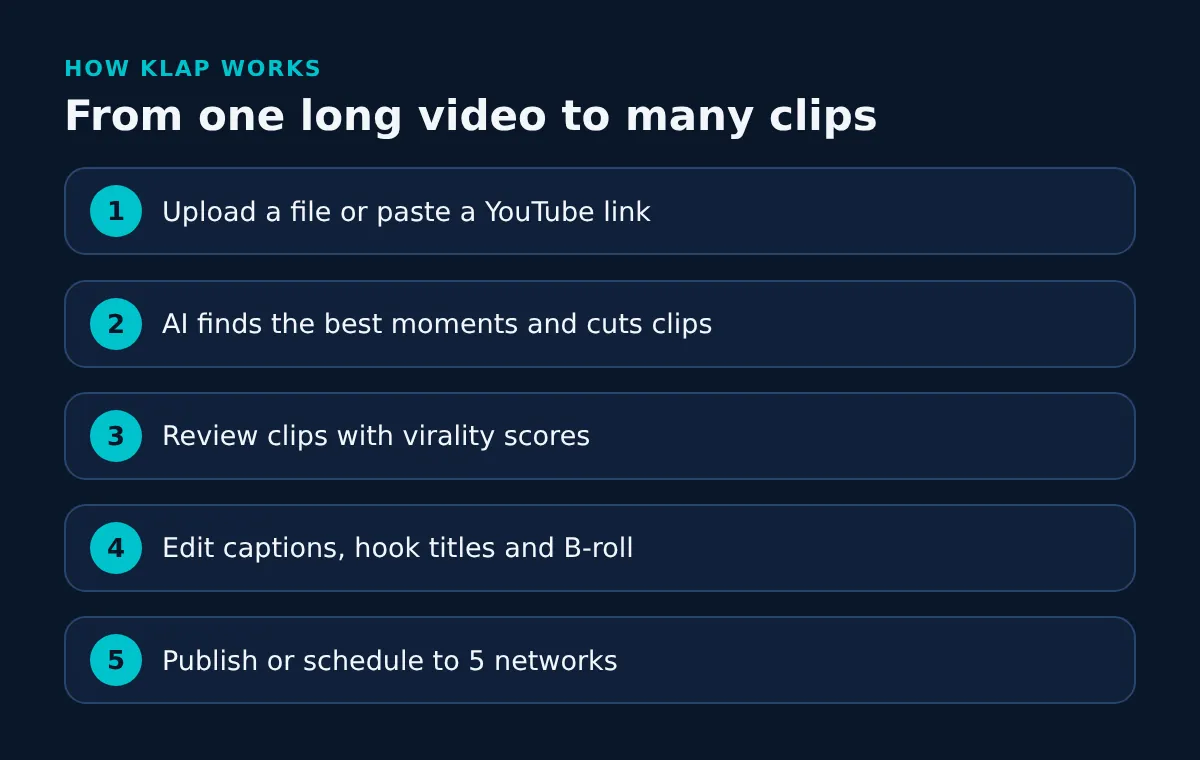
- Add your video. Upload a file or paste a YouTube link. Klap’s help pages also describe clippers for Twitch and highlight videos. Source videos can run up to 3 hours.
- Let the AI find the moments. Klap reads what is said, picks the topics that stand alone well, and cuts them into clips.
- Review the clips. Each comes with a virality score, captions and reframing. Sort by score and keep the ones that fit your brand.
- Edit if you want. Change captions, fonts and colors, add your logo, add B-roll or a hook title, or adjust the start and end.
- Publish or schedule. Post to TikTok, YouTube, Instagram, LinkedIn and Facebook from Klap, or download the clips to post yourself.
Because Klap works mostly from what is said in the video, it does best with talking content: podcasts, interviews, tutorials, webinars, coaching calls, product reviews and commentary. Silent or music-only footage gives the AI much less to work with.
Klap Pricing in 2026
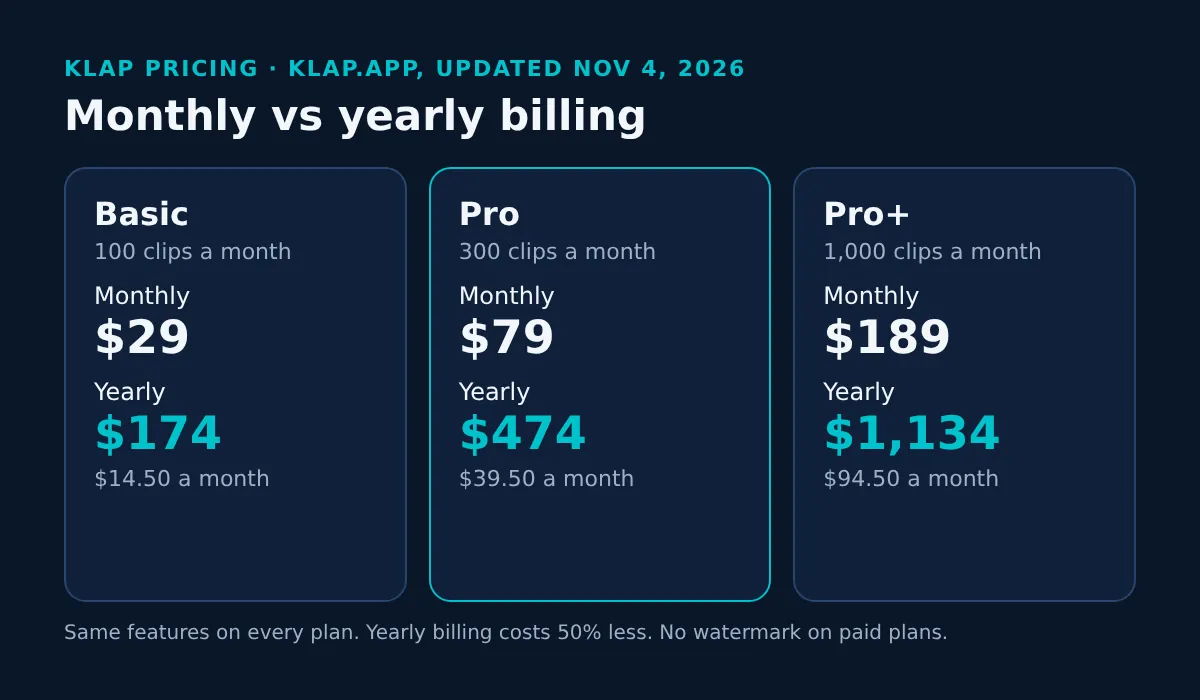
Klap charges by the number of clips you generate, not by how long your source videos are. These are the prices on Klap’s pricing page, which says they were last updated on November 4, 2026.
| Plan | Clips | Billed monthly | Billed yearly | Best for |
|---|---|---|---|---|
| Basic | 100 a month | $29/month | $174/year ($14.50/month) | Individual creators |
| Pro | 300 a month | $79/month | $474/year ($39.50/month) | Professionals posting daily |
| Pro+ | 1,000 a month | $189/month | $1,134/year ($94.50/month) | Teams and agencies |
Every plan includes the same features. The only difference is how many clips you get. Yearly plans receive the whole year’s clips at once (1,200, 3,600 or 12,000), and monthly plans refill every billing period.
Is there a Klap discount or promo code?
Klap’s official discount is yearly billing, which costs 50% less than paying month to month. Klap says it doesn’t publish promo codes of its own. On Basic, the yearly plan saves $174 a year compared with paying monthly ($348 versus $174).
What counts as a clip?
Each short clip Klap creates counts as one clip. The length of your source video doesn’t use up your plan, so a 3-hour podcast costs the same as a 10-minute video if it produces the same number of clips. That makes Klap easy to budget for if you upload long content.
Refunds and cancelling
You can cancel any time from your billing page, and your plan stays active until the end of the period you paid for. On a monthly plan, Klap offers a refund any time in your first month, and for up to your last 3 months in a row if you haven’t used Klap. On a yearly plan, you get a full refund in your first month, and after that 1/12 of the price back for each full month you haven’t used Klap, up to your last 3 in a row. You cancel first, then take the refund on your billing page or ask support.
Klap pricing
Basic $14.50/month billed yearly ($29 month to month) for 100 clips a month. Pro $39.50/month for 300 clips. Pro+ $94.50/month for 1,000 clips. No watermark on paid plans.
Is Klap worth the money? Cost per clip
A simple way to judge value is cost per clip if you use your full allowance (our own math from the list prices). On yearly billing, Basic works out to about $0.15 per clip ($174 for 1,200 clips), Pro to about $0.13 ($474 for 3,600) and Pro+ to under $0.10 ($1,134 for 12,000). On monthly billing, Basic is about $0.29 per clip. Compare that with paying an editor, or with the hours it takes to cut, caption and reframe clips yourself, and Klap is good value for anyone who posts short videos regularly. If you only need a handful of clips a month, the math is less convincing.
What to test during the free trial
- Pick a typical video, not your most polished one, so you see what everyday results look like.
- Check the captions for names, brand words and accents.
- Look at the reframing in moments with two speakers or screen sharing.
- Compare the virality scores with the moments you would have chosen yourself.
- Try the editor: change a caption style and add a hook title to see how quick it is.
If the trial clips need only small fixes, Klap will likely save you hours every week.
Klap Features: What Every Plan Includes
AI clipping and virality score
The core feature. Klap finds the best moments in your video and turns each into a stand-alone clip with a virality score. Treat the score as a helpful first sort, not a promise. Your audience, topic, hook and posting time still decide how a clip performs.
Reframing that follows the speaker
Klap’s reframing keeps the person who is talking in the center of the vertical frame and switches between speakers in interviews and podcasts. Klap also describes layouts such as split screen, screencasts and gaming facecam stacking, which matter if you record your screen or stream.
Animated captions in 99+ languages
Most people watch short videos with the sound off, so captions are essential. Klap transcribes and captions in more than 99 languages, and you can style the captions with your own fonts and colors. Klap also offers a separate video translator if you want to reach audiences in other languages.
Editor, B-roll and hook titles
You aren’t stuck with what the AI picks. The editor lets you fix captions, trim the start and end, add B-roll footage and add a hook title at the top of the clip, often the line that decides whether someone keeps watching.
Scheduling, publishing and analytics
Every plan includes publishing and scheduling to TikTok, YouTube, Instagram, LinkedIn and Facebook, unlimited connected social accounts and post analytics. For a solo creator, that can replace a separate scheduling tool.
API and MCP server
Developers and agencies can use Klap’s self-serve API, priced separately at $0.44 per input video, $0.32 per short and $0.48 per export. Klap also offers an MCP server and connections with Zapier, Make and n8n, so clipping can become part of an automated content workflow.
Klap Pros and Cons
Pros
- Very fast: one upload becomes many captioned vertical clips
- Pricing by clip, not by minute, so long videos don’t cost more
- All features on every plan, including scheduling and analytics
- No watermark on paid plans and source videos up to 3 hours
- 99+ languages and a separate video translator
- Free trial on 1 video with no credit card, plus clear refund rules
Cons
- No free plan: trial clips can’t be downloaded or posted
- Works best with talking content, less well with silent footage
- AI picks still need a human check before posting
- Monthly billing costs twice as much as yearly
- Not a full video editor for long-form projects
- Virality score is an estimate, not a guarantee of views
Klap vs Opus Clip
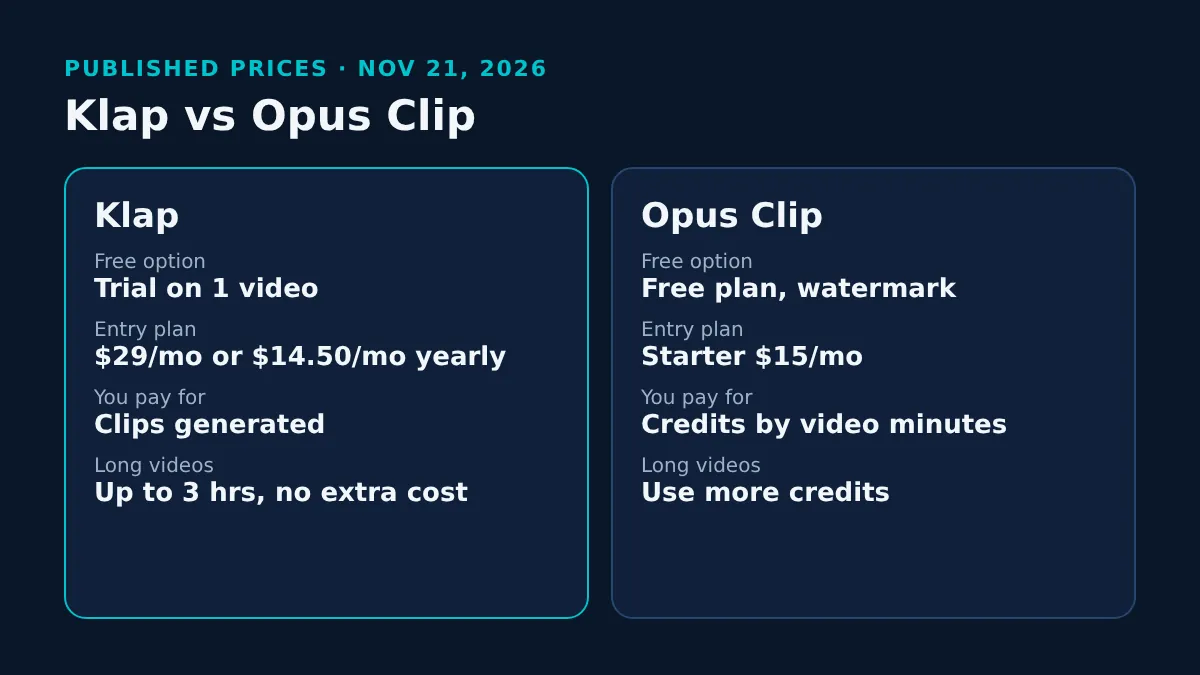
Opus Clip is the tool Klap is compared with most often. Here is how their published prices stack up on November 21, 2026.
| Klap | Opus Clip | |
|---|---|---|
| Free option | Trial on 1 video, no downloads | Free plan, 60 credits a month, with watermark |
| Entry paid plan | Basic $29/month or $14.50/month yearly | Starter $15/month (monthly only) |
| Mid plan | Pro $79/month or $39.50/month yearly | Pro $29/month or $14.50/month yearly |
| What you pay for | Clips generated (100, 300 or 1,000 a month) | Credits (1 per uploaded minute, according to Klap’s comparison page) |
| Long videos | Up to 3 hours; length doesn’t use your plan | Longer uploads use more credits |
| Publishing | Scheduling to 5 networks on every plan | Scheduler on Pro and up; Starter auto-posts to YouTube, TikTok and Instagram; none on Free |
The short version: Opus Clip is cheaper to start and has a free plan, which makes it good for testing. Klap’s own comparison page says Opus Clip uses 1 credit per uploaded minute. Klap’s clip-based pricing gets more attractive the longer your source videos are, because a 3-hour podcast doesn’t eat into your allowance any more than a short video does. If you publish long podcasts or webinars every week, compare the number of clips you actually need on Klap with the minutes you would burn on Opus Clip.
Klap Use Cases in Detail
YouTube creators
If you publish long YouTube videos, Klap’s YouTube to Shorts converter is the obvious use. Paste the video link and Klap returns up to 30 Shorts, each with a virality score, and can publish them back to your channel. Shorts appear in a different feed from long videos, so they can bring new viewers to your channel who then watch your full uploads.
Podcasters
Video podcasts are ideal source material: long, full of conversation and packed with quotable moments. Klap’s podcast clip maker handles multi-host layouts and switches the frame to whoever is speaking. Klap says a 2-hour episode can produce 20+ clips, enough to promote each episode every day until the next one comes out. Klap also offers podcast transcription, which is useful for show notes and blog posts.
Streamers and gamers
Klap’s Twitch clip maker takes a VOD or clip link and returns vertical clips with animated captions and your facecam stacked above the gameplay. Its highlight and sports highlight makers pick moments based on what is said in the commentary, or you can tell Klap which moments to pull.
Coaches, teachers and course creators
Recorded webinars, coaching calls (with permission), lessons and live Q&As are full of short, useful tips. Turning them into clips gives you a steady stream of helpful content that shows your expertise and sends people to your course or booking page.
Businesses and agencies
Product demos, customer interviews, founder talks and event recordings can all become short social videos. Pro+ gives teams 1,000 clips a month, and the API lets agencies build clipping into their own systems.
Klap Tools Beyond Clipping
Klap’s site also lists a set of smaller tools that share the same account. They are handy when you only need one quick job done:
- Subtitle and caption generators for synced captions on any video.
- Video translator to reach viewers in other languages.
- Cropper, resizer and trimmer to fit a video to any platform’s shape and length.
- Highlight video maker for interviews, webinars, livestreams and sports commentary.
- Social media scheduler that posts to TikTok, YouTube, Instagram, LinkedIn and Facebook from one calendar.
- AI reel and Shorts makers that are really the same clipping engine tuned for each platform.
Mistakes to Avoid With AI Clip Tools
- Posting every clip the AI makes. Quality beats quantity. Post the clips that make sense on their own.
- Ignoring the first two seconds. Trim slow openings and add a hook title so viewers know why to keep watching.
- Leaving caption errors. Names, brands and technical words are often transcribed wrong. Fix them before posting.
- Never checking results. Your own views and watch time matter more than any virality score.
- Forgetting a next step. Mention your channel, website or free resource so clips lead somewhere.
What We’d Like Klap to Improve
A permanent free tier with a few downloadable clips a month would make Klap easier to recommend to brand-new creators, who currently have to pay to download anything after the trial. We’d also like clearer guidance on how the virality score is calculated, so creators know how much weight to give it. Neither is a deal-breaker, but both are worth knowing before you subscribe.
Who Should Use Klap?
Klap is a great fit if you are: a YouTuber who wants Shorts from every upload; a podcaster turning episodes into clips; a coach, teacher or course creator with recorded lessons or webinars; a streamer who wants highlights; a small business repurposing product demos and interviews; or an agency managing clips for several clients on Pro+.
Skip it, or start with something else, if you: don’t make long videos yet; mostly film silent b-roll, travel or music content; only need a few clips a month and are fine editing by hand; or need a free plan to keep forever.
Which Klap Plan Should You Choose?
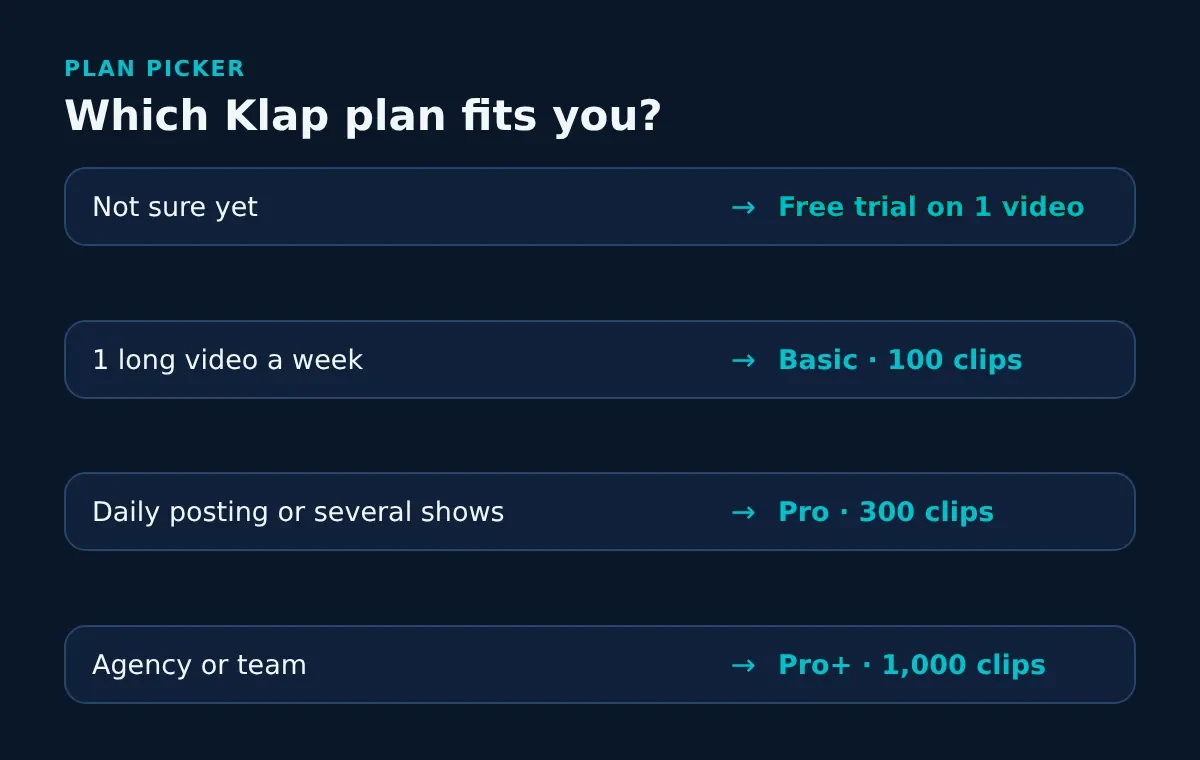
- 1 long video a week: Basic. 100 clips a month is about 25 per video, far more than most people post.
- Daily posting or several shows: Pro, with 300 clips a month.
- An agency or team with many channels: Pro+, with 1,000 clips a month.
- Not sure yet: run the free trial on your best recent video, then start on monthly Basic for one month before switching to yearly.
How to Get the Most From Klap
- Start with your best long video. Great source material makes great clips. Use the free trial on a video that already did well.
- Post the top scores first, then watch your own analytics and trust them over the virality score.
- Write your own hook titles. The first two seconds decide everything on short-form platforms.
- Keep captions on-brand. Save your fonts, colors and logo so every clip looks consistent.
- Link back to the full video or your site. Clips bring attention; your long video, blog or email list turns it into loyal followers.
- Batch your week. Upload once, review in one sitting and schedule a week of posts at a time.
Using Klap to Grow a Blog or Affiliate Business
Short videos are one of the fastest free traffic sources for new websites. If you write reviews or tutorials, record a short talking version of the article, run it through Klap and post the clips with a link to the full post. Over time, those clips send readers to your site and your email list. Our guide on building an email list from scratch explains how to capture those visitors.
Pair Klap with tools that cover the rest of the workflow. TubeBuddy helps with YouTube keyword research and titles, and if you don’t want to record your own voice, AI voice tools like ElevenLabs can narrate your videos. See our best AI voice generators guide for options.
Getting Started With Klap in 10 Minutes
Go to Klap and create a free account with your email or Google login. Paste the link to one of your long videos, choose the language and wait a few minutes while Klap finds the clips. Sort them by virality score, open the best three in the editor, check the captions, add a hook title and preview them on a phone-sized screen. If you like what you see, choose a plan, connect your social accounts and schedule a week of posts. From then on, your routine is simple: upload each new long video, review the clips once and let the schedule run.
Klap Login, Help and Useful Pages
You sign in to Klap from klap.app with the account you created for the free trial. Pricing, plan limits and the full refund terms are on the pricing page, and the refund policy is in section 10 of Klap’s terms of service. You manage your plan, cancel and request refunds from the billing page inside your account.
Our Verdict
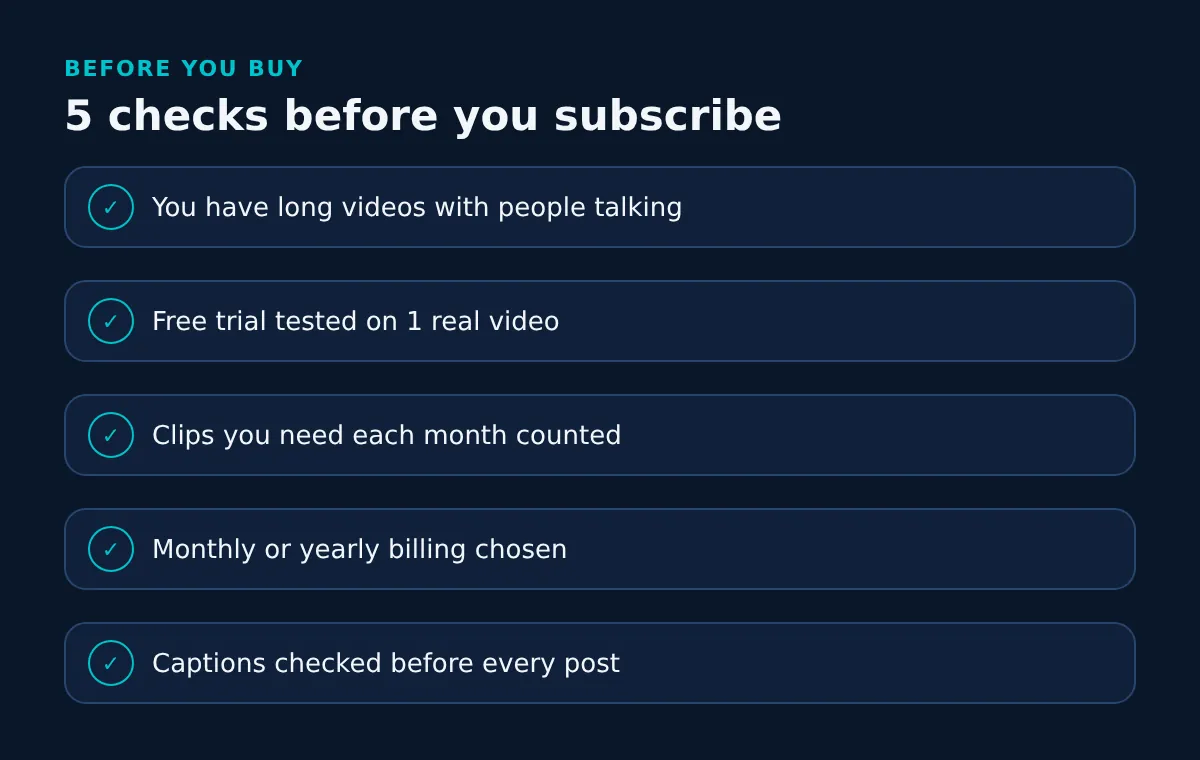
Klap does one job very well: it turns long, talking videos into ready-to-post short clips with almost no effort. Every plan includes the full feature set, paid clips have no watermark, and pricing by clip rather than by minute makes it especially good value for long podcasts and webinars. The main drawbacks are that there’s no free plan to keep, and the AI’s picks and virality scores still need your judgment.
If you already record long videos, try Klap free on your best one. If the clips look good, the yearly Basic plan at $14.50 a month is one of the cheapest ways to turn every video into a week of short-form content.
Try Klap free on 1 video. No credit card needed. Paid plans start at $14.50 a month billed yearly, with no watermark.
Free checklist
Get the free AffiliateCrownd Affiliate Website Checklist: a simple step-by-step list for setting up your site, your email list and your first affiliate links.
Klap FAQ
How much does Klap cost?
Billed monthly, Klap costs $29, $79 or $189 a month for the Basic, Pro and Pro+ plans. Billed yearly, it costs $174, $474 or $1,134 a year, which works out to $14.50, $39.50 or $94.50 a month. Prices were checked on Klap’s pricing page on November 21, 2026.
Is Klap free?
Klap offers a free trial on 1 video with no credit card. You can preview and edit the clips, but downloading or posting them requires a paid plan.
Does Klap add a watermark?
No, not on paid plans. Clips you download or post on a paid plan carry no Klap branding.
What counts as a clip on Klap?
Each short clip Klap generates counts as one clip. The length of your source video, up to 3 hours, doesn’t use up your plan, and clips refill each billing period.
Is Klap better than Opus Clip?
It depends on your videos. Opus Clip is cheaper to start and has a free plan. Klap prices by clip instead of by minute, so it is often better value for long podcasts, webinars and streams.