
ShortPixel Review: The Best Image Optimization Plugin to Speed Up Your Website in 2026
By Oscar · 15 min read
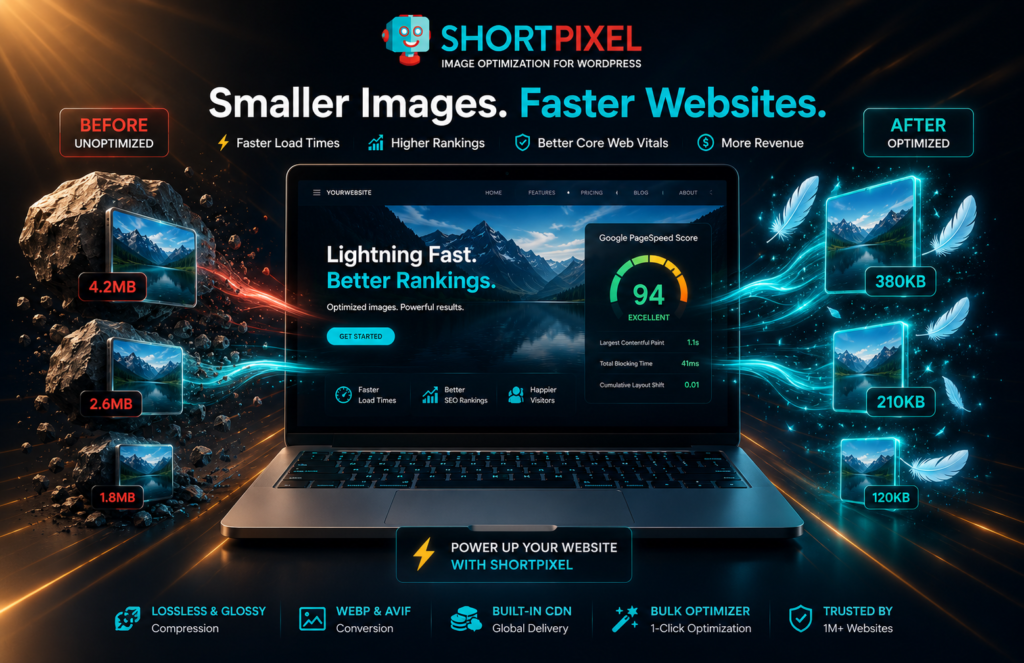
Quick Answer: ShortPixel is the best image optimization plugin for WordPress in 2026. It automatically compresses images, converts them to WebP and AVIF, and delivers them through a global CDN — reducing file sizes by up to 90% with no visible quality loss. For bloggers, affiliate marketers, and eCommerce stores serious about Google rankings and page speed, ShortPixel is the clearest, most cost-effective choice available.
Introduction
Here’s something most website owners don’t find out until it’s too late: their images are quietly destroying their Google rankings. You spend weeks writing content, building internal links, and optimizing your titles — and then your site sits at a PageSpeed score of 48 because every image you’ve ever uploaded is a 4MB raw file from your phone. Google sees it. Visitors feel it. And every day you don’t fix it, you’re leaving traffic and revenue on the table.
The frustrating part is that this is one of the easiest problems in SEO to fix. You don’t need a developer. You don’t need to touch a line of code. You need ShortPixel — an image optimization plugin that runs in the background, compresses everything automatically, and delivers measurable ranking improvements without you changing anything about how you work. If you’re serious about building a fast high-ranking affiliate site, image optimization isn’t optional — it’s foundational infrastructure.
In this ShortPixel review, we’re going to cover everything: how it works, what it costs, who it’s built for, how it compares to competitors, and whether the investment is worth it. By the end, you’ll know exactly whether ShortPixel belongs in your WordPress stack.
💡 Ready to speed up your site? ShortPixel compresses images automatically — start with 100 free credits, no credit card needed. → Try ShortPixel Free Here
ShortPixel at a Glance
| Feature | Details |
|---|---|
| Best For | Bloggers, affiliate sites, eCommerce stores |
| Starting Price | Free (100 credits) / from $4.99/mo |
| Free Plan | ✅ 100 free credits on signup |
| Compression Modes | Lossy, Glossy, Lossless |
| WebP / AVIF Support | ✅ Both included |
| CDN Included | ✅ Global CDN |
| Bulk Optimization | ✅ Full media library |
| Restore Originals | ✅ 30-day backup |
| WordPress Plugin | ✅ Free in repository |
| Our Rating | ⭐ 4.8 / 5 |
Why Image Optimization Directly Affects Your Revenue
Most site owners treat image compression like a nice-to-have. It isn’t. It’s one of the highest-leverage technical changes you can make to a WordPress site — and the financial consequences of ignoring it are more direct than most people realize.
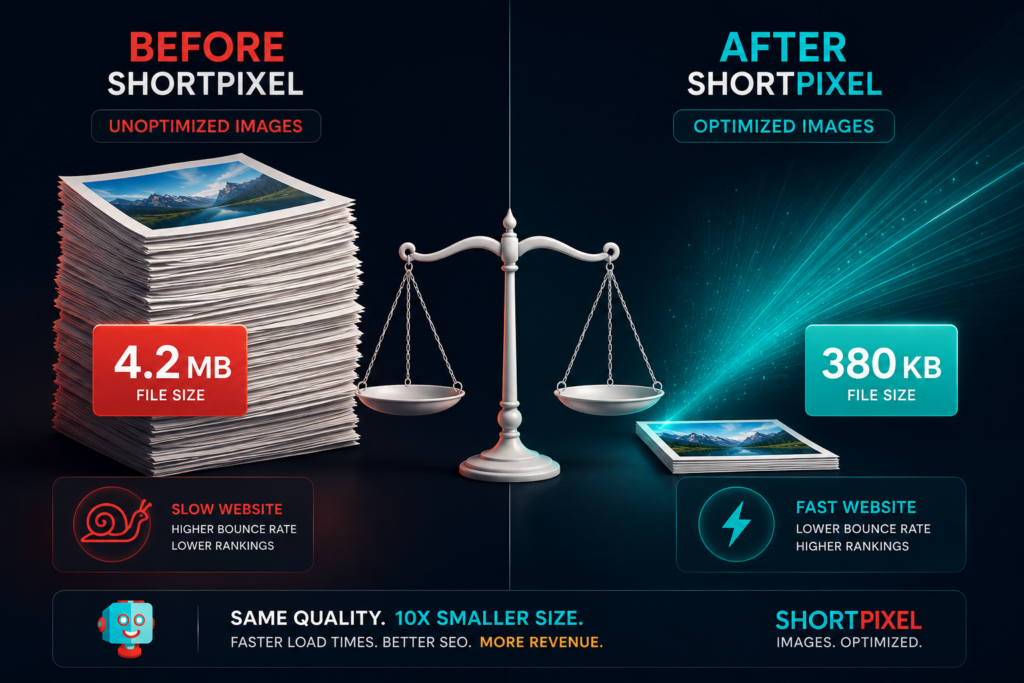
Google’s Core Web Vitals algorithm uses Largest Contentful Paint (LCP) as a primary ranking signal. LCP measures how long your biggest visible element — almost always a hero image — takes to fully render. An uncompressed 4MB image on your homepage can push your LCP past 4 seconds, which Google scores as “Poor” and deprioritizes in search results. ShortPixel compression routinely cuts that image to under 400KB, pushing LCP into the “Good” range and improving your ranking potential significantly.
The business math gets even more concrete when you factor in conversion rates. Pages loading in one second convert at roughly three times the rate of pages loading in five seconds — this is well-established across industries. For an affiliate site driving traffic to product reviews and comparison pages, that conversion multiplier is everything. Faster pages mean more affiliate clicks, more completed purchases through your links, and higher commissions from the same volume of traffic.
💰 Revenue Math: If your site generates $800/month in affiliate commissions at a 2.1% conversion rate with a 4-second load time, improving to a 1.2-second load time could realistically push that conversion rate to 3.5%+ — translating to $1,300+ per month from the same traffic. ShortPixel costs $4.99/month. The math is not close.
There’s also the ad revenue angle. Premium ad networks like Mediavine require minimum PageSpeed scores for acceptance, and your session RPM is directly tied to how fast your pages feel to real visitors. A slow site loses on organic rankings, on affiliate conversions, and on display ad earnings simultaneously. Fixing your images with ShortPixel addresses all three at once.
What Is ShortPixel and How Does It Work?
ShortPixel is a cloud-based image optimization service with a WordPress plugin that connects your site to their compression infrastructure. Founded in 2014, they’ve processed over 10 billion images for more than a million websites — a scale that validates the product in a way that marketing copy never could.
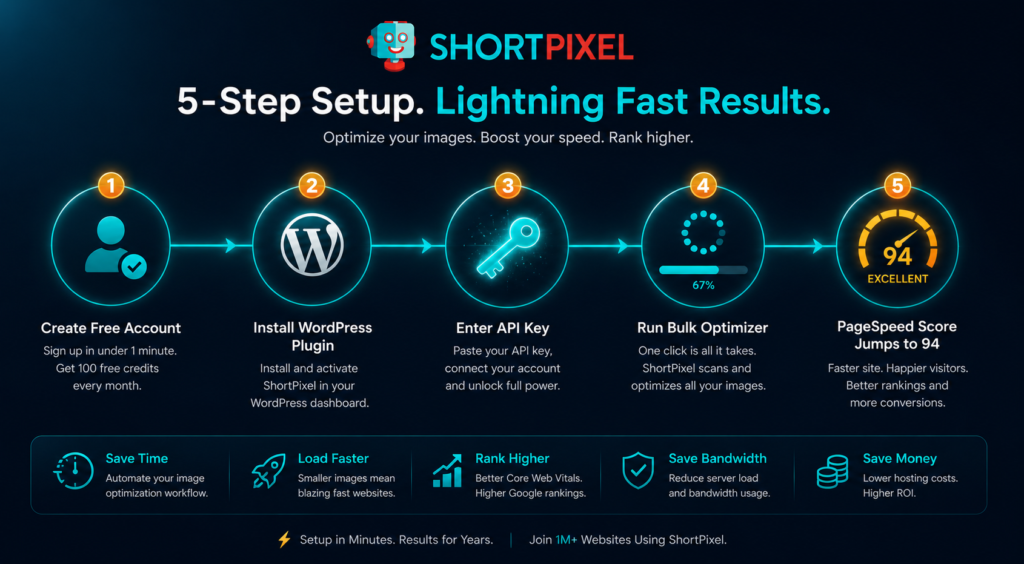
The workflow is completely automatic. You install the plugin, enter your API key, and from that point forward every image you upload to WordPress gets sent to ShortPixel’s cloud servers, compressed using their proprietary algorithms, converted to modern formats, and returned to your media library in optimized form. The entire process takes a few seconds and happens invisibly in the background. Your visitors experience a faster page; you experience nothing at all — which is exactly how infrastructure should work.
For existing sites with large image archives, the bulk optimization feature processes your entire media library in batches while you do other things. WordPress generates five to eight thumbnail variants for every image you upload, and ShortPixel optimizes every single one of them automatically — not just the original file. Most competing tools either skip thumbnails or count them as separate paid optimizations. ShortPixel handles them as part of the standard process.
🔍 In Practice: When you first run ShortPixel’s bulk optimizer on a site that’s never had image compression before, the storage savings alone are striking. A media library that was consuming 8GB of disk space on your hosting will commonly drop to under 2GB after a full optimization run. For sites on shared hosting with storage limits, this has real cost implications beyond just speed. The thing most reviews don’t tell you is that the storage savings are often worth more than the speed improvements for smaller sites — especially if you’re approaching your hosting plan’s disk quota.
💡 See how much storage you could save: Run ShortPixel’s free bulk optimizer on your existing library — 100 credits included. → Start ShortPixel Free Here
ShortPixel Pricing: Is It Worth the Cost?
ShortPixel’s pricing model is genuinely one of its strongest selling points, because it’s structured in a way that makes sense for how most website owners actually use images — which is inconsistently, not at a predictable monthly volume.
Free Tier: 100 credits on signup, no credit card required. Enough to optimize your most important pages and experience the results before spending anything.
One-Time Credit Bundles:
| Credits | Price | Cost Per Image |
|---|---|---|
| 10,000 | $9.99 | ~$0.001 |
| 50,000 | $29.99 | ~$0.0006 |
| 150,000 | $49.99 | ~$0.0003 |
| 500,000 | $99.99 | ~$0.0002 |
Monthly Plans:
| Plan | Price | Credits/Month | Best For |
|---|---|---|---|
| Starter | $4.99/mo | ~5,000 | Blogs, small affiliate sites |
| Popular | $9.99/mo | ~12,000 | Growing content sites |
| High Volume | $29.99/mo | ~55,000 | Large eCommerce, agencies |
Remember that each WordPress upload generates roughly 6–8 thumbnail variants, and each counts as one credit. A site publishing three image-heavy articles per week typically uses 150–300 credits per month — well within the Starter plan.
The one-time bundle model is ideal for established sites doing an initial bulk optimization. The monthly plan makes more sense once you’re publishing consistently. Either way, the cost relative to the SEO and conversion improvements delivered makes this one of the highest-ROI tools in any affiliate site’s tech stack.
ShortPixel’s Key Features: What You’re Actually Getting
Lossy, Glossy, and Lossless Compression
ShortPixel offers three compression modes that give you control over the quality-versus-file-size tradeoff. Lossy mode delivers the most aggressive compression — file sizes 60–90% smaller — with reductions in image data that are virtually undetectable to the human eye under normal viewing conditions. This is the right choice for the vast majority of blog and affiliate content. Glossy mode is a middle ground that preserves noticeably more visual detail while still delivering 40–70% file size reductions — ideal for photography sites or any niche where image quality is part of the editorial experience. Lossless mode reduces file size by 10–30% with zero loss of image information, which is best reserved for product screenshots, medical imagery, or technical diagrams where pixel-perfect accuracy matters.
What It Does Well
The combination of compression quality and format conversion is where ShortPixel genuinely outperforms most competitors. The WebP conversion alone — automatically creating smaller, faster-loading modern format versions of every image and serving them to supported browsers — adds a meaningful second layer of optimization on top of the compression itself. AVIF support, added more recently, pushes this further for browsers that support the newer format. In practice, this dual-layer approach regularly produces 75–90% total file size reductions compared to the original unoptimized JPEG, which translates directly to PageSpeed score improvements that single-layer compression tools simply can’t match.
Where It Falls Short
ShortPixel doesn’t natively handle image resizing — it compresses and converts files at whatever dimensions you upload them. If you regularly upload full-resolution photos from a DSLR or modern smartphone without pre-resizing, you’ll get a perfectly compressed 6,000-pixel-wide image that’s still technically oversized for your layout. The optimization is real, but you’re leaving additional performance on the table. The fix is to pre-resize images before uploading or to add ShortPixel’s companion product (ShortPixel Adaptive Images) which handles dynamic resizing at the CDN level. This is a genuine limitation worth knowing about upfront.
Quick Summary: ✅ Best-in-class compression ratios ✅ WebP and AVIF conversion included ✅ Thumbnail optimization automatic ✅ 30-day original backup and restore ✅ Global CDN included ✅ Bulk optimization for full media library ❌ No native image resizing ❌ Credit system requires monitoring on high-volume sites
🎯 Best For: ✅ Affiliate marketers and bloggers running WordPress ✅ eCommerce stores where product image quality matters ✅ Content sites targeting Google’s Core Web Vitals rankings ✅ Anyone running display ads who needs minimum PageSpeed scores ❌ Sites on platforms other than WordPress (ShortPixel has API access, but the plugin workflow is WordPress-native) ❌ Users who need dynamic image resizing without adding a second tool
💡 Why We’d Choose It: ShortPixel is the only image optimization tool that combines competitive compression, WebP/AVIF conversion, CDN delivery, and a credit-based pricing model that doesn’t penalize low-volume sites. For an affiliate publisher building for the long term, it’s the cleanest, most complete solution in the category.
→ Try ShortPixel Free — 100 Credits Included
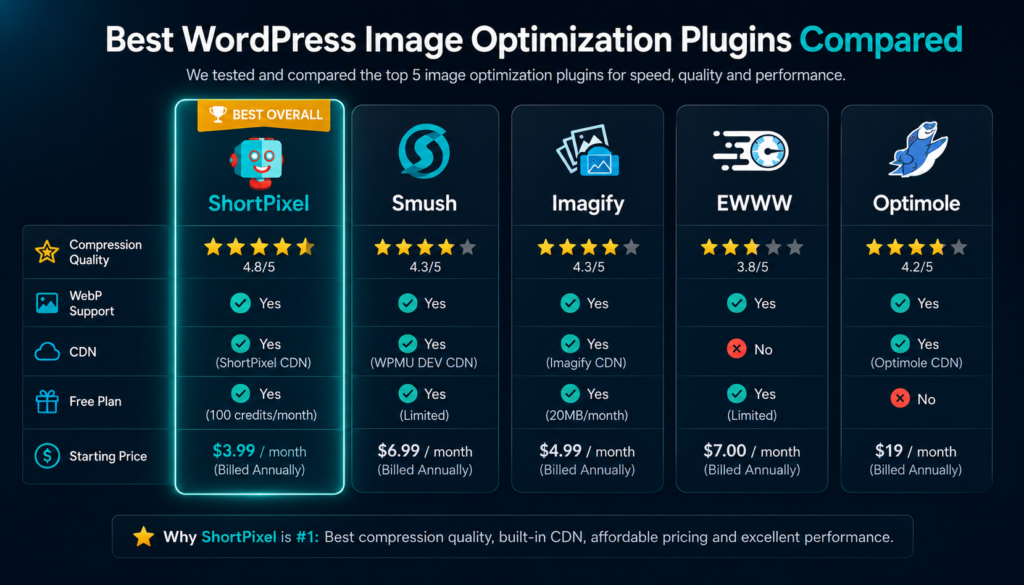
ShortPixel vs. The Competition
| Tool | Compression Quality | WebP/AVIF | CDN | Pricing Model | Best For |
|---|---|---|---|---|---|
| ShortPixel | ⭐ Excellent | ✅ Both | ✅ Yes | Credits + Subscription | All site types |
| Smush | ⭐ Good | ⚠️ Pro only | ✅ Pro only | Freemium | Beginners |
| Imagify | ⭐ Very Good | ✅ WebP | ❌ No | Credits | WP Rocket users |
| EWWW | ⭐ Good | ✅ WebP | ❌ No | Free / API | Budget sites |
| Optimole | ⭐ Good | ✅ WebP | ✅ Yes | Subscription | High-traffic sites |
🔍 In Practice: The difference between ShortPixel and Smush becomes obvious the moment you run both through Google’s PageSpeed Insights on the same page. Smush’s free tier doesn’t convert to WebP, which means you’re leaving 25–35% additional file size reduction on the table for every image on your site. For an affiliate site with dozens of images across hundreds of articles, that gap compounds into a meaningful ranking disadvantage over time. The thing most reviews don’t tell you is that WebP conversion isn’t a bonus feature — it’s table stakes for serious SEO in 2026, and tools that put it behind a paywall are giving you half a solution.
Smush vs. ShortPixel: Smush wins on name recognition and a generous free tier for casual users. ShortPixel wins on compression ratios, WebP/AVIF support, and performance outcomes. For anyone building a site to generate income, ShortPixel is the better tool at every price point.
Imagify vs. ShortPixel: Imagify is a credible alternative with very similar pricing and solid compression quality. If you’re a heavy WP Rocket user, Imagify’s same-team integration feels seamless. ShortPixel edges ahead on AVIF support and CDN delivery, which matter more as 2026’s browser standards continue maturing.
EWWW vs. ShortPixel: EWWW is the right tool for sites with zero budget and minimal traffic goals. Local compression means no API dependency and no credits to manage, but compression ratios are consistently lower, and the lack of CDN delivery means no latency benefits for international audiences. For a site you’re building to monetize, EWWW is a starting point, not a destination.
Common Mistakes That Kill Your Image Optimization Results
Even with ShortPixel installed and running, there are a handful of errors that prevent site owners from getting the full benefit. These are worth knowing upfront so you don’t spend months wondering why your PageSpeed scores didn’t improve as much as you expected.
Uploading full-resolution originals. ShortPixel compresses images brilliantly at whatever dimensions you give it, but it doesn’t resize them. A 6,000-pixel-wide camera photo compressed to 500KB is still delivering six times more image data than a browser needs to render it at 1,000 pixels wide in your layout. Pre-resize images to roughly their display dimensions before uploading — for most content sites, 1,400px wide for featured images and 900px for inline content images covers nearly every use case.
Not enabling WebP serving at the server level. ShortPixel generates WebP versions of your images automatically, but some server configurations — particularly certain Apache setups — need additional rewrite rules to actually serve those WebP files to supported browsers. If you enable WebP in ShortPixel’s settings and your PageSpeed score doesn’t improve as expected, check your server’s WebP delivery configuration. The ShortPixel documentation covers this clearly for all major hosting environments.
Skipping lazy loading. Image compression reduces file size; lazy loading controls when those files load. WordPress has native lazy loading built in since version 5.5, but it’s worth confirming it’s active and working correctly on your site, especially if you use a caching plugin or custom theme that might override default behavior. ShortPixel and lazy loading are complementary — you need both for maximum performance.
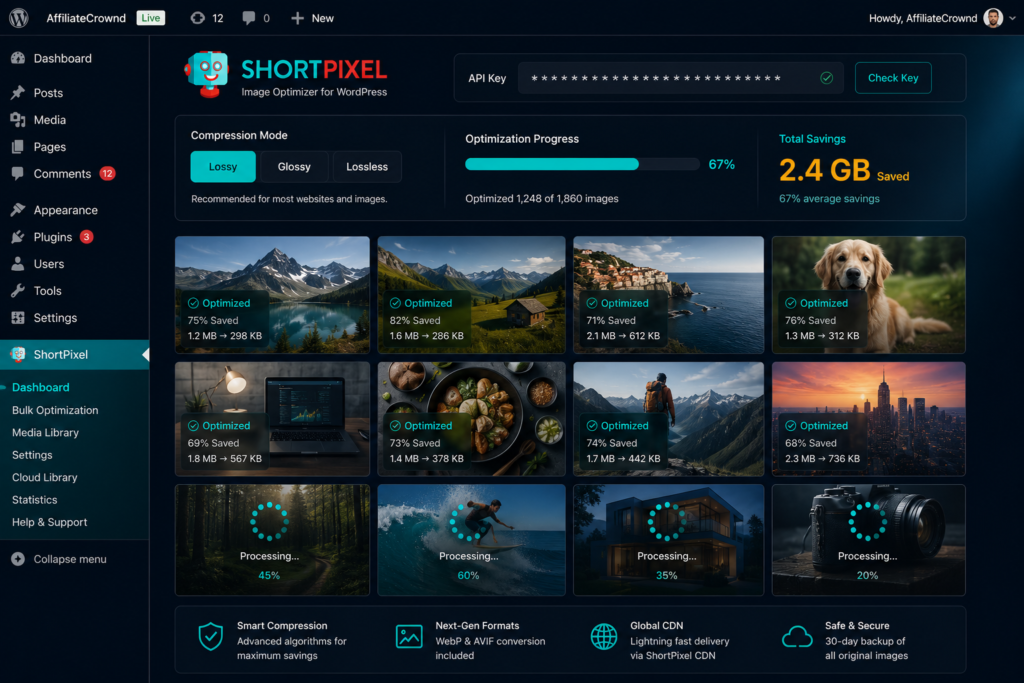
Never checking your results. ShortPixel shows detailed compression data for every image in your media library, including the percentage reduction achieved and the bytes saved. If you see images with compression savings below 15%, it usually means those files were already pre-compressed by another tool, or they’re in a format that doesn’t benefit much from further optimization. Reviewing your results periodically helps you catch configuration issues and understand what’s working.
Our Honest Recommendation
If you’re a beginner starting your first affiliate or blog site: Start with ShortPixel’s free 100 credits and use them on your most important pages — your homepage, your best-performing affiliate reviews, and your highest-traffic posts. See the PageSpeed improvement firsthand. Then buy a one-time credit bundle for $9.99 to optimize the rest of your library. The Starter monthly plan at $4.99 makes sense once you’re publishing consistently.
If you’re running an established content site with hundreds of posts: The bulk optimization feature is the fastest path to across-the-board speed improvements. A one-time bundle of 50,000 credits at $29.99 will handle most established media libraries. Run the bulk optimizer over a weekend and measure your PageSpeed scores before and after — the improvement is typically significant enough to be visible in your rankings within four to eight weeks.
If you’re running a WooCommerce store: ShortPixel’s Glossy mode is your best option — it preserves the product image sharpness that drives purchase decisions while still delivering 40–60% file size reductions. Enable WebP conversion and CDN delivery, and your product category pages — which typically carry the heaviest image load on any eCommerce site — will load dramatically faster. For high-traffic stores, the monthly High Volume plan at $29.99 provides the credit throughput you need without managing bundles manually.
If you’re already using Smush or EWWW, The migration to ShortPixel is worth doing. Install ShortPixel alongside your current tool, run the bulk optimizer, and compare your PageSpeed scores before and after. In most cases, the WebP conversion alone produces a noticeable improvement over what Smush or EWWW delivered. ShortPixel’s restore feature means you can try it risk-free — originals are preserved for 30 days.
Get Our Free WordPress Speed Optimization Checklist
We put together a complete checklist covering every technical change that moves the needle on Google PageSpeed Insights — not just image compression, but catching configuration, hosting optimization, lazy loading setup, Core Web Vitals explained simply, and the exact sequence to implement changes for maximum ranking impact. It’s the fastest way to take your site from a 48 to a 90+ without hiring a developer.
Join thousands of affiliate site owners who’ve already downloaded it and used it to improve their rankings.
[EMAIL CAPTURE FORM]
Frequently Asked Questions About ShortPixel
Is ShortPixel free to use for WordPress?
Yes — ShortPixel offers 100 free image optimization credits when you sign up, with no credit card required. These credits are enough to optimize the images on your most important pages and experience the real-world results before spending anything. Once you’ve used your free credits, paid options start at $9.99 for a one-time bundle of 10,000 credits or $4.99 per month for a recurring subscription. For most small to medium affiliate sites, the one-time bundle at $9.99 is the most economical starting point since credits don’t expire and you only pay for what you actually use.
Does ShortPixel actually reduce image quality?
In Lossy mode — which most users choose for the largest file size reductions — ShortPixel does remove some image data, but this difference is essentially invisible to the human eye at normal screen sizes and viewing distances. Across thousands of side-by-side comparisons, the vast majority of users cannot identify which image was compressed and which was the original. If quality is a concern for your specific niche, Glossy mode delivers meaningful compression with significantly more preserved visual detail, and Lossless mode reduces file size with zero quality loss. The 30-day restore feature means you can always return to the original if you’re not satisfied.
How does ShortPixel affect WordPress performance and speed?
ShortPixel’s compression work happens on their cloud servers, not on your hosting, so it adds no CPU or memory load to your site during optimization jobs. Once images are compressed and returned to your media library, your pages simply load faster from that point forward because they’re serving smaller files. ShortPixel is fully compatible with all major caching plugins including WP Rocket, W3 Total Cache, and LiteSpeed Cache, and works seamlessly with WooCommerce, Elementor, Divi, and most major WordPress themes and page builders.
How many images does ShortPixel optimize per credit?
One credit = one image optimization. However, it’s important to understand that WordPress automatically generates multiple resized thumbnail versions of every image you upload — typically five to eight variants depending on your theme. Each of those thumbnail variants uses one credit in addition to the original, so a single image upload typically consumes six to nine credits total. For a site publishing three new articles per week with four images each, you’d use roughly 700–1,000 credits per month, which falls comfortably within the Starter monthly plan at $4.99.
Is ShortPixel better than Smush for SEO?
For most sites focused on Google rankings and Core Web Vitals, ShortPixel delivers better SEO outcomes than Smush, primarily because of WebP conversion. Smush’s free tier doesn’t include WebP format conversion — meaning you’re missing a 25–35% additional file size reduction on every image across your site. ShortPixel converts all images to WebP (and AVIF) automatically as part of its standard process at every price tier, including the free credits. In head-to-head PageSpeed Insights tests on the same pages, ShortPixel consistently produces higher scores than Smush due to this format conversion advantage combined with its stronger compression ratios.
Conclusion
ShortPixel is the kind of tool that earns its place in your WordPress stack not by being exciting, but by delivering consistent, measurable results that compound over time. Install it once. Configure it in five minutes. And from that day forward, every image on your site — every new upload, every existing file in your archive, every thumbnail WordPress generates automatically — is optimized, converted to modern formats, and delivered through a global CDN without you doing anything further.
For anyone building a serious affiliate site or monetized content business, site speed is one of the most important variables you can control. It affects your Google rankings, your visitor retention, your affiliate conversion rates, and your eligibility for premium ad networks. ShortPixel addresses all of these with a single, affordable plugin that costs less per month than a single cup of coffee. The ROI argument isn’t subtle — it’s overwhelming.
If you’ve been putting off image optimization because it seemed complicated or expensive, this is the clearest possible signal that it’s neither. Start with the 100 free credits ShortPixel gives you on signup and experience the PageSpeed difference yourself before spending a dollar. Once you see the numbers, you’ll wonder why you waited.
💡 Start building a faster, higher-ranking site today. ShortPixel takes 5 minutes to set up and starts delivering results immediately. → Try ShortPixel Free — No Credit Card Needed