
FineVoice Review 2026: Pricing, Features and Honest Verdict
By Oscar · 23 min read
Disclosure: some links to FineVoice on this page are affiliate links. If you buy through them, AffiliateCrownd may earn a commission at no extra cost to you. FineVoice also gave AffiliateCrownd a complimentary annual premium account in November 2026; that does not change what we write, and FineVoice did not review this article before publication. Prices, limits and terms come from FineVoice’s own pages and its partner team, checked in November 2026, and can change.
Recording your own voice sounds simple until you try it. There is the microphone you do not own, the dog that barks halfway through, the tenth take of the same sentence and the hour of editing afterwards. That is the problem FineVoice is built to remove. It is a browser-based AI audio studio that turns text into speech, cleans up noisy recordings, adds sound effects and music, makes podcasts from written content and translates speech into other languages.
This FineVoice review for 2026 covers what you can check before you pay: every plan and price, what the free plan does and does not allow, the commercial-use and refund rules, how each main tool works step by step, how FineVoice compares with ElevenLabs, and who it fits best. If you create YouTube videos, faceless channels, courses, podcasts or affiliate content, you will know by the end whether FineVoice belongs in your toolkit, and what to test first. If you are still comparing tools, our roundup of the best AI voice generators shows where FineVoice fits.
Create AI Voiceovers Without Expensive Recording Equipment
Start on the free plan to try voices with your own script. If you upgrade, AffiliateCrownd readers can use code AFFILIATECROWND15 for 15% off their first paid purchase.
Try FineVoice FreeAffiliate link. The free plan is for personal, non-commercial use.
Quick verdict and key findings
FineVoice is a strong value pick for creators who want many audio tools in one place for a low price. Yearly plans cost $71.99 (Basic), $99.99 (Pro) and $129.99 (Ultra), which works out to about $5.99 to $10.83 a month. One subscription covers text to speech, voice cloning, a voice enhancer, sound effects, background music, a podcast generator and a voice translator. The free plan is good for testing, but its audio is for personal, non-commercial use only.
- Best value: Ultra on yearly billing, about $10.83 a month for text to speech that FineVoice lists as unlimited.
- Biggest catch: free-plan audio cannot be used in monetized videos, ads or client work.
- Safety net: FineVoice states a 15-day money-back guarantee, and you can cancel any time.
- Reader discount: code AFFILIATECROWND15 gives 15% off a first paid purchase, according to FineVoice’s partner team.
- Not covered here: this review does not score how the voices sound. The voice quality section shows you how to judge that yourself on the free plan in about 30 minutes.
In this review: What it is · Who should use it · Features · Pricing · Free vs paid · Tutorial · Testing · vs ElevenLabs · Pros and cons · Licensing and refunds · Affiliate program · Who should not buy · Verdict · FAQ · Sources
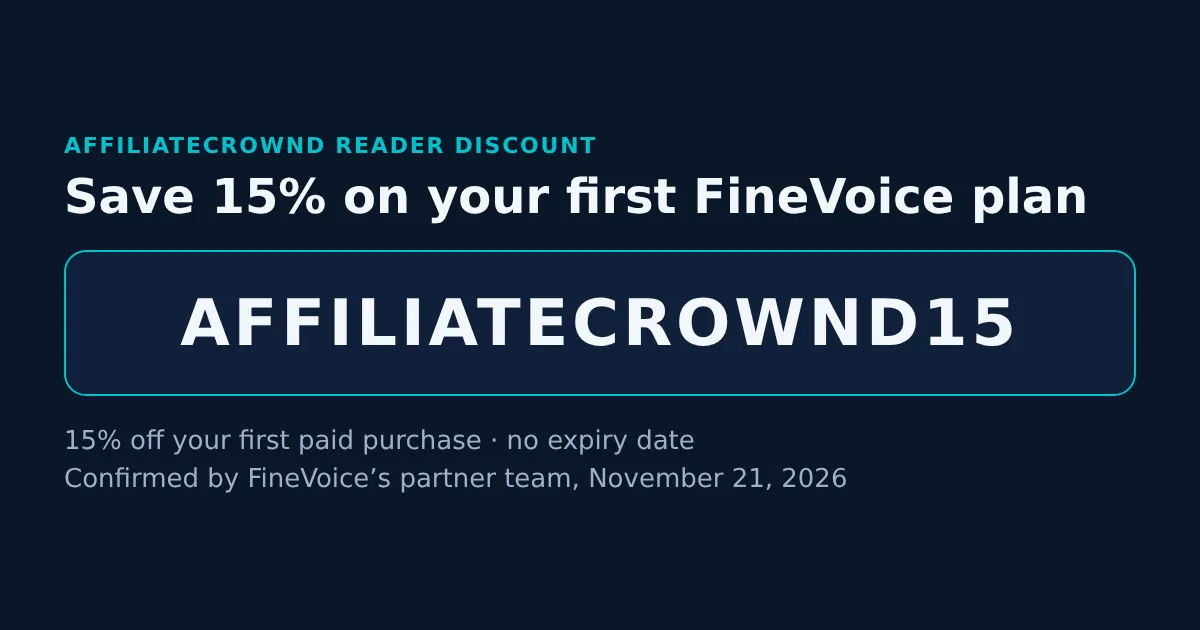
Save 15% on your first FineVoice plan
Use code AFFILIATECROWND15 at checkout. It works on your first paid purchase and has no expiry date.
Get the FineVoice DiscountAffiliate link. Code confirmed by FineVoice’s partner team on November 21, 2026.
What is FineVoice?
FineVoice is an AI voice and audio platform made by Fineshare Co., Ltd., the same company behind the FineCam webcam app and several other creator tools. You use it in a web browser, and FineVoice also lists desktop apps for Windows and macOS and an iPhone app on the App Store, with Google Play marked as coming soon on its site.
Most AI voice tools do one job: you type text and get a voice file back. FineVoice goes wider. Its menu includes text to speech, an AI voice changer, voice cloning, a voice design tool, speech to text, a voice enhancer, a voice isolator, an AI sound effect generator, an AI background music generator, an AI talking photo tool, an AI podcast generator and an AI voice translator. On top of that sits a long list of free browser utilities such as an audio extractor, audio mixer, pitch changer, subtitle generator and PDF to audio converter.
FineVoice also runs Aunio, which it describes as an AI audio production agent. Instead of opening each tool one by one, you describe the project. FineVoice says Aunio understands scripts, plans the workflow and brings voices, music and sound effects together into one production. Aunio uses its own credits, so this review focuses on the main FineVoice studio and treats Aunio as an extra worth watching.
Who should use FineVoice?
FineVoice suits people who need finished audio often and do not want to record, re-record and clean it up by hand. Find yourself in the table, then start with the plan in the last column.
| You are… | How FineVoice helps | Plan to start with |
|---|---|---|
| A faceless YouTube or TikTok creator | Voiceovers synced to video, sound effects and music in one place | Pro or Ultra (yearly) |
| A course creator or teacher | Clear narration, voice cleanup and translation for other languages | Basic or Pro |
| A podcaster | Enhancer for your own recordings, podcast generator for extra episodes | Pro |
| A blogger or affiliate marketer | Turn articles into podcasts and short video narrations | Basic |
| A small business | Ad voiceovers, product videos and phone or support messages | Pro or Ultra |
| Just curious | Test voices and tools without paying | Free |
FineVoice features explained
Here is what each main FineVoice AI voice generator tool does, in plain words, with the limits FineVoice publishes on its tool pages.
| Tool | What it does | Useful details from FineVoice’s pages |
|---|---|---|
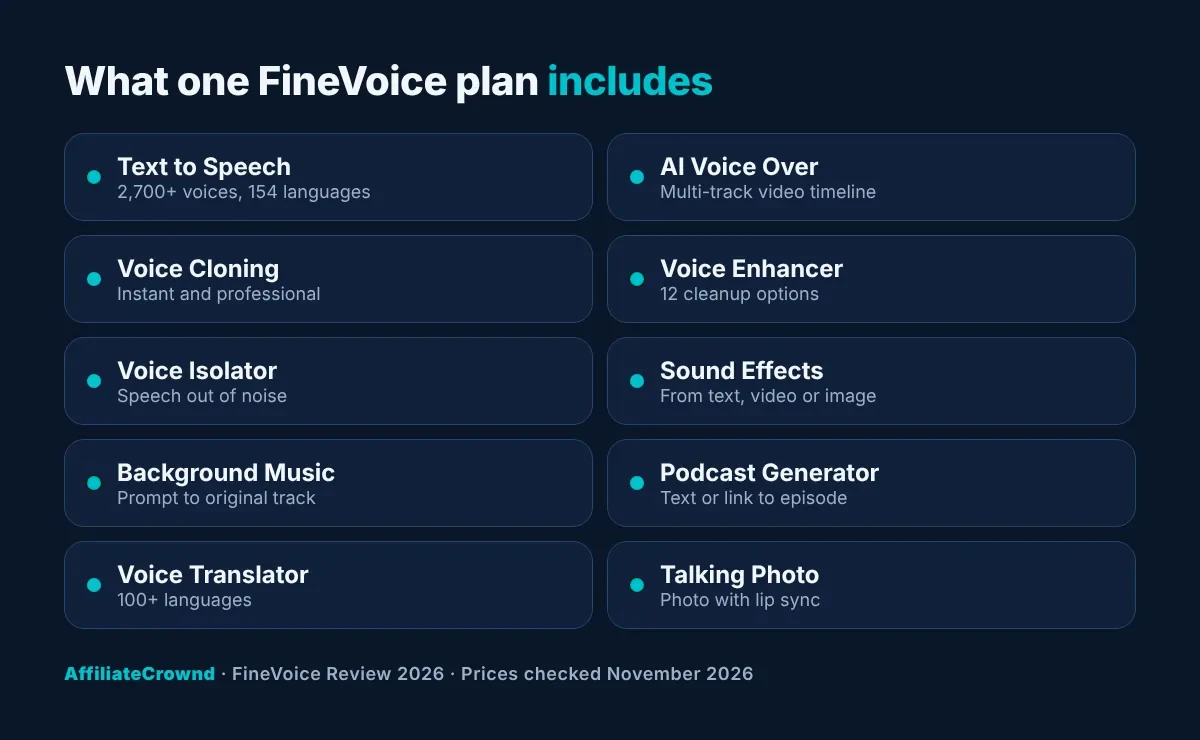
| Text to Speech | Turns typed or pasted text into spoken audio | 2,700+ voices across 154 languages and accents; emotion tags such as happy, sad, whispering and laugh; imports .txt, .docx and .srt files |
| AI Voice Over | Puts voices, sound effects and your video on a multi-track timeline | Upload MP4 or MOV up to 300 MB; export MP3, WAV or MP4 |
| Voice Cloning | Creates an AI copy of a voice you have permission to use | Instant and professional clones, with counts that depend on your plan |
| AI Voice Enhancer | Cleans noisy recordings | 12 options including noise, long silences, breaths, mouth sounds, filler words, stuttering and studio sound; up to 5 files at once |
| AI Voice Isolator | Separates speech from music and background noise | Works on audio or video files in the browser |
| AI Sound Effects | Generates sound effects from text, a video or an image | Video and image input formats include MP4, WEBM, JPG and PNG |
| AI Background Music | Composes original background tracks from a prompt | Choose genre, mood and instruments |
| AI Podcast Generator | Turns text, a link or a document into a podcast episode | Multiple AI hosts; 38 languages and accents; MP3 output |
| AI Voice Translator | Translates speech into another language with a spoken result | 100+ languages; files up to 10 minutes and 30 MB |
| AI Talking Photo | Animates a photo so it speaks with lip sync | Use your own recording or text to speech |
That breadth is the main reason to look at FineVoice. If you would otherwise pay for a voice tool, a noise remover and a stock music library separately, one FineVoice plan can replace several of them.
A note on FineVoice voice cloning. Cloning is the feature most likely to get creators into trouble. FineVoice’s terms require permission from the person whose voice you clone, so clone your own voice or a voice you have written consent to use. Never clone a celebrity, a client’s voice without a signed agreement, or anyone who has not agreed. The FTC’s guidance on AI voice cloning explains why consent matters.
FineVoice pricing: complete comparison
FineVoice has four plans: Free, Basic, Pro and Ultra. On November 21, 2026, FineVoice’s pricing page showed yearly billing only: Basic $71.99 a year, Pro $99.99 and Ultra $129.99, labelled as savings of 33%, 54% and 57%. The monthly prices below ($8.99, $17.99 and $24.99) are listed on FineVoice’s affiliate page; its pricing page did not show monthly prices on November 21, 2026, so confirm the monthly price at checkout before you buy.
| Plan | Yearly billing | Yearly, per month | Monthly billing | Text to speech | Voice clones (instant / professional) |
|---|---|---|---|---|---|
| Free | $0 | $0 | $0 | 1,000 characters a day | 3 / 0 |
| Basic | $71.99 | about $5.99 | $8.99 | 100,000 characters a month | 50 / 5 |
| Pro | $99.99 | about $8.33 | $17.99 | 300,000 characters a month | 100 / 10 |
| Ultra | $129.99 | about $10.83 | $24.99 | Unlimited | Unlimited / Unlimited |
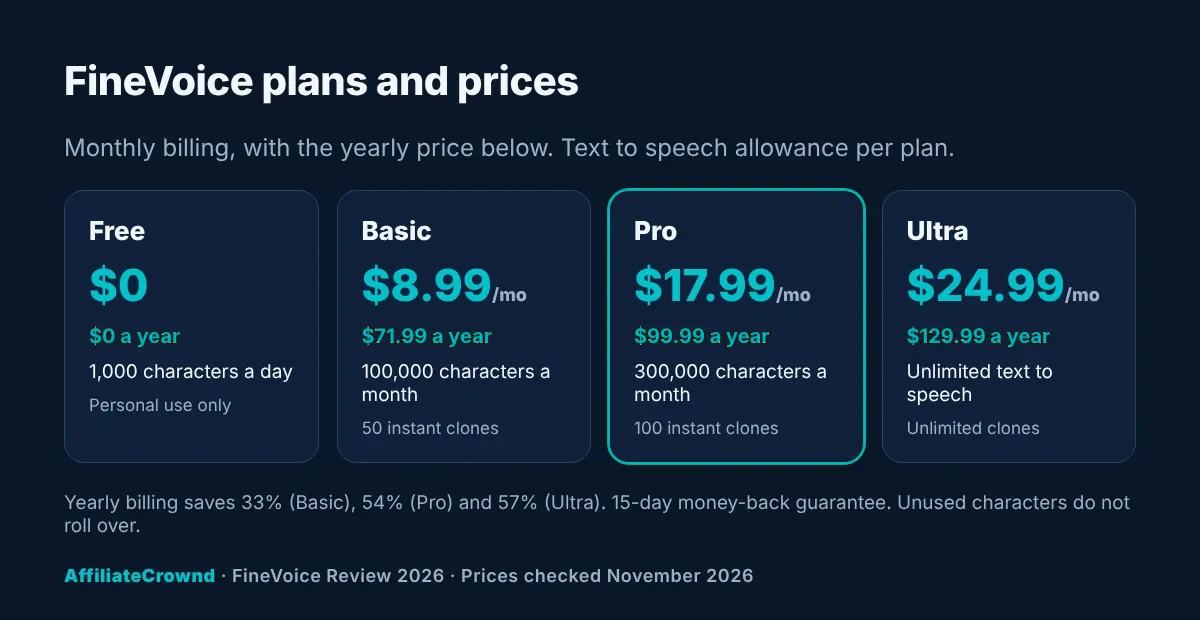
The yearly plans are where FineVoice gets cheap. Paying monthly for Pro costs $215.88 over twelve months, while the yearly Pro plan costs $99.99, a saving of about 54%. Ultra on yearly billing works out to roughly $10.83 a month for text to speech that FineVoice lists as unlimited, which is the standout deal on the page if you produce a lot of audio.
On the paid plans, each text-to-speech generation can take up to 5,000 characters at a time (1,000 on Free), so long scripts are processed in chunks. The pricing page lists these other allowances. Paid-plan figures are per month, and Free figures marked “a day” reset daily:
| Feature | Free | Basic | Pro | Ultra |
|---|---|---|---|---|
| Voice changer | 3 minutes a day | 24 hours | Unlimited | Unlimited |
| Speech to text | 30 minutes a day | 120 minutes | 240 minutes | Unlimited |
| AI Voice Design | 5 | 10 | 15 | Unlimited |
| AI Sound Effects | 30 credits a day | 100 | 250 | Unlimited |
| AI Voice Enhancer | 5 minutes | 40 minutes | 60 minutes | Unlimited |
| AI Background Music | 3 | 10 | 20 | Unlimited |
| AI Podcast Generator | 600 credits | 1,800 credits | 3,600 credits | Unlimited |
| AI Voice Translator | 10 minutes | 30 minutes | 60 minutes | Unlimited |
| AI Talking Photo | 20 | 240 | 480 | Unlimited |
What “unlimited” means on Ultra. FineVoice’s pricing page lists Ultra’s text to speech, cloning and most tools as unlimited, and on November 21, 2026 it did not publish a fair-use cap or other limit for those features. Many AI tools with unlimited plans reserve the right to limit unusually heavy or automated use, so if you plan to generate very large volumes, ask FineVoice support in writing before you buy.
With the AffiliateCrownd reader code. FineVoice’s partner team told us that code AFFILIATECROWND15 takes 15% off a first paid purchase and has no expiry date. If it applies to the plan you choose, a yearly plan would cost roughly $61.19 for Basic, $84.99 for Pro or $110.49 for Ultra before any sales tax. Your checkout total is the final word, so check the price before you confirm.
Three more terms matter before you buy. FineVoice states a 15-day money-back guarantee. You can cancel a monthly or yearly subscription at any time, and no further payments are taken after you cancel. And unused characters and minutes do not roll over to the next month, so buy for the amount you will really use. If you run out, FineVoice says you can buy more credits or wait for your next billing date.
Which FineVoice plan should you choose?
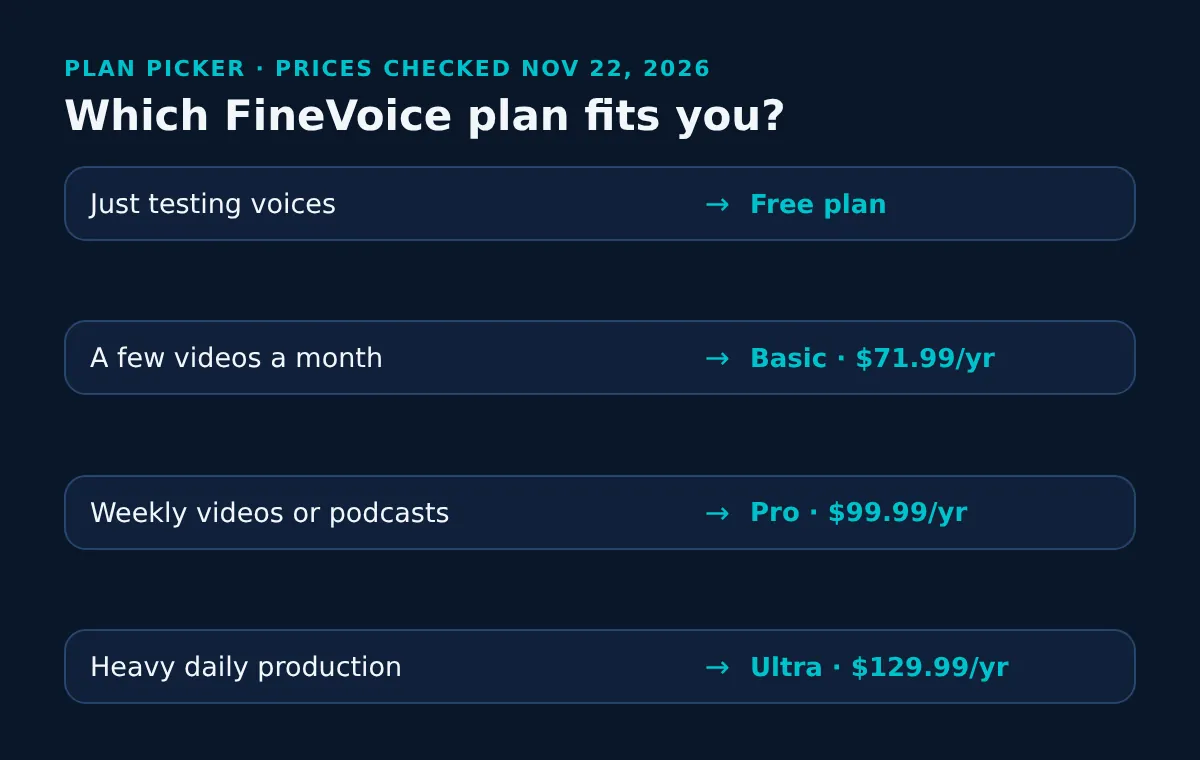
- Free: for testing voices and learning the tools. Not for anything you publish for money.
- Basic: for a creator making a few short videos a week. 100,000 characters is roughly 15,000 words of narration a month.
- Pro: for a weekly YouTube channel, a course or a podcast. Three times the characters of Basic, plus unlimited voice changing.
- Ultra: for heavy users, faceless channel owners and small agencies. Unlimited text to speech and unlimited use of most tools, and on yearly billing it costs only about $30 more a year than Pro.
Find the Right FineVoice Plan for Your Content
Compare Basic, Pro and Ultra on FineVoice’s pricing page. Code AFFILIATECROWND15 gives 15% off your first paid purchase.
Compare FineVoice PlansAffiliate link. 15-day money-back guarantee stated by FineVoice.
FineVoice free plan vs paid plans
The FineVoice free plan is generous for testing. You get 1,000 text-to-speech characters a day, three instant voice clones, three minutes of voice changing a day, 30 minutes of speech to text a day, 30 sound effect credits a day and small allowances on the other tools. Many tool pages say you can try them without signing up.
| Free | Basic, Pro, Ultra | |
|---|---|---|
| Cost | $0 | From $71.99 a year |
| Text to speech | 1,000 characters a day | 100,000 a month up to unlimited |
| Characters per generation | 1,000 | 5,000 on every paid plan |
| Professional voice clones | None | 5, 10 or unlimited |
| Commercial use of audio | No | Yes |
| Best for | Testing voices and tools | Anything you publish or sell |
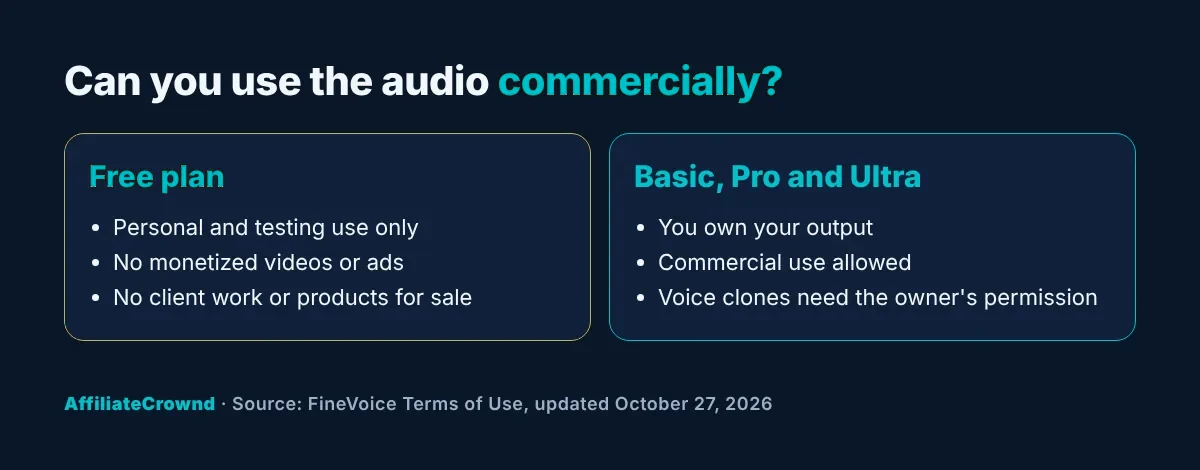
Important for creators who earn money: FineVoice’s Terms of Use (updated October 27, 2026) say audio made on the Free plan is licensed only for personal, non-commercial and internal evaluation use. It may not be sold, monetized, used in ads, used for client work or used in any revenue-generating product. On the Basic, Pro and Ultra plans, the terms say you own your output and may use it commercially.
So if your video is monetized, sponsored, carries affiliate links or is made for a client, use a paid plan for the final audio.
How to use FineVoice: step-by-step tutorial
The steps below follow the workflow FineVoice describes on each of its tool pages. Menu labels may move slightly as the app updates, but the order stays the same.
Step 1: Create your account
- Open FineVoice through this link and click Sign up.
- Register with an email and password, or use your Google or Apple account.
- Start on the Free plan to test voices. Upgrade only when you know which plan fits your volume.
- If you buy, pick yearly billing if you are sure you will keep using it, because it saves 33% to 57% compared with monthly billing. Enter code AFFILIATECROWND15 when you pay for your first plan, and check that the 15% discount shows before you confirm.
Step 2: Turn text into speech
This is the tool most people use first.
- Open Text to Speech from the AI Tools menu.
- Type or paste your script, or import a .txt, .docx or .srt file. Subtitle files are handy if you already have captions for a video.
- Choose a voice from the library. Filter by language and listen to a few samples before you commit.
- Pick a TTS model, then adjust pitch and speed. To add feeling, insert emotion tags such as [happy], [sad], [whispering] or [laugh] at the point in the script where you want them.
- Click Generate. FineVoice says short scripts process in a few seconds.
- Play the result, fix any word that sounds wrong (spelling a name the way it sounds often helps), generate again and download.
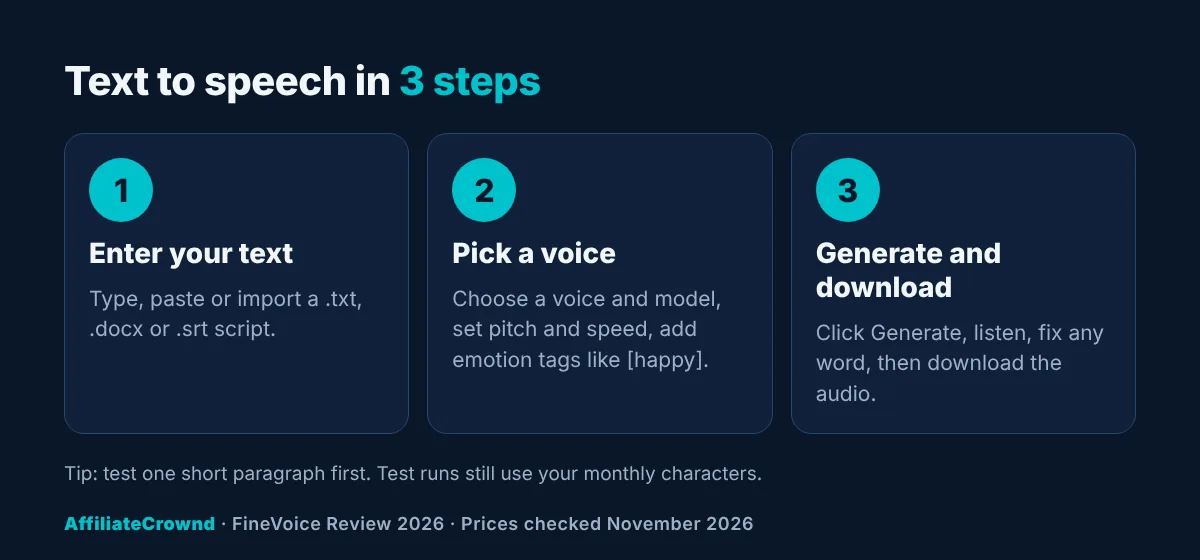
A tip that saves characters: generate one short paragraph first to choose your voice and settings, and only then paste the full script. FineVoice’s plans are measured in characters, so trying voices on a long script uses up your allowance faster.
Step 3: Add a voiceover to a video
FineVoice’s AI Voice Over studio is the feature that separates it from simple text-to-speech tools, because it lets you line up each sentence with the exact moment in your video.
- Open AI Voice Over and upload an MP4 or MOV file up to 300 MB, or start a blank project if you only need audio.
- Your video frames appear on the timeline. Type the first line of your script, choose a voice from the avatar picker and generate it.
- Add another track for a second speaker, or a sound effects track. Each voice and effect sits on its own lane.
- Drag, trim and split clips so each line starts where it should. Use zoom for precise timing and undo if you make a mistake.
- Preview against your video, then export as MP3 or WAV for editing elsewhere, or as an MP4 with the voiceover already synced.
Step 4: Clean up a recording you made yourself
If you record your own voice, the AI Voice Enhancer is designed to make a phone or laptop recording sound cleaner.
- Open AI Voice Enhancer and upload up to five audio files at once. FineVoice accepts MP3, AAC, AMR, M4A and WAV.
- Choose your options. Start with Remove Noise and Normalize, then add Remove Long Silences, Filler Words or Remove Breath if your recording needs them. Keep Music protects background music while the speech is cleaned.
- Click Enhance, listen to the before and after, and download. Exports include MP3, WAV, FLAC and M4A.
If the problem is loud music or crowd noise behind the voice, use the AI Voice Isolator instead. It separates the speech from everything else so you keep only the voice.
Step 5: Add sound effects and background music
- Open AI Sound Effects. Type a description such as “light rain on a window” or “cinematic whoosh”, set the length and click Generate. You can also upload a video or an image, and FineVoice analyzes the scene and generates sound effects to match it.
- Preview the effect, adjust the prompt if needed and download it as an MP3.
- Open AI Background Music. Describe the track, for example “calm acoustic guitar for a travel vlog”, choose a genre, mood and instruments under Music Style and click Generate.
- Download the track and place it under your voiceover in the AI Voice Over timeline or your usual video editor.
Step 6: Turn an article into a podcast
For bloggers and affiliate marketers, this is one of the most useful tools, because it gives old articles a second life as audio.
- Open AI Podcast Generator.
- Paste your text, enter the URL of a blog post or upload a document.
- Choose one host or several AI hosts, pick their voices and set the style, such as a news report, a lecture or a relaxed conversation.
- Generate the episode and download the MP3, ready for your podcast host, your website or YouTube.
Step 7: Translate your voice into another language
- Open AI Voice Translator and upload an audio file (MP3, AAC, AMR, M4A or WAV, up to 10 minutes and 30 MB) or record with your microphone.
- Choose the input language and the output language from more than 100 options.
- Click Transcribe to get the translated text and a spoken version, then download.
- Have a native speaker check anything important before you publish, because no AI translation is perfect.
FineVoice voice quality: how to test it yourself
Voice quality is the question every buyer asks, and the honest answer is that your own ears are the best judge. A voice that sounds natural in a calm product demo can sound flat in an energetic YouTube intro, so someone else’s rating only goes so far. This review does not score how natural the voices sound or compare FineVoice with ElevenLabs by ear. Disclosure: FineVoice gave AffiliateCrownd a complimentary annual premium account in November 2026.
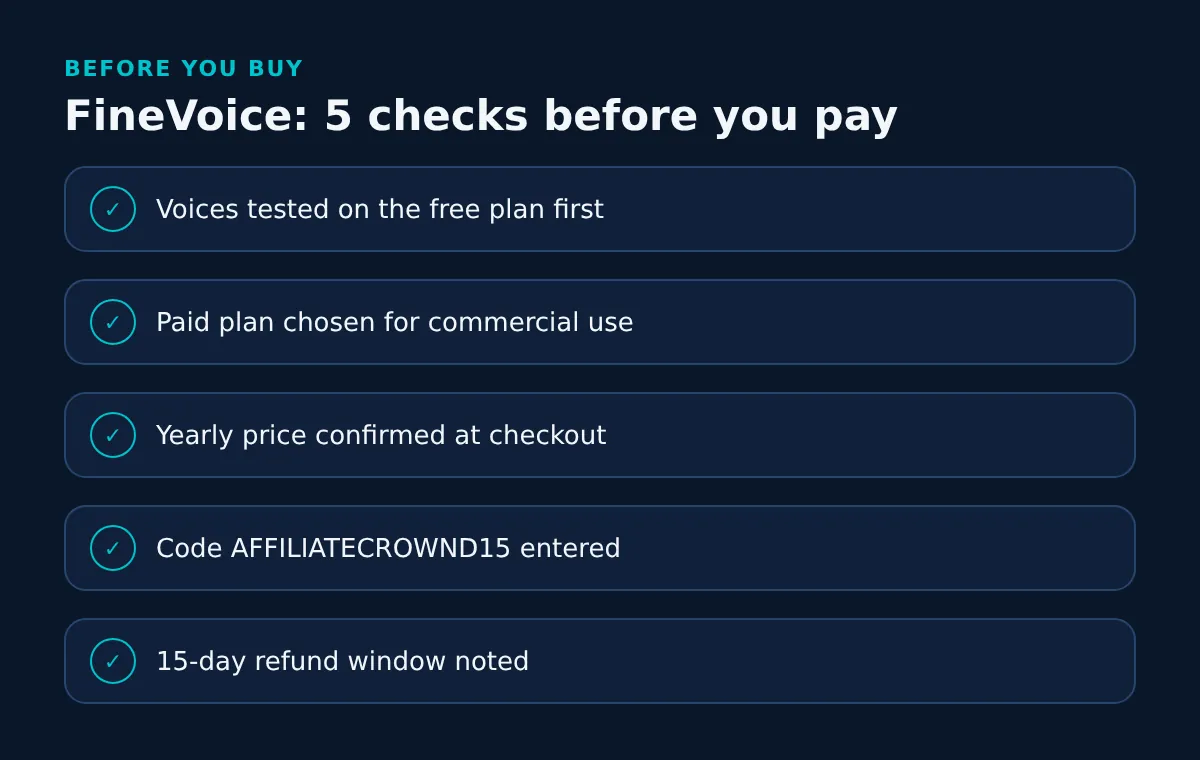
The free plan is enough to run the five checks below in about 30 minutes. Use a script you will actually publish, not a sample sentence, because real scripts expose pronunciation problems with names, numbers and brand terms.
| Test | How to run it on the free plan | What good looks like |
|---|---|---|
| English narration | Paste the same 300-word script into three different voices | Natural pacing, correct names and numbers, few retries needed |
| Spanish or another language | Generate a short script with a native voice in that language | Accent and word stress a native speaker would accept |
| Voice enhancement | Upload a phone recording made in a noisy room | Background noise removed without a robotic sound |
| Video voiceover | Add a voiceover to a 60-second clip and export it | Easy line timing and a clean MP4 export |
| Podcast generator | Turn one of your own articles into a two-host episode | Accurate to the article and a natural back-and-forth |
If a voice passes the first and third checks for your content, a paid plan is likely worth it. If you need many retries to get one clean take, try a different voice or stay on the free plan until you are sure.
Run these five checks on the free plan
Create a free FineVoice account, test your own script, and upgrade only if the voices pass. Code AFFILIATECROWND15 gives 15% off your first paid purchase.
Test FineVoice FreeAffiliate link. The free plan is for personal, non-commercial use.
FineVoice vs ElevenLabs
ElevenLabs is the best-known name in AI voices, and we cover it in our ElevenLabs review. The two tools aim at slightly different buyers. ElevenLabs focuses on voice quality and its voice tools, and charges by monthly credits. FineVoice bundles more creator tools into its plans and is cheaper at the top end.
| FineVoice | ElevenLabs | |
|---|---|---|
| Free plan | Yes, 1,000 TTS characters a day; non-commercial use only | Yes, 10,000 credits a month; commercial license listed from Starter up |
| Entry paid plan | Basic: $71.99 a year, or $8.99 a month | Starter: $6 a month (30,000 credits) |
| Mid plan | Pro: $99.99 a year, or $17.99 a month | Creator: $22 a month (121,000 credits) |
| Higher plan | Ultra: $129.99 a year, or $24.99 a month | Pro: $99 a month (600,000 credits) |
| Unlimited text to speech | Yes, on Ultra | No; usage is by monthly credits |
| Extra tools in the plan | Enhancer, isolator, sound effects, background music, podcast generator, translator, talking photo | Voice tools plus its own extra products, on credits |
| Video voiceover timeline | Yes, multi-track | Check ElevenLabs’ current studio features |
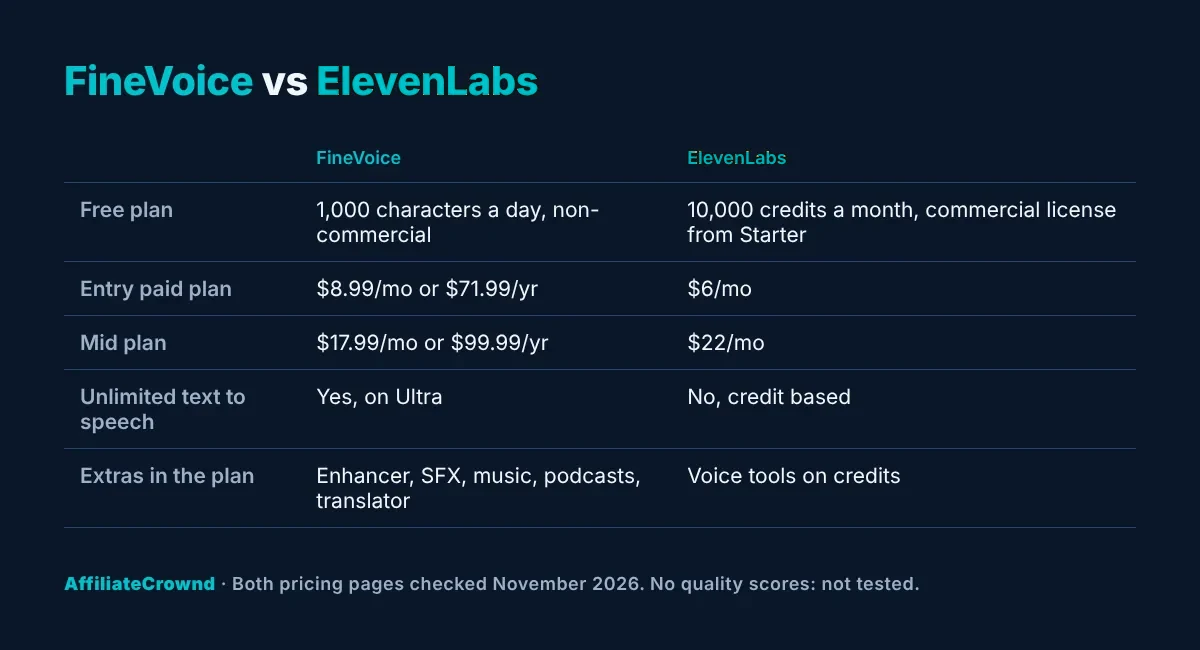
ElevenLabs prices are its regular monthly prices from its pricing page, checked November 21, 2026. That page also showed a $1 first month on Starter, an $11 first month on Creator and a Black Friday sale of up to 55% off ending December 1, so its price for a new customer this week may be lower.
Pick ElevenLabs if voice realism is your top priority and you are happy paying by usage. Pick FineVoice if you want one low price that covers voiceovers, cleanup, sound effects and music, or if you produce enough audio that unlimited text to speech makes sense. Many creators test both free plans with the same script before deciding. For a wider view, see our roundup of the best AI voice generators and our ElevenLabs vs Murf AI comparison.
Hear the voices with your own script
A comparison only goes so far. Paste a script you plan to publish into FineVoice’s free plan and listen before you decide.
Try FineVoice FreeAffiliate link. The free plan is for personal, non-commercial use.
FineVoice pros and cons
What FineVoice does well
- Many tools in one subscription: voices, cloning, cleanup, sound effects, music, podcasts and translation.
- Low yearly prices, with unlimited text to speech on Ultra for about $10.83 a month.
- A real multi-track timeline for syncing voiceovers to video.
- A large voice library: 2,700+ voices in 154 languages and accents for text to speech.
- Emotion tags that let you add laughter, whispers or a sad tone inside a script.
- Works in the browser, with desktop apps for Windows and macOS and an iPhone app.
- A 15-day money-back guarantee and cancel-anytime subscriptions.
What to watch out for
- Free-plan audio cannot be used commercially, which catches out many beginners.
- Unused characters and minutes do not roll over.
- Monthly billing costs much more than yearly billing, so the best price needs a 12-month commitment.
- “Unlimited” on Ultra has no published fair-use cap, so heavy users should confirm limits in writing.
- The tool list is long, and new users may feel lost at first. Start with Text to Speech and AI Voice Over.
- Voice quality is personal. Listen to the voices for your own language before you pay.
FineVoice commercial use, licensing and refund policy
These are the rules most likely to cost you money if you skip them, so here they are in one place.
- FineVoice commercial use: allowed on Basic, Pro and Ultra, where the Terms of Use say you own your output. Not allowed on Free, which is limited to personal, non-commercial and internal evaluation use.
- Voice cloning permission: you must have the consent of the person whose voice you clone.
- Privacy: FineVoice’s license lets it use uploaded and generated content to run and improve its services. That is common for AI tools, but do not upload confidential recordings or scripts you are not allowed to share.
- Refunds: FineVoice’s pricing FAQ states a 15-day money-back guarantee. It also says a refund request is closed if you do not reply within 14 days of FineVoice’s response, so answer support emails promptly. Read the full Refund Policy linked from the pricing page before you rely on it.
- Cancellation: you can cancel a monthly or yearly subscription at any time, and no further recurring payments are taken. Subscriptions are managed through a Stripe billing link.
- Taxes and discounts: sales tax may be added based on where you live. FineVoice also lists a 30% education discount for teachers and students.
Need commercial rights for YouTube or client work?
Paid plans include commercial use. Compare Basic, Pro and Ultra on FineVoice’s pricing page, then add code AFFILIATECROWND15 for 15% off.
See FineVoice PlansAffiliate link. The 15-day refund window applies to paid plans.
The FineVoice affiliate program
Because many AffiliateCrownd readers build content sites, here is what FineVoice offers partners. These terms come from FineVoice’s affiliate page and from FineVoice’s partner team in writing, November 2026:
| Commission | 30% on qualifying paid orders |
| Duration | Up to 12 months per referred subscription, including annual plans, while the subscription stays active |
| Cookie | 120 days |
| What does not count | Clicks, signups, downloads and free trials |
| Minimum payout | $50 |
| Payout schedule | Quarterly, usually processed 3 to 7 days after the payout window |
| Payment method | Bank transfer; PayPal is planned but not yet available |
FineVoice’s own calculator shows an example: ten sales of the $17.99 monthly Pro plan at 30% for 12 months comes to $647.64, assuming no customer cancels. That is FineVoice’s illustration, not a promise of earnings, and real results depend on your traffic and how many customers stay. Quarterly payouts and a $50 minimum also mean your first payment can take several months. To compare it with other programs, read our guide to the best affiliate programs for beginners or see our top affiliate programs list.
Who should not buy FineVoice?
- You only need a voice once or twice. The free plan or a short monthly plan is enough; a yearly plan would be wasted.
- Voice realism is the only thing that matters. Test ElevenLabs side by side before paying for either.
- You want to publish free-plan audio for money. The license does not allow it.
- You need a guaranteed volume for an automated pipeline. Get FineVoice’s limits in writing first, because no fair-use terms for Ultra were published when we checked.
- You work with confidential audio. Read FineVoice’s data terms carefully before you upload anything sensitive.
What this review does and does not cover
We want you to know exactly where this review stops. It does not include our own listening tests, so we make no claim about which tool sounds most human. FineVoice’s site shows user reviews and creator quotes, but we cannot confirm who wrote them, so we have not repeated them here. Processing times are FineVoice’s own descriptions, not our measurements.
A few other points to know. FineVoice’s pricing page did not show monthly prices on November 21, 2026, so the monthly figures come from its affiliate page. No fair-use limit was published for Ultra’s unlimited features. The reader code comes from FineVoice’s partner team, so check that the 15% discount shows at checkout before you pay. Use the free plan and the 15-day guarantee to judge quality with your own scripts.
Final verdict
FineVoice is one of the better-value AI audio tools for creators in 2026. Its strength is not one magic feature but the bundle: you get text to speech, a video voiceover timeline, voice cleanup, sound effects, background music, a podcast generator and translation for less than many single-purpose tools cost. The yearly Ultra plan, with unlimited text to speech at about $10.83 a month, is hard to beat if you publish often.
The main catch is the free plan’s non-commercial license, so treat it as a test drive, not a production tool. If voice realism is the only thing you care about, test ElevenLabs alongside it. If you want one affordable studio that covers most of your audio work, FineVoice is well worth a try, and the 15-day money-back guarantee plus the AFFILIATECROWND15 code lower the risk of finding out.
Ready to Test FineVoice With Your Own Script?
Paste one paragraph, try three voices and listen. If it fits, use code AFFILIATECROWND15 for 15% off your first paid purchase.
Start Testing FineVoiceAffiliate link. We may earn a commission at no extra cost to you.
How to get started with FineVoice today
- Open FineVoice and create a free account.
- Paste one paragraph of a real script into Text to Speech and try three or four voices.
- Upload a short video to AI Voice Over and sync two or three lines to see if the timeline suits you.
- If you like it, choose Pro or Ultra on yearly billing for the best price, enter code AFFILIATECROWND15, and remember the 15-day money-back window.
Building a site to share tools like this? Get our free affiliate website checklist, follow our guide to building an affiliate website on WordPress, or start with What Is Affiliate Marketing? The Complete Beginner’s Guide.
Frequently asked questions
Is FineVoice free?
Yes. FineVoice has a free plan with daily limits, including 1,000 text-to-speech characters a day, three instant voice clones and 30 minutes of speech to text a day. Audio made on the free plan is for personal, non-commercial use only under FineVoice’s Terms of Use.
How much does FineVoice cost?
On yearly billing, Basic is $71.99, Pro is $99.99 and Ultra is $129.99 a year. Monthly billing was listed at $8.99, $17.99 and $24.99 a month. Prices were checked in November 2026 and can change.
Is there a FineVoice discount code?
Yes. FineVoice’s partner team says code AFFILIATECROWND15 gives AffiliateCrownd readers 15% off their first paid purchase, with no expiry date. Check that the discount appears at checkout before you pay.
Can I use FineVoice voices on YouTube and for commercial projects?
Yes, on a paid plan. FineVoice’s Terms of Use say Basic, Pro and Ultra users own their output and may use it commercially. Free-plan output may not be monetized, used in ads or used for client work.
Can I clone my own voice with FineVoice?
Yes. The free plan includes three instant voice clones, and paid plans add professional clones. You must have permission from the person whose voice you clone, so cloning your own voice is the safe place to start.
Does FineVoice offer refunds?
FineVoice states a 15-day money-back guarantee, and you can cancel a monthly or yearly subscription at any time with no further charges. Unused characters and minutes do not carry over to the next month.
Is FineVoice better than ElevenLabs?
It depends on what you need. FineVoice bundles more creator tools and offers unlimited text to speech on its Ultra plan. ElevenLabs is known for voice realism and charges by monthly credits. Test both free plans with the same script before you decide.
Sources and last verification date
- FineVoice pricing page: yearly prices, plan limits, refund FAQ, cancellation and rollover rules. Checked November 21, 2026.
- FineVoice affiliate page: monthly plan prices and earnings calculator example. Checked November 2026.
- FineVoice partner team (written correspondence): affiliate terms, payout details and reader code AFFILIATECROWND15. Received November 2026.
- FineVoice Terms of Use (updated October 27, 2026): free-plan license, output ownership, voice-cloning consent and content license. Checked November 2026.
- FineVoice tool pages: feature details, file formats and limits. Checked November 2026.
- ElevenLabs pricing page: plan prices, credits and current offers. Checked November 21, 2026.
Last verified: November 22, 2026. Plans, limits and prices can change, so confirm on the official site before you buy.