
Kit Review 2026: Pricing, Free Plan and Who It Fits
By Oscar · 16 min read
Disclosure: this page has no affiliate links. Kit is linked plainly because we have not joined its affiliate program yet, so we earn nothing if you sign up. If we add an affiliate link later, we will update this notice. Read our affiliate disclosure and how we research.
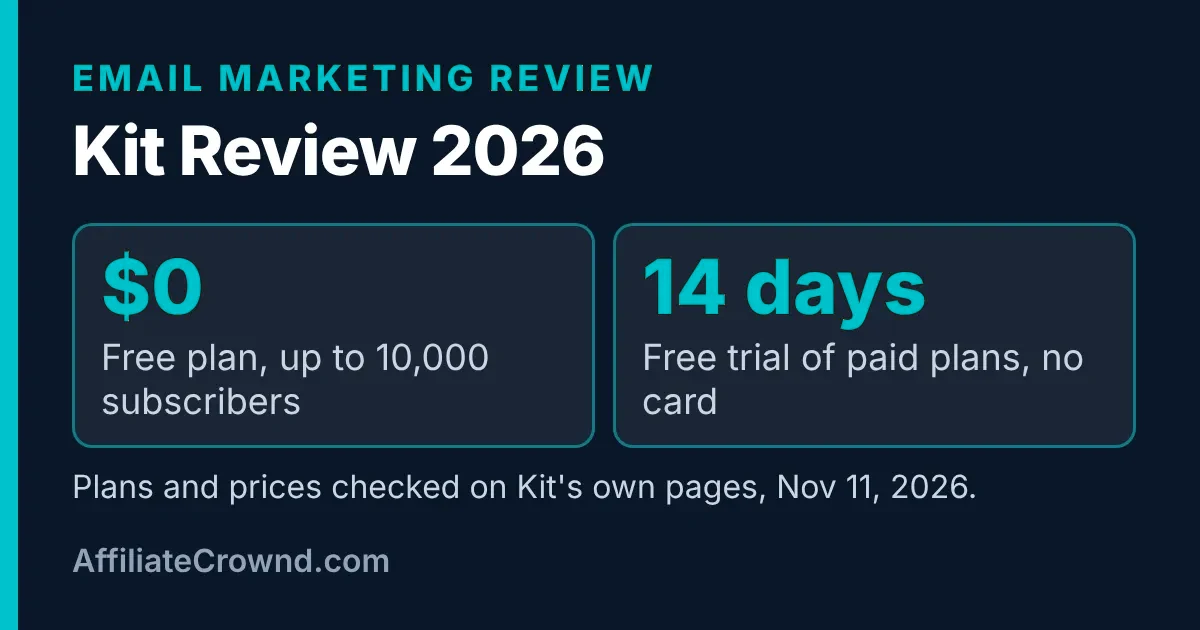
Quick Answer: Is Kit Worth It?
The short version of this Kit review: Kit is a strong choice if you want to build an email list as a blogger, creator or small publisher, and you want to start for free. The free plan allows up to 10,000 subscribers, with unlimited landing pages, forms and email broadcasts. You only need a paid plan when you want automations and sequences, which are part of the Creator plan.
Who it fits: bloggers, newsletter writers, course creators, and anyone building an audience they own.
Who should skip it: people who need a full funnel builder with checkout, or who want heavy store features. For that, look at an all-in-one platform instead (see the comparison below).
Last checked: November 11, 2026. Prices change, so confirm on Kit’s own pricing page before you buy.
Table of Contents
What Kit Is (and What It Used to Be Called)
Kit is an email marketing platform made for creators. It used to be called ConvertKit, and you will still see that older name on many websites and in older reviews. If an article talks about “ConvertKit” pricing from a couple of years ago, treat the numbers as out of date.
The idea behind Kit is simple. You collect email addresses with forms and landing pages, you tag and group the people who sign up, and you send them emails. Those emails can be one-off broadcasts, like a weekly newsletter, or automated sequences that run on their own after someone joins.
Kit is built around people, not campaigns. Every subscriber is one record, and you organize them with tags and segments. That is different from older email tools that make you keep separate lists for every purpose. For a beginner this is easier to manage: one audience, many tags.
Who Should Read This Kit Review
This review is written for beginners. If you run an affiliate website, a blog or a small online business, you are the reader we have in mind. We cover the four questions most people ask before choosing an email tool:
- What is Kit and how does it work? (the basics)
- Is Kit better than the other options? (the comparison)
- How much does Kit cost, and where do I sign up? (the buying decision)
- Where do I find Kit’s pricing and login pages? (the quick links near the end)
Kit Pricing in 2026: Free, Creator and Pro
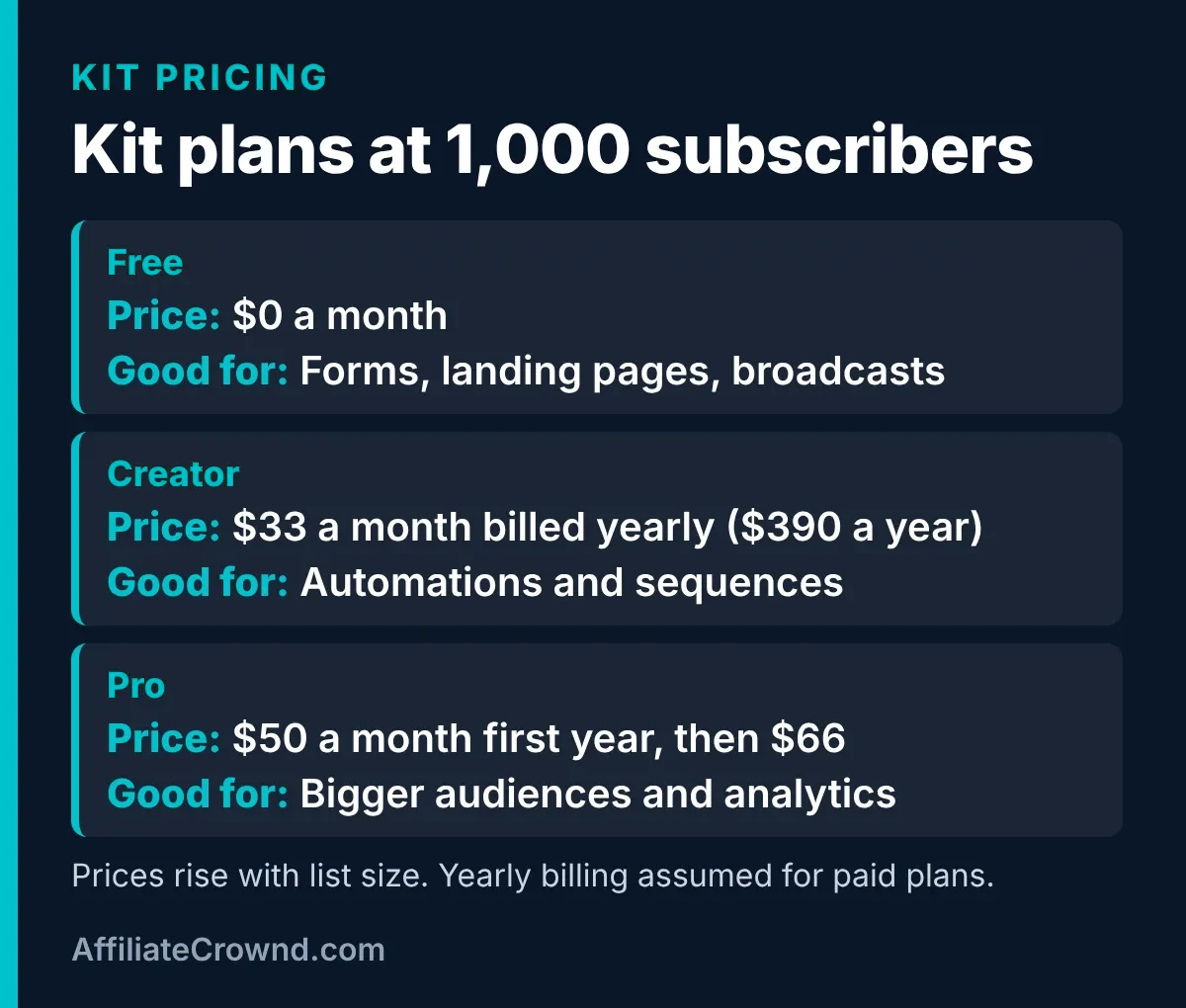
Kit has three plans: Free, Creator and Pro. The prices below were shown for 1,000 subscribers. Kit’s price rises as your list grows, so a bigger list costs more on the paid plans.
| Plan | Price shown (1,000 subscribers) | Subscribers | Free trial |
|---|---|---|---|
| Free | $0 per month | Up to 10,000 | Not needed |
| Creator | $33 per month when billed yearly ($390 a year, which Kit says saves $78) | Unlimited on the plan, price grows with your list | 14 days, no credit card |
| Pro | $50 per month for the first year, then $66 per month (limited-time first-year offer) | Unlimited on the plan, price grows with your list | 14 days, no credit card |
A few things to keep in mind about this table:
- The yearly price is a discount. The $33 Creator price assumes you pay for a year up front. Paying monthly costs more. Kit’s page says yearly billing saves 17%.
- The Pro price is an introductory offer. Kit’s page says the discount applies only to your first year, and the plan renews at the standard rate after that. Plan for the higher price.
- Price depends on your list size. Everything above is for 1,000 subscribers. Move the slider on Kit’s page to see your own number.
- Free means free. There is no credit card needed for the paid plan trials either, which makes testing low risk.
What You Get on the Free Plan
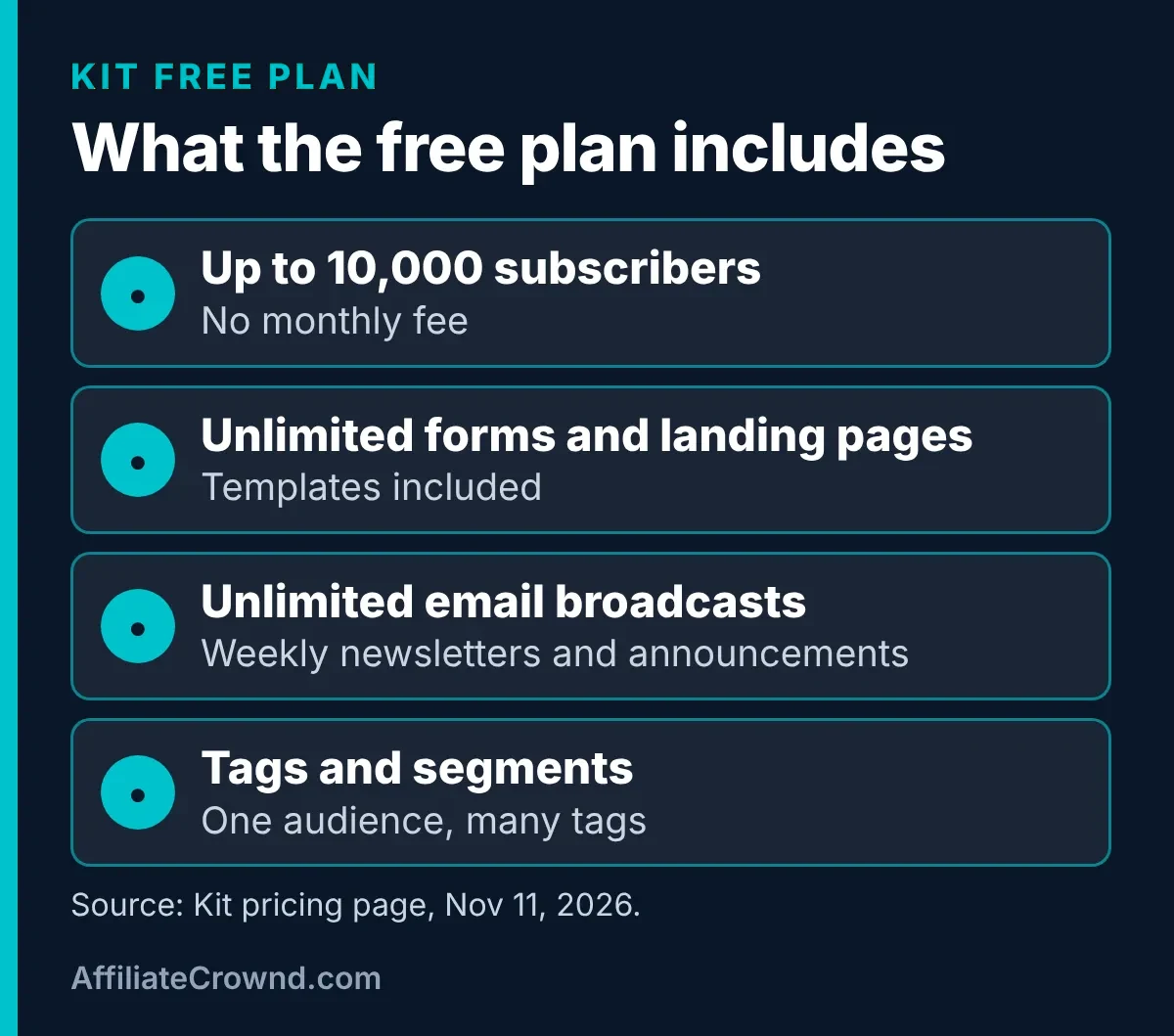
The free plan is the main reason beginners start with Kit. According to Kit’s pricing page, it includes:
- Up to 10,000 subscribers
- Unlimited landing pages and forms
- Unlimited email broadcasts
- Audience tagging and segmentation
- The ability to sell digital products and subscriptions
- A newsletter feed and website, plus landing page and form templates
- A customizable domain
For a new website that is still collecting its first subscribers, this is plenty. You can build a signup form, add a landing page, send a weekly email and organize readers with tags without paying anything.
What the Creator Plan Adds
Creator is the plan most growing sites end up on. Kit lists these additions on top of Free:
- Unlimited visual automations
- Unlimited email sequences
- Kit MCP
- Surveying subscribers with polls
- The option to remove Kit branding
The big one is automation. A sequence lets you set up a welcome series once, and every new subscriber receives it automatically. For an affiliate site that is where much of the value comes from, because a good welcome series can introduce your best guides and tools without you sending anything by hand.
What the Pro Plan Adds
Pro includes everything in Creator, plus features aimed at larger or more data-driven publishers:
- Subscriber Signals
- A Growth Concierge team
- Engagement analytics
- Unlimited users
- An insights dashboard
- Deliverability reporting
- More features listed under “Show more features” on Kit’s page
Most beginners do not need Pro on day one. If you are not sure, start on Free, move to Creator when you want automations, and only consider Pro once your list and your team have outgrown Creator.
Kit Features That Matter for a New Website
Feature lists can be long and confusing, so here are the parts that matter most when you are starting out.
Forms and Landing Pages
Forms are how people join your list. Kit lets you create email opt-in forms and landing pages, and both are unlimited on every plan, including Free. Kit also gives you templates for both, so you are not designing from a blank page.
For an affiliate site, a simple form at the end of each article and one landing page for a free checklist is a good start. If you are not sure what to offer, our free checklist for launching an affiliate site is an example of a lead magnet that fits this kind of audience.
Tags and Segments
Tags let you label subscribers by interest. Someone who signs up from your hosting article gets a hosting tag. Someone who joins from your email article gets an email tag. Later you can send a message only to the people who care about that topic.
You do not end up with ten separate lists, and a reader who is interested in two topics is still one subscriber.
Broadcasts
A broadcast is a one-time email sent to all your subscribers or to a tagged group. Kit’s free plan includes unlimited broadcasts. A weekly newsletter or a “new article” announcement is a broadcast.
Sequences and Automations
Sequences are a series of emails sent over days or weeks, starting when someone joins. Visual automations let you build rules, such as “if a subscriber clicks this link, add this tag and send that sequence.” Both are on the Creator plan and above.
This is the feature that turns an email list from a mailing habit into a system. You write a welcome sequence once, and it works every day.
Selling Digital Products and Subscriptions
Kit’s free plan lists the ability to sell digital products and subscriptions. That means you could sell a checklist, a guide or a paid newsletter without a separate store. If you plan to sell products, check Kit’s page for how fees and payments work, because those details are not part of the pricing table above.
Deliverability and Analytics
Deliverability is whether your email reaches the inbox or lands in spam. Kit lists deliverability reporting on the Pro plan. Whatever tool you use, the best protection is the same: collect addresses from people who asked for your emails, send useful messages, and keep your list clean.
Kit vs Other Options for Beginners
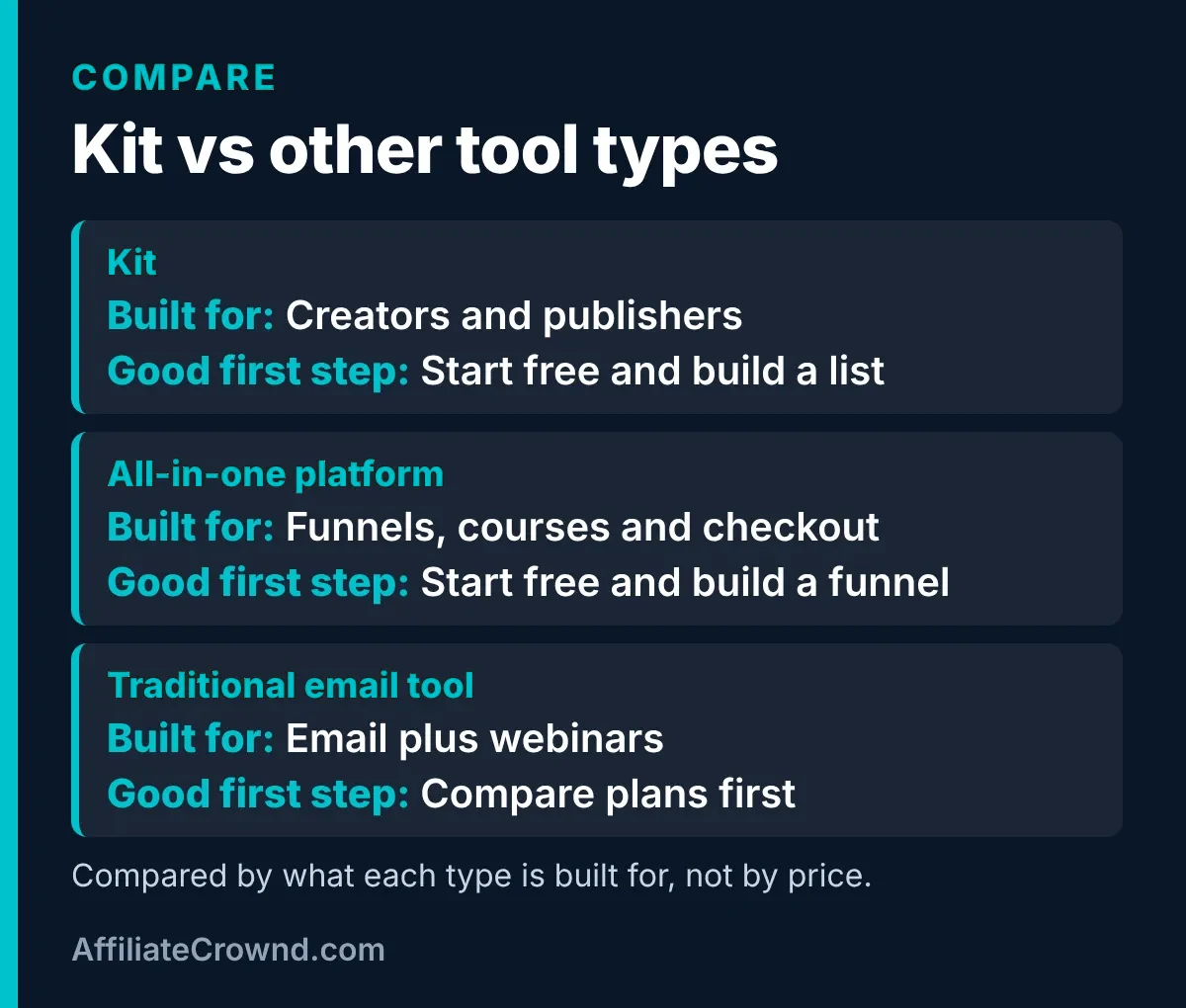
No tool is best for everyone. The right choice depends on what else you need. This comparison stays at the level of what each type of tool is built for, because prices and limits change often.
| Kit | All-in-one platform (for example Systeme.io) | Traditional email tool (for example GetResponse) | |
|---|---|---|---|
| Built for | Creators and publishers who want to own an audience | People who want funnels, email, courses and checkout in one place | Businesses that want email plus webinars and landing pages |
| Free option | Yes, up to 10,000 subscribers | Has a free plan (see our Systeme.io free plan guide) | Check the provider’s page |
| Strength | Simple, creator-friendly email with tags and sequences | One login for many business tools | Email, automation and webinars together |
| Possible drawback | Not a full funnel and checkout builder | More to learn at the start | Less focused on solo creators |
| Best first step | Start free and build a list | Start free and build a funnel | Compare plans before you commit |
If your main goal is to collect emails from readers and send them useful messages, Kit is a clean fit. If you want to build a funnel that sells a course or product end to end, an all-in-one platform may suit you better. We cover that choice in our Systeme.io review and our Systeme.io vs Kajabi comparison.
Pros and Cons of Kit
What we like
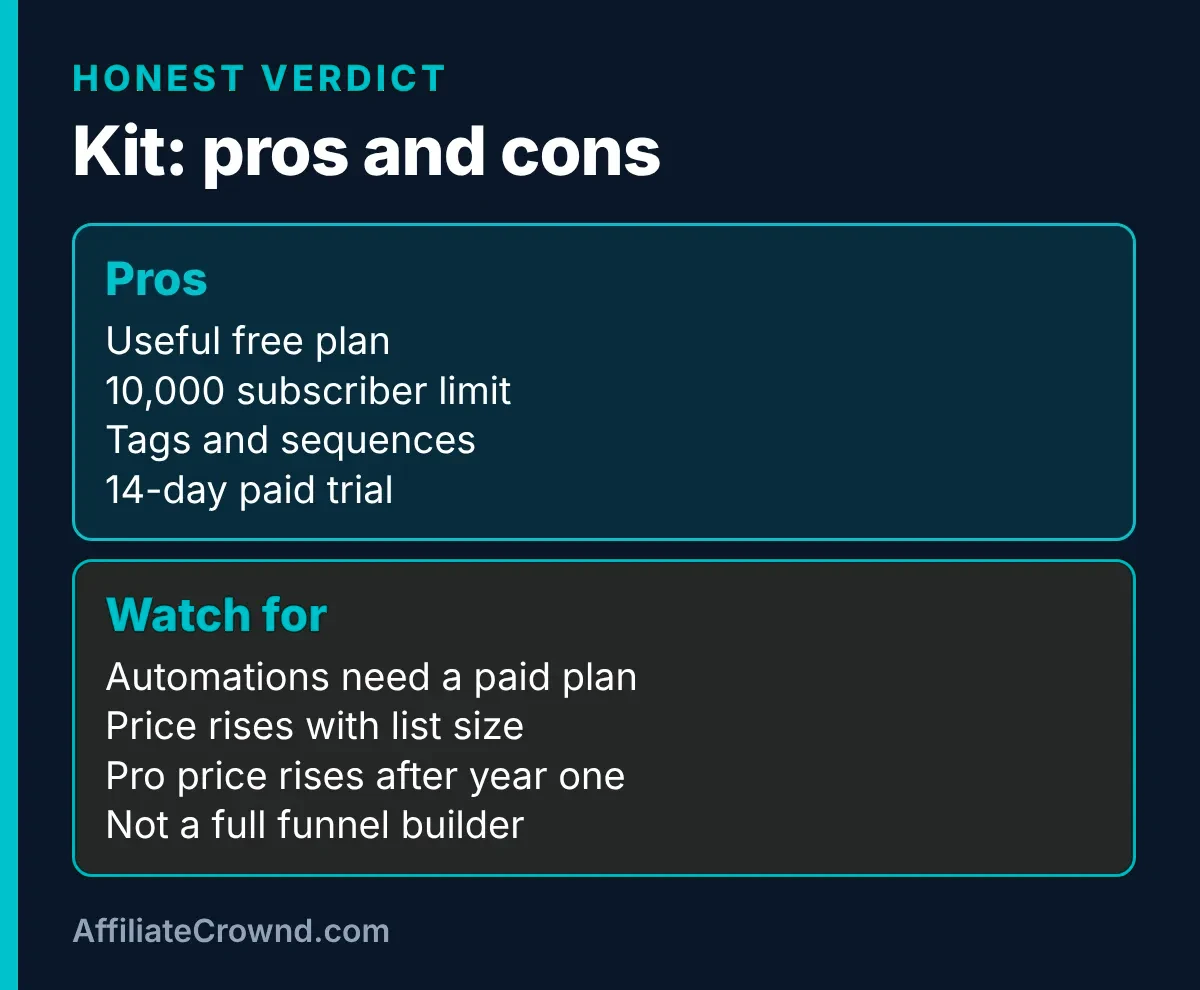
- A free plan that is useful, not a short trial
- A high free subscriber limit (10,000)
- Unlimited forms, landing pages and broadcasts on every plan
- Tags and segments that keep you to one audience
- Sequences and automations when you are ready for them
- A 14-day trial of paid plans with no credit card
What to watch
- Automations and sequences need a paid plan
- Paid prices rise as your list grows
- The Pro price is a first-year offer that goes up at renewal
- It is not built to be a complete funnel and checkout platform
- Older articles online still call it ConvertKit and show old prices
Who Should Choose Kit
Kit is a good fit if:
- You are a blogger or affiliate marketer who wants to turn readers into subscribers
- You are a newsletter writer who wants a simple place to write and send
- You are a course or product creator who wants an audience before launching
- You want to start free and pay only when you need automations
- You like a simple, tag-based way of organizing subscribers
Who Should Skip Kit
Kit may not be the best choice if:
- You want a complete funnel builder with checkout, order bumps and course hosting in one tool
- You need advanced webinar features built in
- You never plan to send automated sequences and want the very cheapest possible setup (the free plan may be enough, but check the other free options too)
There is no shame in skipping a good tool that does not match your plan. The cost of a wrong choice is not the price, it is the time you spend rebuilding your list somewhere else.
Kit for Affiliate Marketers: Why Email Matters
If you run an affiliate site, email gives you something search engines cannot: a way to reach readers again. A visitor who reads one article and leaves may never return. A subscriber hears from you every week.
Here is a simple way to use Kit on an affiliate site:
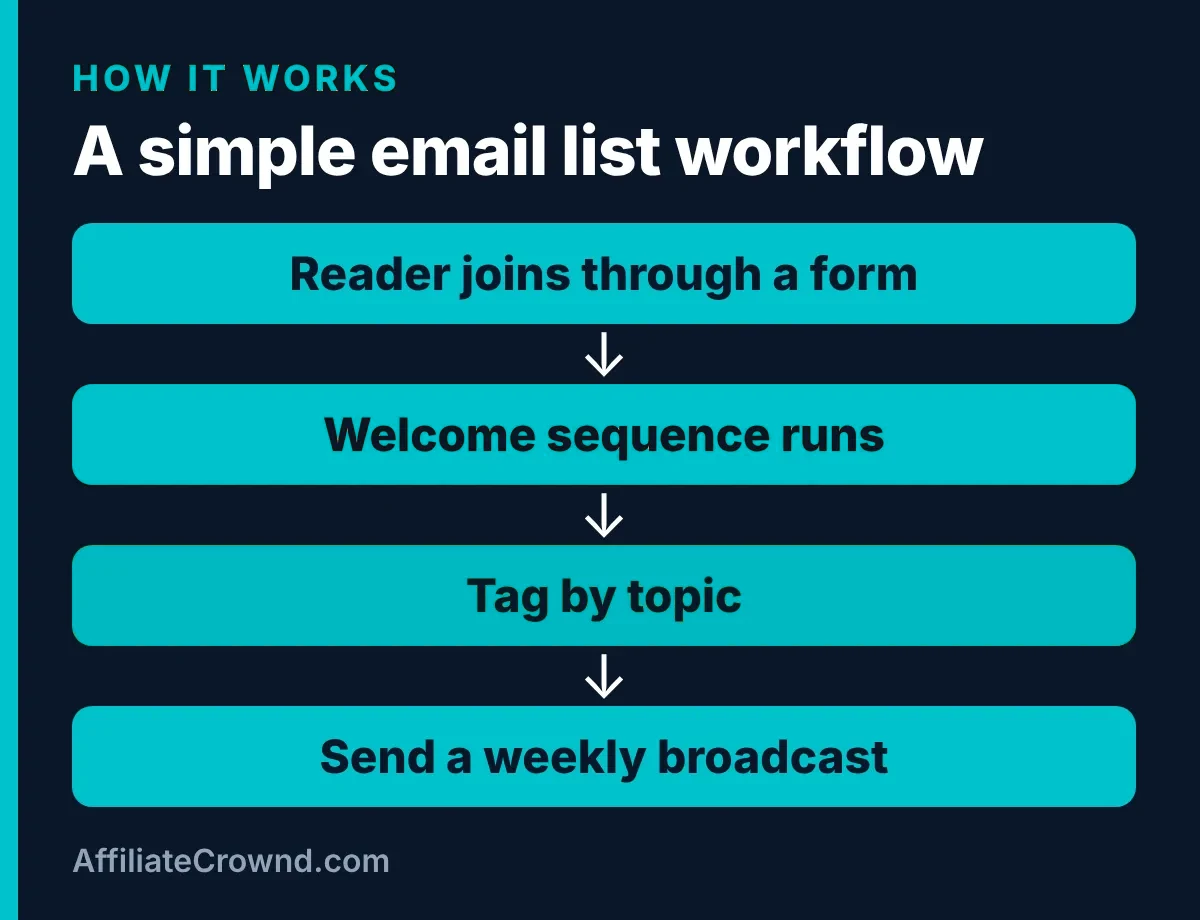
- Offer one useful free resource (a checklist or short guide) in exchange for an email address.
- Send a short welcome sequence that introduces your three best articles.
- Tag subscribers by the article or topic that brought them in.
- Send a weekly or twice-monthly email with one new guide and one honest recommendation.
- Disclose affiliate links clearly, the same way you do on your website.
We have a full step-by-step guide to this in How to Build an Email List from Scratch. It works with any email tool, including Kit.
A note on honesty: email can help your site earn more over time, but it does not guarantee income. Results depend on your niche, your content and how much your readers trust you.
A Simple Welcome Sequence You Can Copy
A welcome sequence is the first set of emails a new subscriber receives. Here is a plain outline you can adapt. It needs the Creator plan, because sequences are a paid feature.
- Email 1 (right away): Thank them, deliver the free resource they signed up for, and say how often you will write.
- Email 2 (day 2): Share your single most useful article for a beginner, with one sentence on why it helps.
- Email 3 (day 4): Share a second guide and ask one question, such as “What are you trying to build?” Replies tell you what to write next.
- Email 4 (day 7): Introduce one tool you honestly recommend, explain who it suits and who should skip it, and disclose any affiliate link.
Keep each email short. A beginner reading on a phone wants one idea and one link, not five.
What Happens If You Outgrow the Free Plan
Moving up is a normal part of growing, not a trap. When your list gets large or you want automations, you can start the 14-day trial of a paid plan without a credit card, according to Kit’s pricing page. Because paid pricing rises with your subscriber count, work out your expected cost for your list size before you commit. Move Kit’s subscriber slider to your number, switch between monthly and yearly billing, and compare the total for the year.
If you ever decide to switch tools, Kit’s pricing page lists free migrations, which means help moving your list from another provider into Kit. That is a useful detail if you already have a list somewhere else and want to try Kit without starting over.
How Kit Fits With the Rest of Your Site
Email works best when it is connected to your content. Put a signup form at the end of articles that people finish reading. Mention your free resource inside the article, not only at the bottom. And link your best guides from your welcome emails, so new subscribers find the pages that help them most. Our affiliate programs for beginners guide and the Start Here page are good pages to feature early, because they give a new reader a clear path.
The Kit Affiliate Program (If You Want to Promote Kit)
If you have your own site, you can also earn by recommending Kit. According to Kit’s affiliate page (checked November 11, 2026):
- Commission: 50% of each referred customer’s payments for their first 12 months
- Bonus: if you refer 10 paying customers in a year, you earn an extra 10% recurring commission for as long as they stay with Kit
- How to join: apply through PartnerStack, which Kit says takes about five minutes
- Decision time: Kit says most applications get a decision in two to three business days, and a person reviews each one
- After approval: you get your affiliate link and promotion assets
Kit’s page also says the average customer stays 40 months. That is Kit’s own figure, so treat it as a company claim, not a promise of your results.
We have not joined Kit’s affiliate program yet, so every Kit link on this page is a plain link and we earn nothing if you sign up. If that changes, we will update the disclosure at the top. Either way, this review is based on the plan details, not on any commission.
How to Get Started With Kit
Starting takes less than an hour. Here is a beginner path.
- Go to Kit and create a free account. Choose the Free plan. No credit card is needed for the free plan, and paid plan trials also say no credit card is required.
- Create your first form. Pick a template and write one clear promise, such as “Get the free launch checklist.”
- Add the form to your website. Place it at the end of your best articles, and consider a dedicated landing page.
- Write your welcome email. Keep it short. Say who you are, what to expect, and link to three helpful articles.
- Set up tags. Create one tag per topic you cover.
- Send your first broadcast. A short note announcing your newest guide is enough.
- Upgrade only when you need to. When you want automated sequences, start the 14-day Creator trial and decide with real numbers in front of you.
How We Approached This Kit Review
We wrote this Kit review for one reader: someone starting an email list for a blog or small creator business who wants to keep costs low at first. That is why the free plan gets so much attention here, and why we compare Kit with simpler and all-in-one tools rather than with enterprise email platforms.
Every price and plan limit in this article comes from Kit’s official pricing page and help pages on the date shown in our sources note. Plans and limits change, so check the live pricing page before you upgrade. Where Kit does not publish a detail, we say so instead of guessing.
We judged Kit on five questions that matter to a beginner. Can you start for free with a real list? How easy is it to create a signup form and a landing page? Can you tag subscribers so you send the right email to the right person? What does it cost when you need automations? And how hard would it be to leave if you outgrow it?
- Free start: strong, because the free plan covers a real list size for a new site.
- Forms and pages: simple enough for a first-time user.
- Tags: one of Kit’s best features for organizing readers by interest.
- Automations: the main reason to pay, so plan for that cost early.
- Leaving later: you can export your subscribers, which keeps your list yours.
What this Kit review does not cover: deliverability tests across inbox providers, advanced e-commerce setups and team features. Those matter for larger businesses, but they are not what most beginners need to decide on day one.
Common Mistakes to Avoid
- Paying before you need to. The free plan covers a lot. Upgrade for automations, not for pride.
- Using old ConvertKit prices. Always check Kit’s current pricing page.
- Ignoring yearly vs monthly billing. The headline price may assume yearly billing.
- Forgetting renewal prices. An introductory price is not the long-term price.
- Building a list without permission. Only email people who signed up. It protects your reputation and your deliverability.
- Hiding affiliate links. Always tell readers when a link is an affiliate link.
- Sending nothing. A list you never email goes cold. Even a short monthly note is better than silence.
Our Honest Recommendation
For most beginners building a blog or affiliate website, start with Kit’s free plan. It costs nothing to begin, it handles your first thousands of subscribers, and it teaches you how email works without locking you into a big bill.
Move to Creator when you want automated welcome sequences, because that is where email starts working while you sleep. Treat Pro as a later step for larger audiences.
If you know you want an all-in-one system with funnels, checkout and courses, compare Kit with an all-in-one platform before choosing. Our Systeme.io review is a good place to start.
Frequently Asked Questions About Kit
Is Kit free?
Yes. Kit has a free plan for up to 10,000 subscribers, with unlimited landing pages, forms and email broadcasts. Paid plans add features such as automations and sequences.
Is Kit the same as ConvertKit?
Yes. Kit is the new name for ConvertKit. Older articles and tutorials may still use the ConvertKit name.
How much does Kit cost?
On Kit’s pricing page, for 1,000 subscribers, Creator was $33 per month when billed yearly ($390 a year) and Pro was $50 per month for the first year, then $66 per month. Prices rise with your subscriber count, so check Kit’s page for your own number.
Does Kit have a free trial for paid plans?
Yes. Kit’s page shows a 14-day free trial for Creator and Pro, and says no credit card is required.
Can I make money by recommending Kit?
Kit has an affiliate program that pays 50% of each referred customer’s payments for the first 12 months, with an extra 10% recurring commission after 10 paying referrals in a year. You apply through PartnerStack. Results are not guaranteed.
Kit Review: Our Conclusion
Kit is a simple, creator-friendly way to start an email list, and its free plan is generous enough to run a young website for a long time. The honest path is to start free, learn what your readers respond to, and upgrade only when automations will save you real time.
Email will not replace good articles or search traffic. It adds a second channel that you own. If you are building an affiliate site, that is worth setting up early.
Ready to try it? Start Kit free, then follow our email list guide to get your first subscribers.
Sources: Kit’s pricing page and Kit’s affiliate page, both viewed November 11, 2026. We update this review when prices or terms change.