
Systeme.io Free Plan 2026: What You Get, Limits and When to Upgrade
By Oscar · 14 min read
Disclosure: some links on this page are my referral links. If you sign up through them, AffiliateCrownd may earn a commission at no extra cost to you. I list the limits honestly because a free plan only helps you if you know where it stops.
By Oscar. Numbers come from the official Systeme.io pricing page, which says “Last updated: April 2026.” I could not see inside a live account, so nothing here is a dashboard screenshot or a test result.
“Free” is a word that makes careful people suspicious, and they are right to be. Many free plans expire after a trial, ask for a card, or are so small that you cannot do anything useful. So the real question is not “is the Systeme.io free plan free?” It is “what can I actually do with it, and where does it stop?” This guide answers both, using the numbers on the official page, so you can decide before you sign up. If you want to look while you read, you can open a free Systeme.io account here.
Quick answer: is the Systeme.io free plan really free?
Yes. According to the official pricing page, the free plan “never expires and does not require a credit card.” It lists 2,000 contacts, 3 sales funnels, 1 course with up to 500 students, 1 blog, 1 custom domain, 1 affiliate program, unlimited email sends, 1 automation rule and 1 email campaign. The limits that most people hit first are the automation rule and the email campaign. If you only want to collect emails and learn the tool, free is enough. If you want several automated email sequences, you will need to upgrade.
New to the tool itself? Start with my Systeme.io for beginners guide, then come back here for the limits in detail.
In this guide
- The free plan limits, as listed
- What each limit means in plain words
- What you can build on free
- Which limit breaks first
- Free vs the Startup plan
- Mistakes to avoid
- A simple upgrade checklist
- FAQ and verdict
The Systeme.io free plan limits, as listed
Here is everything the official page lists for the free plan. I copied the numbers exactly and kept my opinions out of this table.
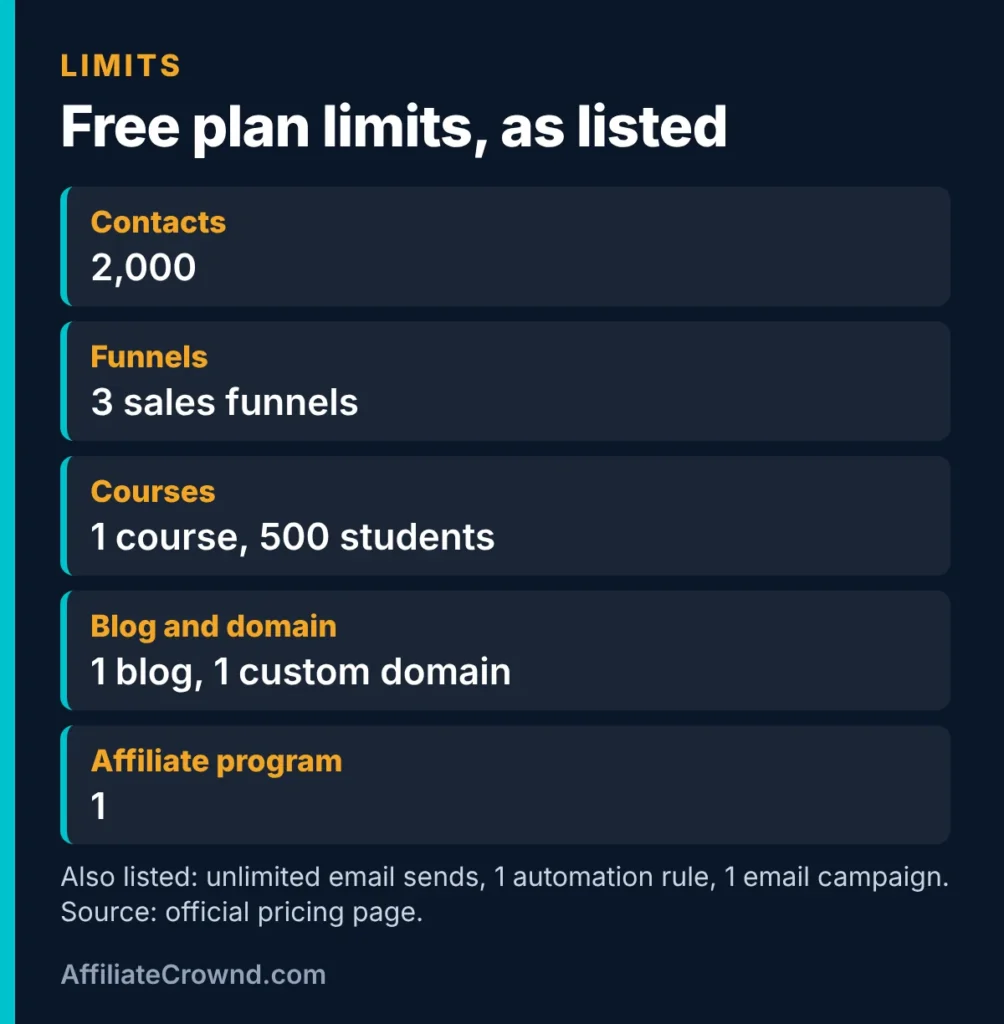
| Item | Free plan (as listed) |
|---|---|
| Price | $0, never expires |
| Credit card to sign up | Not required |
| Contacts | Up to 2,000 |
| Sales funnels | 3 |
| Courses | 1 |
| Students | 500 |
| Blog | 1 |
| Custom domain | 1 |
| Affiliate program | 1 |
| Emails | Unlimited sends |
| Automation rules | 1 |
| Email campaigns | 1 |
| Transaction fees from Systeme.io | 0% |
One thing the page does not say is whether free accounts show Systeme.io branding on your pages. I could not confirm it from the official text, so I will not guess. Check your own pages after you build one.
What each limit means in plain words
Numbers on a pricing page are easy to read and hard to picture. Here is what each one means when you are building something.
2,000 contacts
A contact is a person on your list. Two thousand is a large number for a beginner. Most new lists take a long time to reach it, so this is rarely the first limit you meet. If you do get there, that is a good problem: it means your list is working, and a paid plan will not feel like a gamble.
3 sales funnels
A funnel is a short path of pages, such as an opt-in page followed by a thank-you page. Three is enough to run a small test: one for a lead magnet, one for a simple offer, and one spare for an experiment. It is not enough to run many offers at once. Plan which three matter most.
1 course and 500 students
You can host one course. Five hundred students is plenty for a first course. The limit that matters is the one course: if you want a second, separate course, you will need a higher plan or a different way to organise your lessons.
1 blog and 1 custom domain
You get one blog and can connect one domain of your own. Many people already run a WordPress site, as I do, and use Systeme.io only for funnels and email. In that case the blog limit will not matter to you. Connecting a domain involves DNS settings, which is the step beginners most often find fiddly, so give it some time.
Unlimited email sends
The page lists unlimited sends, which is generous. Be careful, though. “Unlimited” does not mean you should email people more often than they want. Send what is useful, and keep your list clean.
1 automation rule and 1 email campaign
An automation rule is a simple instruction, such as “when someone joins this list, send this email.” An email campaign is a planned set of messages. With one of each you can run one welcome flow, and that is all. This is the tightest limit on the plan, and the next section explains why.
1 affiliate program and 0% transaction fees
You can run one affiliate program for your own product. The page also says Systeme.io charges no transaction fees. Payment processors such as Stripe or PayPal still charge their own fees, which is normal for any seller, so factor those in. If you want to promote Systeme.io itself, that is a different thing, and I explain it in my Systeme.io affiliate program review.
What you can build on the free plan
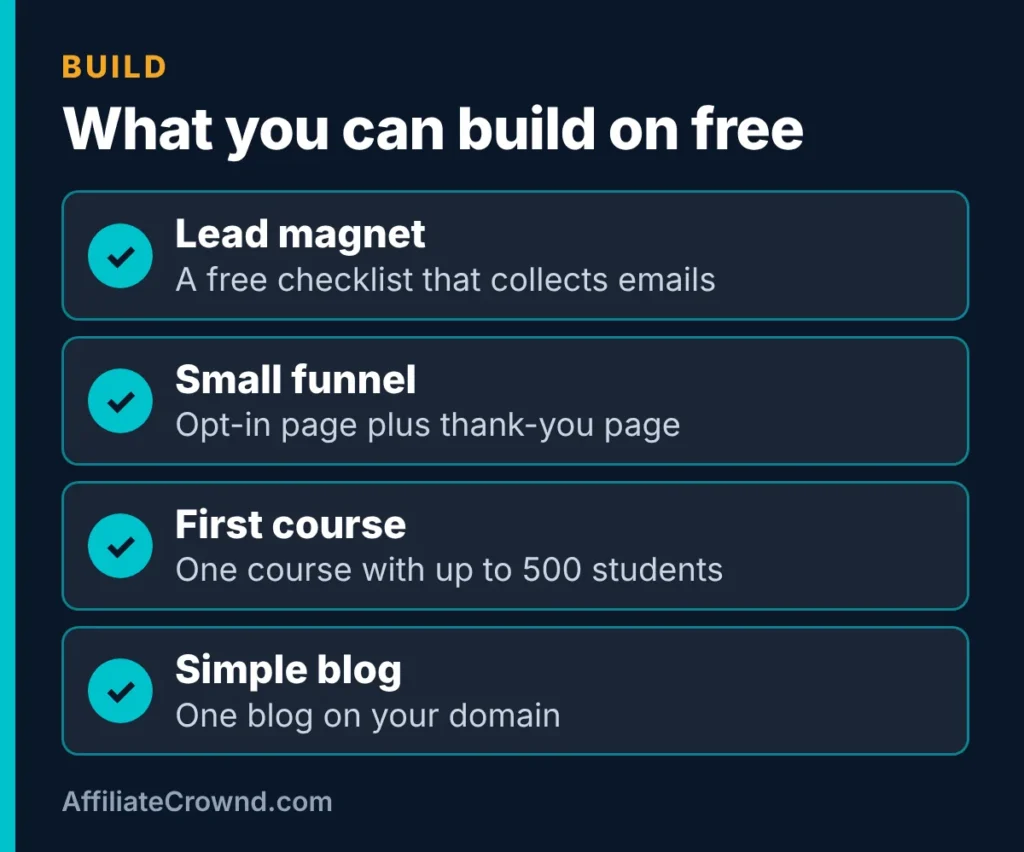
Within the listed limits, here are realistic projects a beginner can finish:
- A lead magnet. Offer a short checklist or guide in exchange for an email address. This is the best first project because it teaches you pages, forms and email in one go.
- A small funnel. An opt-in page plus a thank-you page, with one welcome email using your single automation rule.
- A first course. One short course with a few lessons for up to 500 students. Keep it small and finish it.
- A simple blog. A few helpful posts on your own domain, if you do not already have a site elsewhere.
Notice what all four have in common: they are small. The free plan rewards finishing one thing. If you try to run five projects at once, you will hit a wall quickly, and not because the tool is bad. For a step-by-step version of the first project, follow the first-hour plan in my beginner guide.
Ready to try it? Start with the free plan. No card is required, so the only thing you spend is time.
Which limit breaks first?
This section is my judgment based on the listed limits. It is not a test result, and your experience may differ. Still, the pattern is easy to see once you read the numbers side by side.
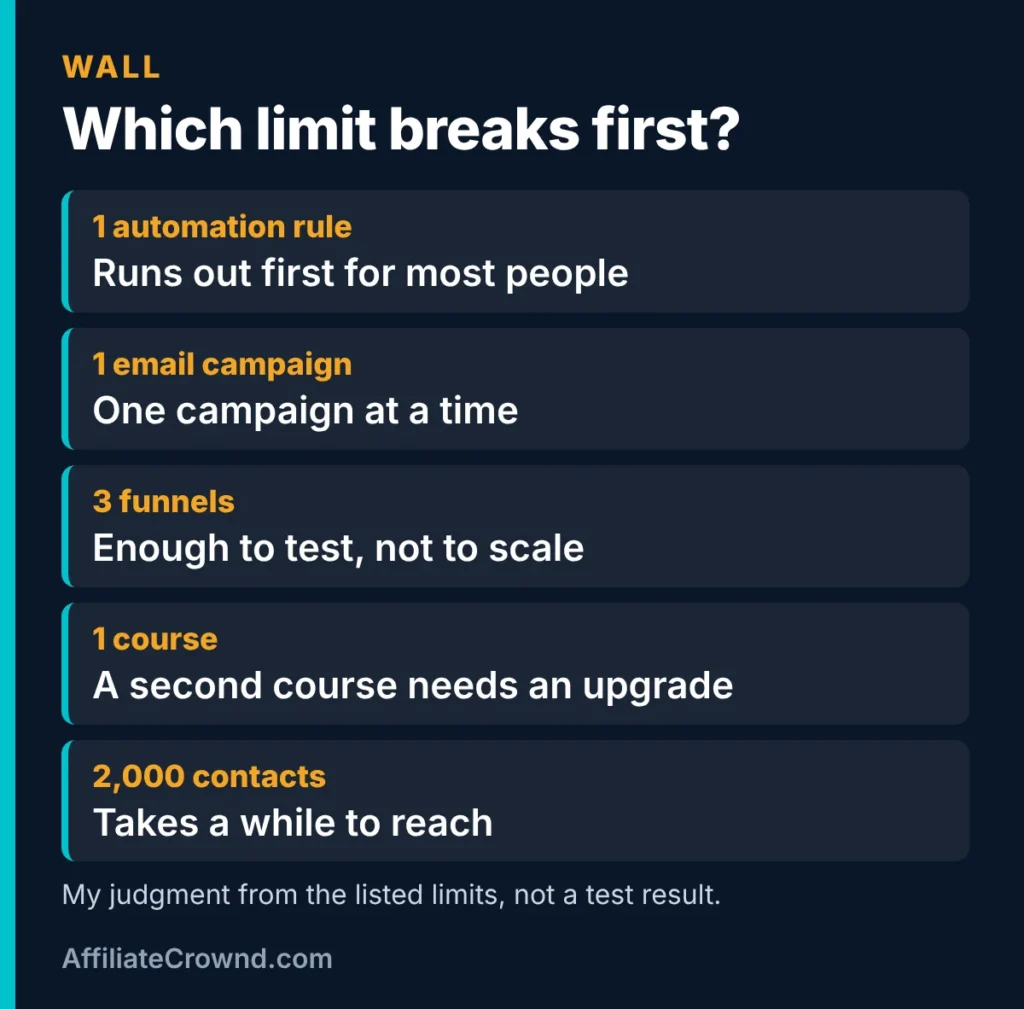
| Limit | Why it matters |
|---|---|
| 1 automation rule | You can automate only one simple flow, so a second sequence needs an upgrade. |
| 1 email campaign | Only one campaign at a time, which limits how many separate emails you can plan. |
| 3 funnels | Fine for testing, tight once you have several offers. |
| 1 course | A second separate course is blocked. |
| 2,000 contacts | Takes a while to reach, so it rarely blocks beginners. |
The reason the automation rule comes first is simple. The moment you want a welcome email, a separate follow-up for buyers and a separate sequence for a second freebie, you need more than one rule. Email is where most online businesses build their long-term value, so this is exactly where the free plan asks you to decide.
Free vs the Startup plan
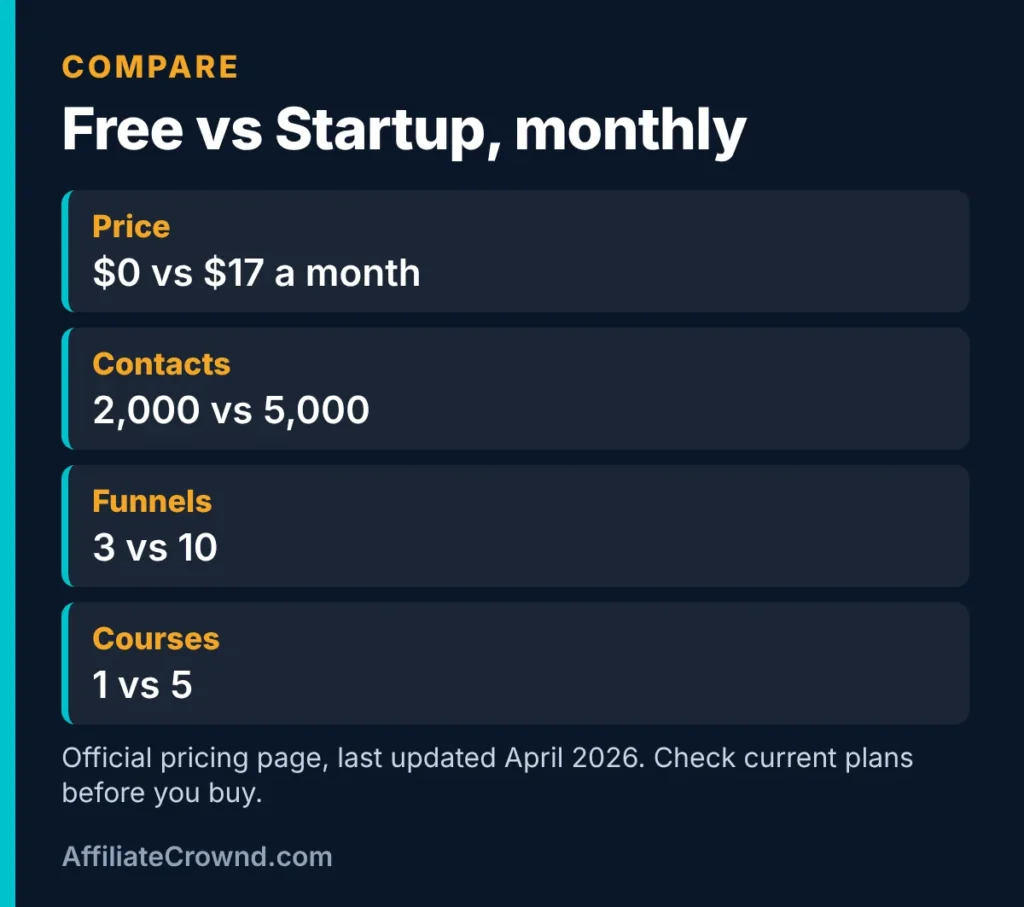
The next step up on the official page is Startup at $17 a month. These are the numbers the page gives for both plans. The page does not list Startup limits for blogs, domains, affiliate programs, automation rules or email campaigns, so I will not claim any. Check those details on the official page before you pay.
| Item | Free | Startup |
|---|---|---|
| Monthly price | $0 | $17 |
| Contacts | 2,000 | 5,000 |
| Sales funnels | 3 | 10 |
| Courses | 1 | 5 |
For the other two paid plans, Webinar at $47 and Unlimited at $97, see my Systeme.io pricing breakdown. If you are comparing the tool with a bigger funnel builder, my Systeme.io vs ClickFunnels comparison covers that. And for the full picture of the product, read the Systeme.io review.
Mistakes to avoid on the free plan
Using up your three funnels on experiments
It is easy to build three half-finished funnels in the first week. Decide which one matters most, finish it, and only then start another. Delete or reuse pages you no longer need.
Spending your one automation rule on something minor
With only one rule, use it for the most valuable job: delivering your freebie and welcoming new subscribers. Do not spend it on a small side task.
Assuming “free” means “no cost ever”
The plan is free, but running a business still has costs. If you sell something, Stripe or PayPal charge their own fees. If you use a custom domain, the domain costs money from whoever sells it to you. Count those before you promise yourself a free business.
Trusting old numbers
Free plans change over time. A guide written two years ago may show different limits. The official page I used says “Last updated: April 2026.” Always compare the live page with anything you read, including this guide.
Building with no traffic plan
A perfect funnel with no visitors collects nothing. Decide where people will come from before you polish the page. Search, a blog or a link in your profile are all cheap places to start. My Start Here page shows how the pieces of this site fit together.
A simple upgrade checklist
Before you pay for any plan, answer these five questions honestly. If most answers are no, stay on free a little longer.
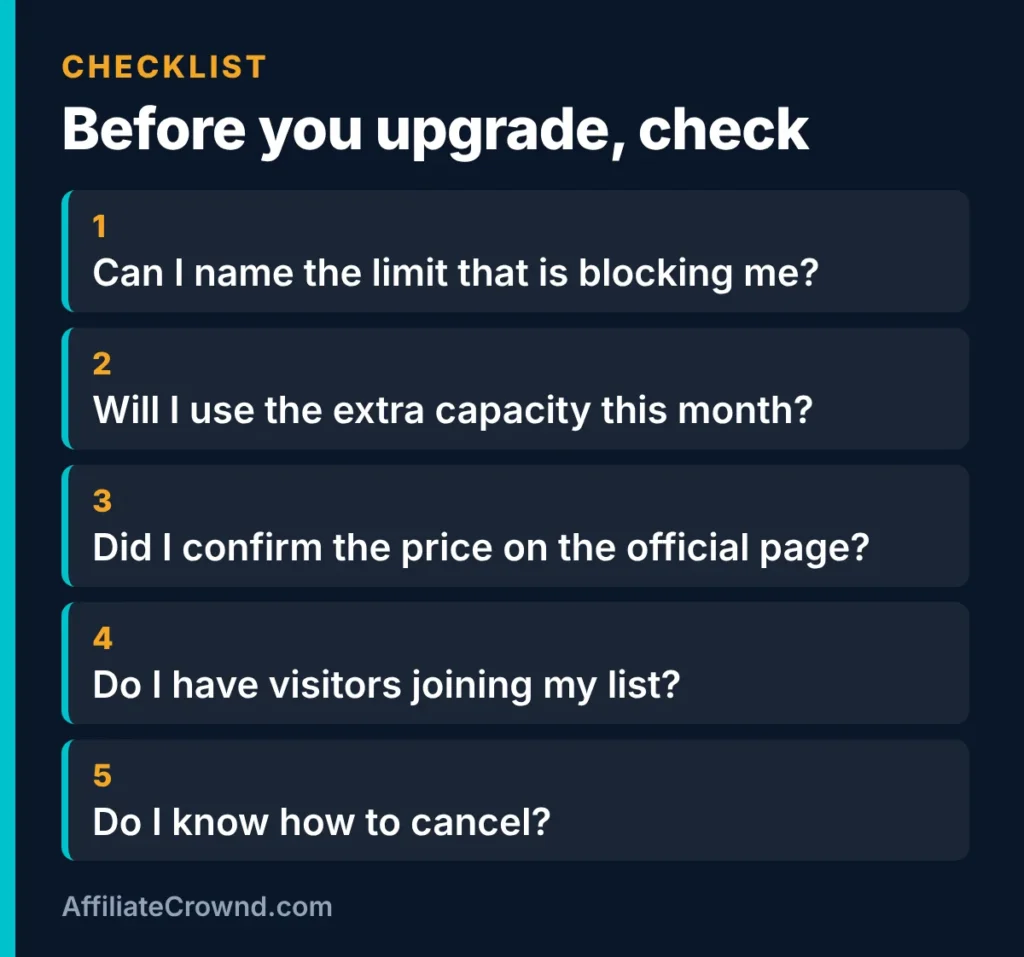
- Can I name the limit that is blocking me? If you cannot point to a specific limit, you are not blocked yet.
- Will I use the extra capacity this month? Paying for something you might use someday is a common way to waste money.
- Did I confirm the price on the official page? Prices change, so check the source, not a blog post.
- Do I have visitors joining my list? More contacts or funnels only help if people are arriving.
- Do I know how to cancel? Read the terms before you enter a card.
If you are on a tight budget, as many beginners are, this checklist matters more than any feature list. A paid plan should pay for itself in time saved or sales made, and you should be able to say how.
Free plan vs a free trial: why the difference matters
A free plan and a free trial sound alike, but they behave differently. A trial gives you full access for a short window, then asks for money. A free plan keeps working, with smaller limits. For a beginner with no income yet, that difference is the whole decision.
| Tool | How you start without paying | What happens next |
|---|---|---|
| Systeme.io | Free plan, no expiry per the official page | You stay on Free until you choose to upgrade |
| Kajabi | 14-day free trial, per its pricing page | Paid plans start at $179 a month, or $143 a month billed annually |
| ClickFunnels | A free trial button; length not stated on its pricing page | Paid plans start at $97 a month |
We read the Kajabi pricing page and the ClickFunnels pricing page on November 9, 2026. Kajabi also lists a 30-day money-back guarantee without describing its conditions, and ClickFunnels lists a 30-day money-back guarantee too. Systeme.io’s pricing page mentions no refund policy. That is not a flaw on a plan that costs nothing, but it matters once you pay. For the full side-by-side, see Systeme.io vs Kajabi and Systeme.io vs ClickFunnels.
Two details on the official page that do not match
While checking numbers we noticed the pricing page describes two things in more than one way. The student cap appears as 500 students in one place and as unlimited in another. Support is described both as available 24/7 and with a response time of under 2 hours. We cannot tell which wording is current, so do not plan around either one. If either matters to you, ask support in writing before you build around it, and keep the reply.
A 14-day plan for using the free plan well
Because the free plan has only one automation rule and one email campaign, a plan helps you avoid wasting them. This is our suggested order, not a test result:
- Days 1 to 2: create the account and write down the limits from the official page, with the date. Decide on one goal, such as collecting email addresses.
- Days 3 to 5: build one opt-in funnel (an opt-in page and a thank-you page) and a short freebie. That uses one of your 3 funnels.
- Days 6 to 8: write a single welcome email and connect it with your one automation rule, so every new subscriber receives it.
- Days 9 to 11: test everything on your phone. Sign up with a spare address and check that the email arrives, the links work and the page loads quickly.
- Days 12 to 14: send a few real visitors to the page and count sign-ups. Note which limit you wished you had more of.
At the end of two weeks you will know whether the tool fits the way you work, and you will have a real answer to the question “what is blocking me?”. If you want the step-by-step version of the list-building part, follow our email list guide.
Questions to ask support before you upgrade
- Is the student limit on my plan 500 or unlimited?
- What is the current support response time on my plan?
- If I upgrade and cancel, do I keep my pages on the free plan?
- Do free accounts show Systeme.io branding on my pages?
- Is there a refund option on paid plans, and what are its conditions?
None of these answers are on the pricing page, which is why we suggest asking. Save the replies with the date, because plans change.
Who the free plan fits, and who it does not
It fits you if you are learning, building your first email list, testing one small offer, or running a single course. It also fits you if you already have a blog elsewhere and want funnels and email on the side.
It may not fit you if you need several automated email sequences from day one, want to run many funnels at the same time, or plan to launch multiple courses. In those cases, you will likely upgrade quickly, so decide early whether Startup at $17 a month fits your plan.
If you are still choosing between tools, my list of best affiliate programs for beginners shows how email tools fit into earning online, and the affiliate marketing basics guide explains the bigger picture.
My honest verdict
The Systeme.io free plan is a genuinely useful way to learn funnels and email without risking money. It does not expire, it does not ask for a card, and the limits are clear. The trade-off is that the automation and campaign limits are tight, so anyone serious about email will outgrow it. That is a fair deal for a plan that costs nothing.
What I like: a no-card, no-expiry plan; unlimited email sends; and a clear step up to $17 a month.
What to watch: one automation rule and one email campaign, the unconfirmed question of branding on free pages, and the fact that I have not tested every feature myself.
My suggestion: sign up for the free plan, build one page and one welcome email, and judge the tool by what you actually make. Upgrade only when a real limit stops you.
Systeme.io free plan: FAQ
Does the Systeme.io free plan expire?
According to the official pricing page, the free plan “never expires and does not require a credit card.” Terms can change, so confirm on the page when you sign up.
How many contacts can I have on the free plan?
The page lists up to 2,000 contacts. The Startup plan at $17 a month lists 5,000.
Can I send unlimited emails on the free plan?
The page lists unlimited email sends. It also lists only one automation rule and one email campaign, so unlimited sending does not mean unlimited sequences.
Does Systeme.io charge transaction fees on the free plan?
The page lists 0% transaction fees from Systeme.io. Payment processors such as Stripe or PayPal charge their own fees, so account for those if you sell something.
When should I upgrade from the free plan?
Upgrade when a specific limit blocks something you are actively trying to do, such as a second automation or more than three funnels. Do not upgrade just in case. Use the checklist above before you pay.
Conclusion
The free plan is a real, usable starting point: 2,000 contacts, 3 funnels, a course, a blog, a domain and unlimited sends, with no card and no expiry. Its one big catch is the single automation rule and email campaign. Build one thing, test it, and let your own needs tell you when to upgrade. When you are ready, start free with Systeme.io.
Weighing Systeme.io against a premium platform? See my comparison Systeme.io vs Kajabi, which sets the free plan against Kajabi’s 14-day trial and $179 entry price.
Ready to put the free plan to work? Follow our step-by-step guide: how to build an email list from scratch.
Last checked: November 2026 against the official Systeme.io pricing page, last updated April 2026. Plans, limits and prices can change, so confirm on the official site before you buy.