
ShortPixel vs Imagify: Which WordPress Image Optimizer Should You Use?
By Oscar · 14 min read
Disclosure: Some links to ShortPixel on this page are affiliate links. If you buy through them, AffiliateCrownd may earn a commission at no extra cost to you. Imagify is linked without an affiliate relationship. Everything below comes from each vendor’s own pages, read on November 9, 2026.
If you are choosing between ShortPixel and Imagify, you are really choosing between two different ways of paying for the same job: shrinking the images on your WordPress site so pages load faster. ShortPixel counts credits. Imagify counts megabytes. That one difference changes which plan is cheap for your site and which one gets expensive.
I am Oscar, and I build AffiliateCrownd as an affiliate site. I have not run a lab test of both plugins on the same image set, so this page does not claim speed or compression results. It compares what each company states on its own pages, and tells you plainly where a page says nothing.
Quick answer: ShortPixel or Imagify?
Neither is better for everyone. Based on what the vendors publish:
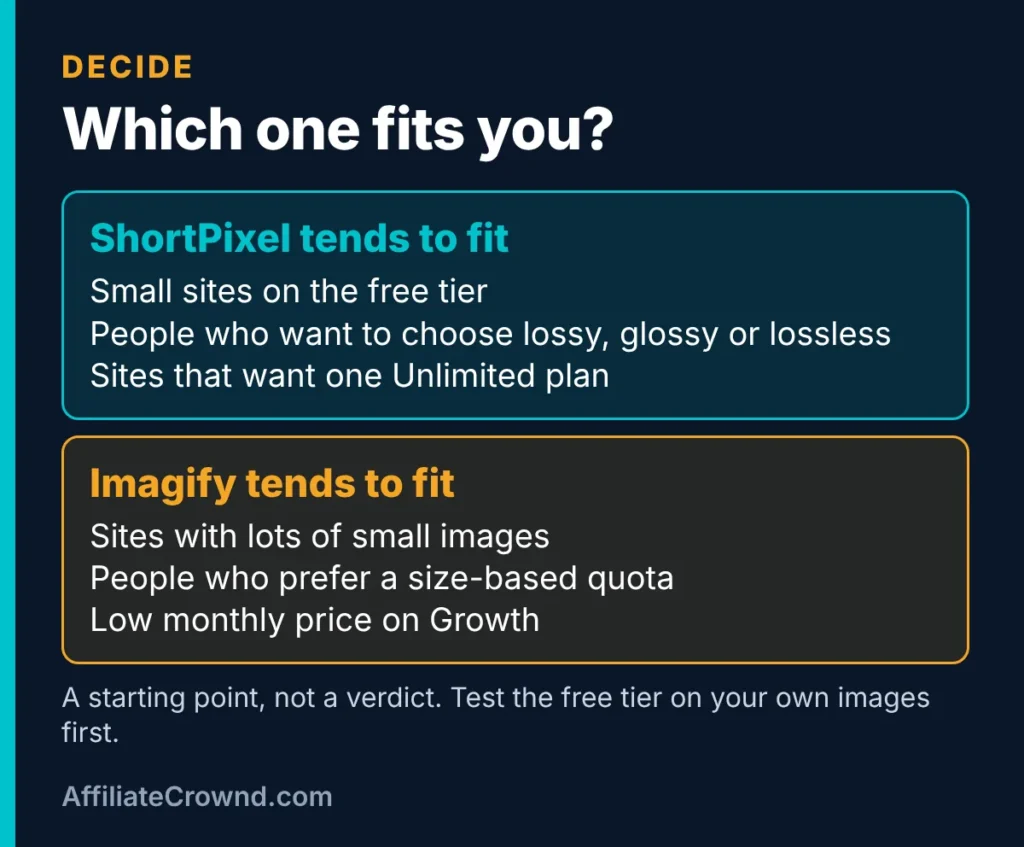
- Choose ShortPixel if you want an explicit choice of lossy, glossy or lossless compression, a free tier counted in images, and an Unlimited plan.
- Choose Imagify if you prefer a quota measured in file size, want a lower entry price on its Growth plan, or want to try a free tier with a hard cap before paying.
- Not sure? Run the free tier of each on the same 20 images and compare file sizes. It costs nothing and tells you more than any article can.
If you only want to see ShortPixel, you can start with its free tier here. For a deeper look at it alone, read our ShortPixel review.
Why image optimization matters for an affiliate site
An affiliate site is mostly images and text: screenshots, comparison graphics, product shots, hero images. Every one of those files is downloaded by every visitor. Large files make pages slower, and slow pages are a reasonable thing to fix before you spend money on anything else.
An image optimizer plugin does three jobs. It compresses files so they weigh less, it can convert them to modern formats such as WebP and AVIF, and it lets you restore the originals if you do not like the result. Both tools covered here do all three, according to their own pages.
This guide does not promise that an optimizer will raise your rankings or your income. Page speed is one factor among many, and no plugin changes whether your content deserves to rank. What an optimizer does is remove a common, avoidable weakness.
Side-by-side: plans and prices
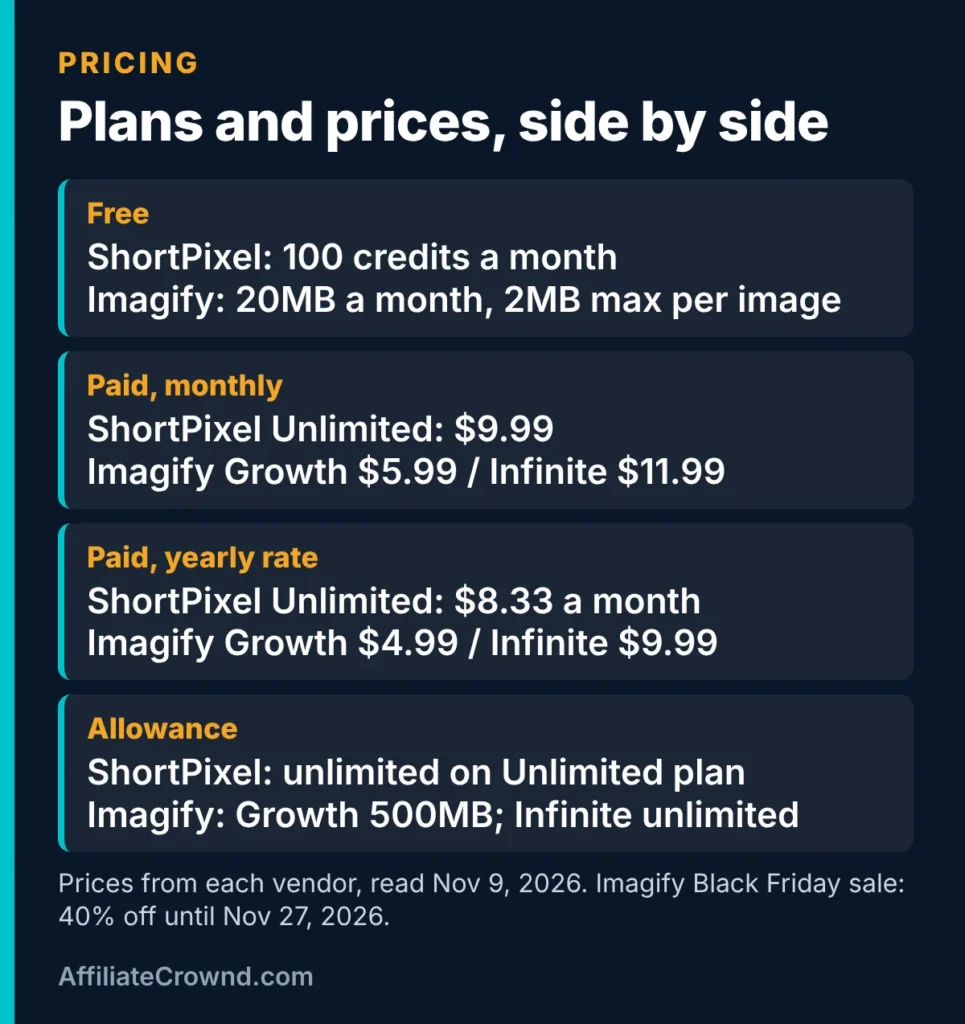
Prices below are from each vendor’s pages as read on November 9, 2026. They change, so confirm on the vendor site before you buy.
| Plan | ShortPixel | Imagify |
|---|---|---|
| Free | Up to 100 credits per month | Starter: 20MB per month (about 200 images), 2MB maximum per image, no card |
| Mid paid plan | Not stated on the page I could read | Growth: $5.99 per month, or $4.99 per month on yearly billing; 500MB per month (about 5,000 images); $5 per extra GB |
| Top paid plan | Unlimited: $9.99 per month; $8.33 per month on yearly billing, per ShortPixel’s own marketing blog | Infinite: $11.99 per month, or $9.99 per month yearly; unlimited images and websites |
| Sale | None found | Black Friday: 40% off until November 27, 2026 |
Two honest caveats. First, ShortPixel’s pricing page is built with JavaScript and showed no prices when I read it, so the ShortPixel numbers come from its product page and its blog. Second, Imagify’s page shows two prices per plan without labelling which is the original, so the sale prices ($3.59 Growth, $7.19 Infinite monthly; $2.99 and $5.99 yearly) are my reading of the math. Check the live page before relying on them.
What the prices do not tell you
The cheapest plan is only cheap if it covers your images. A site with a few hundred images may never leave a free tier. A site with thousands of images and many thumbnails can hit a quota in a month. That is why the next section matters more than the price table.
How each tool counts what you use
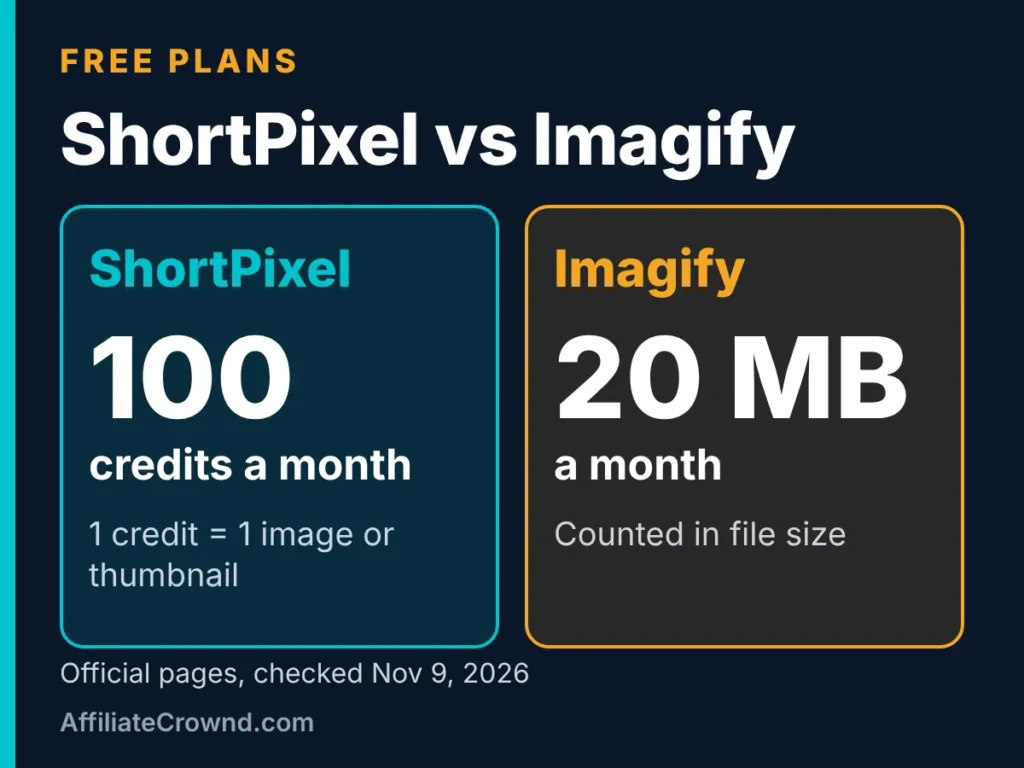
ShortPixel: one credit per image or thumbnail
ShortPixel’s help center defines one credit as one optimized image or thumbnail, charged only when the optimization shrinks the file by at least 5%. If an image cannot be reduced by 5%, no credit is used.
The catch is thumbnails. WordPress creates several sizes of every upload, and ShortPixel’s FAQ notes that images often have six to eight thumbnails. Each optimized thumbnail uses its own credit. You can exclude specific thumbnail sizes to spend fewer credits. A WebP or AVIF version costs an extra credit for each image and thumbnail that gets one.
In practice, one uploaded photo can use many credits. If I take ShortPixel’s own numbers at face value, a 100-credit free tier covers far fewer than 100 uploads once thumbnails and WebP copies are counted. I have not tested the exact number on a real site, so treat that as arithmetic, not a measured result.
Imagify: a monthly size quota
Imagify measures usage in megabytes. Its Starter plan gives 20MB per month, which it equates to about 200 images, with a 2MB cap per image. Growth gives 500MB per month, about 5,000 images, and charges $5 per additional gigabyte. Infinite has no quota, subject to a fair-use policy.
Imagify’s terms add details worth knowing. On a free account, once the quota is used up, new images cannot be optimized until it renews or you buy more. On paid plans, going over the quota is allowed and is billed: Monthly Plan customers are billed for each additional GB. The terms also let the company limit or suspend use it considers excessive or abusive.
Which counting method is friendlier?
It depends on your images. A size-based quota favors sites with many small, already-light images. A credit-based quota favors sites that upload fewer images, or that exclude most thumbnail sizes. ShortPixel’s own blog says Imagify’s pricing is “primarily based on file size limits rather than image count.” That is a competitor’s description, so weigh it accordingly, but it matches what Imagify’s pricing page shows.
Features each vendor states
| Feature | ShortPixel | Imagify |
|---|---|---|
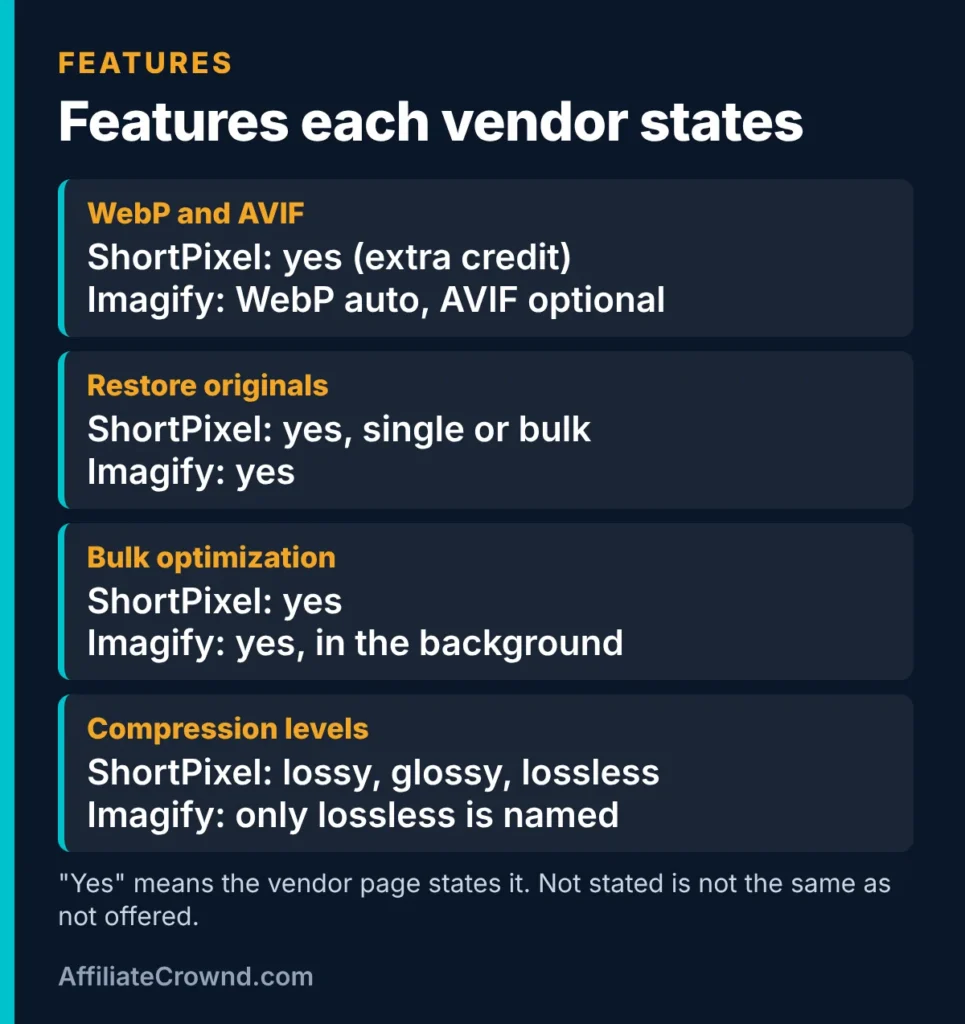
| Compression levels | Lossy, glossy and lossless | “Lossless level” is the only one named on the page I read |
| WebP and AVIF | Automatic WebP and AVIF; each copy costs an extra credit | Converts to WebP automatically; AVIF can be chosen per image |
| Restore originals | Originals backed up to a folder on your server; restore one by one or in bulk | Restore to the original version at any time; how backups are stored is not described |
| Bulk optimization | Yes, from the WordPress admin | Asynchronous bulk optimization in the background |
| Multiple sites | One API key works on multiple sites; per-plan site limits not stated | Unlimited websites on every plan; quota is shared across them |
| Refund terms | Not stated on the FAQ | Terms mention a 14-day cooling-off right that can be waived on download, and no refund of amounts already debited on a one-payment 12-month plan |
Read the blanks carefully. “Not stated” does not mean “not offered.” Imagify’s page names only a lossless level, but that does not prove it has no other. Where it matters to you, check the live plugin settings.
Compression levels in plain language
Lossless reduces file size without throwing away image data. Lossy removes some detail to get smaller files, usually at a level most people cannot see. ShortPixel also offers glossy. The vendor lists all three as options you can pick. If you run a photography-heavy site and want to control that trade-off, having named levels is useful. If you want the simplest setup possible, fewer choices is not a drawback.
Backups and restoring
Both tools say you can restore originals. ShortPixel states that originals go to a separate folder at /wp-content/uploads/ShortpixelBackups/ on your own server, which means that backup uses your hosting space. Imagify says you can restore at any time but does not describe where the backup lives. Either way, keep your own site backup as well. A plugin’s restore button is not a replacement for a real backup.
ShortPixel: strengths and limits
Strengths, from what ShortPixel states
- A free tier of up to 100 credits per month, enough to test it on your own images.
- Three named compression levels: lossy, glossy and lossless.
- Automatic WebP and AVIF output.
- Originals are backed up and restorable individually or in bulk.
- One-time credit packs that, per ShortPixel’s help center, never expire, plus an Unlimited plan.
Limits to plan around
- Thumbnails and extra formats each use credits, so a credit is not the same as an upload.
- The pricing page needs JavaScript, which makes quick price checks harder.
- No refund terms appear on the FAQ I read.
- When you run out of free credits, optimization stops until the next monthly renewal or until you change plans.
The Unlimited plan is described as a 30-day plan with a monthly CDN allowance, and it is not stackable. One-time credits are used only after that allowance is exhausted, per ShortPixel’s help article. That interplay is easy to misread, so read the help page before you buy.
Imagify: strengths and limits
Strengths, from what Imagify states
- A free tier with no card required and unlimited websites.
- A low-priced Growth plan for sites with moderate image volume.
- Automatic WebP conversion, optional AVIF, and background bulk optimization.
- One quota shared across all your websites, with sub-accounts able to allocate separate quotas.
Limits to plan around
- The free tier is small: 20MB per month and a 2MB cap per image. Large photos can exceed that cap.
- On the free plan, optimization stops when the quota runs out.
- Paid plans can go over quota, but the extra usage is billed at $5 per GB on Growth.
- The terms say a yearly plan paid in one payment is not refundable for amounts already debited. Read them before choosing yearly billing.
- Its page names only one compression level.
How the numbers play out: three example sites
These are illustrations built from the published quotas, not measurements. Your file sizes will differ.
A new site with a handful of posts
You publish a few articles a month with a few images each. Both free tiers can probably handle this at first. ShortPixel’s 100 credits go quickly if every image creates several thumbnails, so check how many sizes your theme generates. Imagify’s 20MB goes further if your images are compressed before upload and under its 2MB cap.
A growing review site
You add many large screenshots and graphics. Credit counting multiplies by thumbnails and WebP copies, while a megabyte quota multiplies by file size. If you export images at a sensible size, a size-based plan like Imagify Growth can be the lower-cost fit. If your images are large, the credit model can be gentler.
A big library you are cleaning up
If you are bulk-optimizing thousands of old images, an unlimited plan from either vendor removes quota anxiety for a month or two. One approach is to subscribe for the clean-up and then move to a smaller plan. Because ShortPixel’s Unlimited is a rolling 30-day plan and Imagify’s terms allow plan changes at any time, both are workable for that approach. Confirm cancellation steps before you pay.
Common mistakes when choosing an image optimizer
- Comparing price per month without comparing how usage is counted. A $5.99 plan and a $9.99 plan are not comparable until you know your images.
- Forgetting thumbnails. One upload is many files.
- Optimizing huge originals instead of resizing first. Uploading a 6000-pixel photo to show at 800 pixels wastes quota with either tool.
- Skipping your own backup. A restore button depends on the plugin’s backup staying intact.
- Trusting a single comparison page. This includes this one. Vendors change prices and limits, so verify on their pages.
Before you pay: a checklist
Paid plans from either vendor are small purchases, but small purchases add up when you run several tools. Work through these questions first.
- How many images are in my media library right now? Open Media in WordPress and note the count. This is your starting workload.
- How many new images will I add each month? Be honest. An affiliate site that publishes four articles a month with seven images each adds roughly 28 uploads, before thumbnails.
- How many thumbnail sizes does my theme create? This matters for ShortPixel credits. You can exclude sizes you never display.
- Are my images already resized before upload? Smaller source files stretch a megabyte quota much further.
- Do I need AVIF? It costs an extra credit per file on ShortPixel. WebP alone may be enough for your audience.
- Can I cancel easily? ShortPixel says cancelling a monthly plan means you are not billed again and remaining credits last to the end of the billing period. Imagify says monthly subscribers may terminate at any time by emailing the company. Know the exit before you enter.
- Is the yearly price worth the lock-in? Imagify’s terms say a 12-month plan paid in one payment is not refundable for amounts already debited. If you are still testing, monthly billing is the safer start.
Setting up an optimizer without breaking your site
The steps below apply to either plugin. They are general WordPress practice, not instructions from either vendor, so follow each plugin’s own setup screens for the exact options.
- Back up your site first. Use your host’s backup or a backup plugin, and confirm you can restore it.
- Install on a staging copy if your host offers one. If it does not, test on a handful of images before running a bulk job.
- Start with a conservative compression level. You can always compress harder later, and you can restore originals if you do not like the result.
- Look at the results on real pages. Check hero images, screenshots with small text, and anything with fine gradients.
- Only then run the bulk job. Both vendors describe bulk optimization, so a large library does not have to be done by hand.
- Re-check page speed afterwards. Use a free speed tool of your choice and compare before and after. Record the result yourself instead of trusting anyone’s claims, including mine.
What I could not verify
This page would be less useful if it pretended to know more than it does. These are the open points, so you can check them yourself:
- How much smaller either tool makes your images. That depends on your files and settings, and I have not published a test.
- ShortPixel’s current mid-tier prices. The pricing page did not display them for me.
- Whether Imagify offers compression levels beyond the lossless one named on its page.
- Refund terms for ShortPixel. The FAQ I read did not state any.
- Per-plan site limits for ShortPixel. The pages I read did not state them.
A simple way to decide in 20 minutes
- Pick 20 representative images from your site: a few large photos, a few screenshots, a few graphics.
- Install one plugin on a staging copy or a test site, optimize the batch, and note total file size before and after.
- Restore the originals, then repeat with the other plugin.
- Compare the sizes and look at the images on a phone screen. Check that text in screenshots is still sharp.
- Check how much of the free quota the test used, then multiply by the size of your library.
This gives you your own result instead of mine. If you want a shortcut to the ShortPixel side, its free tier is the place to start, and Imagify’s free Starter plan covers the other.
My honest recommendation
For a small affiliate site that is just starting out, I would test both free tiers and choose by results and by how each counts usage. If your priority is control over compression and you do not mind credits, ShortPixel is the more flexible option on paper. If you want predictable size-based pricing and a lower-priced paid tier, Imagify Growth is worth a close look, especially while its Black Friday discount runs through November 27, 2026.
I earn a commission if you buy ShortPixel through my link and nothing if you choose Imagify. That is why I based this page on the vendors’ published terms and told you where pages were unclear, rather than declaring a winner I have not tested.

Try ShortPixel’s free tier or try Imagify’s free plan, and compare the results on your own images.
Frequently asked questions
Is ShortPixel free?
ShortPixel has a free tier of up to 100 credits per month, per its product page. When the credits run out, optimization pauses until the next monthly renewal or until you change plans.
Is Imagify free?
Yes. Imagify’s Starter plan is free with 20MB per month, about 200 images, and a 2MB maximum per image, with no card required according to its pricing page.
Which one is cheaper?
It depends on how many images you have and how big they are. Imagify’s Growth plan is $5.99 per month, or $4.99 per month yearly, while ShortPixel’s Unlimited plan is listed at $9.99 per month. The plans are not equivalent, so compare how each counts usage before comparing price.
Do both support WebP and AVIF?
Per their own pages, yes. ShortPixel creates WebP and AVIF versions at an extra credit each. Imagify converts to WebP automatically and lets you choose AVIF for each image.
Can I undo the optimization?
Both vendors say you can restore originals. ShortPixel backs originals up to a folder on your server and restores individually or in bulk. Keep your own site backup in addition.
Conclusion
ShortPixel and Imagify solve the same problem with different pricing logic: credits per image and thumbnail on one side, megabytes per month on the other. The better choice is the one whose counting method matches your images. Test both free tiers on the same 20 files, check the live pricing pages, and keep your own backup.
Sources and update note
Read on November 9, 2026: ShortPixel product page, help center articles on credits and on monthly versus one-time plans, FAQ, and marketing blog; Imagify pricing page, WordPress plugin page and terms. Prices and limits change, so confirm on the vendor sites. This page will be refreshed when they do.